


AI search engines are changing the way we look for information online. You can quickly find clear and direct answers without navigating lengthy lists.
In this guide, we’ll introduce the 9 best free AI search engines currently available. Whether you want faster answers, smarter research tools, or to generate unique text and images, this list will help you find the AI search tool that meets your needs.
9 Best Free AI Search Engines
1. ChatGPT Atlas: A Mac-Only AI Search Tool
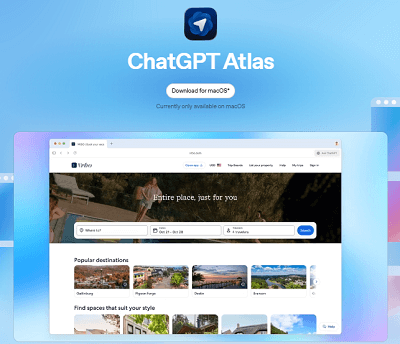
If you use Google to search for information, you can get the answer using ChatGPT Atlas.
ChatGPT Atlas is a free AI search engine based on an open AI model. It provides clear, helpful answers, rather than lengthy lists of web pages. You’ll directly access the content of various web pages and get the answer you need in seconds.
However, ChatGPT Atlas currently only supports the macOS version.
Key Features of ChatGPT Atlas
- Real-time AI search
- Answers based on web index data
- Multi-language support
- AI-driven insights
- ChatGPT agents interact with web pages and complete tasks for you.
- Free to use and no subscription required.
2. Perplexity: The Most Popular Free AI Search Engine

Perplexity is one of the earliest and most popular free AI search engines. It combines the features of a search engine and an AI chatbot, allowing you to easily explore any topic.
It can remember context, so you can ask simple questions without repeating previously mentioned information.
It excels in research, quick fact-checking, and delivering multimedia results, including live scores, charts, and image previews.
Key Features of Perplexity
- AI-driven search results.
- Break down each query into: answer, image, source, and steps.
- Advanced AI search mode.
- Get real-time updates, including breaking news, sports scores, and stock market charts.
- Support Web, macOS, Windows, iOS, and Android.
3. Google Gemini: Google’s AI-Enhanced Search Experience
Google Gemini is a free, AI search engine developed by Google. It integrates advanced AI models with Google Search, providing users with concise summaries, key points, and source links, making it easier and faster for them to understand information.
Gemini can also handle complex queries, answer follow-up questions, and even combine text and image recognition in supported regions.
Key features of Google Gemini
- AI Summaries.
- Understanding text and images in queries.
- Providing answers based on the latest online information.
- Available in Google Search, Google Workspace, and Edge.
4. Komo: A Clean, Ad-Free AI Search Experience
Komo is a free AI search engine. Powered by its own proprietary Sunshine AI, it also allows users to switch between different models from companies like OpenAI, DeepSeek, and Anthropic.
In addition, Komo features a “Discover” page showcasing the latest discussions on technology, news, science, business, entertainment, and more.
Key Features of Komo
- No ads and no subscription required
- Multiple AI models to choose from
- Visualized search results
5. Felo AI: A Search Engine with No Language Barriers
Felo AI is a free, chat-based AI search engine that helps you find information from around the world. It provides clear and concise answers by searching the web and translating foreign language content. Furthermore, it displays the source of the information, allowing you to verify its authenticity yourself.
Felo AI differs from traditional search engines. You simply ask a question, and it answers directly.
Key Features of Felo
- Search in any language.
- Provide clear and concise answers.
- Help organize your thoughts.
- No ads, no distractions.
- Generate presentations with one click.
6. Microsoft Copilot: AI Search Built Into Windows and Bing
Microsoft Copilot is an all-in-one AI search engine integrated into Windows, Edge, Bing, and Microsoft 365.
It offers features such as AI search, document generation, and productivity tools. You can ask questions, summarize page content, write articles, or search the web.
Key Features of Microsoft Copilot
- Real-time web search via Bing.
- Built into Windows 11 and Edge browsers.
- Compose emails, summarize PDFs, create outlines, and rewrite text.
- AI image generation powered by DALL·E.
- Uses OpenAI GPT-4 level models and Microsoft’s proprietary models.
7. Brave Search: A Privacy-Focused AI Search Engine
Brave Search is a free, AI search engine developed by the Brave browser team.
As a privacy-focused search engine, Brave Search does not track your search history or collect personal data. It provides relevant search results while protecting your privacy.
Key Features of Brave Search
- No user tracking or user profiling analysis.
- Provides AI-driven summaries.
- Ad-free browsing.
- Users can view how search results are generated.
- Filter search results by region.
8. iAsk: AI Search with Clear Answers
iAsk is a new search engine that integrates web search results with AI-generated answers.
Simply ask your question, and iAsk will gather information from the web and various data sources, then explain it in clear and easy-to-understand language.
Key Features of iAsk
- Real-time search.
- Multiple output formats.
- Simple and easy-to-use interface.
- Direct answers without clicking multiple pages.
9. DeepSeek: A Fast, Chinese AI Search Engine
DeepSeek is a free AI search engine for Chinese users. It utilizes large language models (LLMs) to provide context-sensitive answers, generate summaries, translate content, and even assist with writing or research projects.
DeepSeek is popular among Chinese users and also supports multilingual queries.
DeepSeek’s main features
- Natural Language Q&A
- Combines real-time web search with AI summaries.
- Generate reports, summaries, and structured notes quickly.
- Handles text, charts, and visual content.
If you want smoother access to free AI search engines, we recommend LightningX VPN. It offers 2000+ nodes, allowing you to securely unlock websites and streaming media. It supports Windows, macOS, iOS and Android, TV, and browser extensions.
Download now and enjoy free nodes and a 30-day money-back guarantee.
Free AI Search Engines Comparison Table
| AI Search Engine | Platform | Real-Time Search | Privacy & Security | Response Speed |
|---|---|---|---|---|
| ChatGPT Atlas | macOS | Yes | Standard | Moderate |
| Perplexity | Web, macOS, Windows, iOS, Android | Yes | Standard | Fast |
| Felo AI | Web | Yes | Ad-free | Moderate |
| Komo | Web | Yes | Ad-free | Moderate |
| iAsk | Web | Yes | Standard | Fast |
| Microsoft Copilot | Windows, Edge, Bing, Microsoft 365 | Yes | Standard | Fast |
| Brave Search | Web | Yes | Privacy-first, no tracking | Fast |
| Google Gemini | Web, Google Workspace, Edge | Yes | Standard | Fast |
| DeepSeek | Web | Yes | Standard | Moderate |
What Can You Do By Using an AI Search Engine?
AI search engines are smarter and more convenient than traditional search engines. You can:
- Get answers quickly: Get concise, relevant answers instantly without browsing multiple websites.
- Access rich information sources: AI can gather information from numerous sources and integrate it into a single, simple answer.
- Perform multilingual searches: Some AI-powered search engines can help you translate content in other languages in real time.
- Generate content: Many AI-powered search engines can help you create reports, articles, presentations, or summaries.
- Ask follow-up questions: AI remembers context, so you can link related questions together instead of asking single ones.
FAQs: Free AI Search Engine
1. What Is The Difference Between an AI Search Engine And AI Chatbot?
AI search engines combine traditional web search with AI technology, providing direct answers, summaries, and insights from multiple sources.
AI chatbots, on the other hand, focus on dialogue and text generation. However, their content is not always based on verified or up-to-date information.
2. Can we trust AI search engines?
AI search engines are useful and generally accurate, but they are not without flaws.
It’s best to treat them as tools for quickly learning about a subject and to verify their accuracy when necessary. They are reliable for rapid learning, but should never be relied upon blindly.






