


Noticing your follower count drop feels frustrating. While the platform doesn’t send notifications when someone leaves, you aren’t entirely in the dark. This guide explores how to see who unfollowed you on Instagram, allowing you to better understand your engagement without compromising your account or violating the platform’s rules.
Why You Lose Followers on Instagram?
Seeing your follower count drop can be frustrating. Before we dive into the “who,” we need to know “why.” Usually, a sudden dip in your follower numbers happens for three main reasons:
- Platform Purges: Since Instagram is safe to use, it regularly removes bot accounts and inactive profiles. If you experience a sudden, sharp drop overnight, it may be due to the platform, rather than a personal rejection.
- The “Follow-Unfollow” Strategy: In order to maintain a low “Following” count, many people follow accounts merely to receive a follow back, then unfollow you a few days later.
- Content Fatigue: Some users may choose to “clean up” their feed by using the unfollow option if you change your posting style or begin posting too frequently.
Since Instagram does not send a notification when someone leaves, you are left wondering what went wrong. While the platform doesn’t provide an official “Unfollowers” feature, you can still find this information manually or through specific data exports. Read on and learn how.
How to See Who Unfollowed You on Instagram Without an App
The most secure way to check your status is by doing it manually. This method protects your privacy because you do not need to share your password on third-party platforms.
If you have a certain person in mind and want to be sure they are still following you, this method works best.
- Open the Instagram App: Navigate to the profile of the person you suspect has unfollowed you.
- Check the “Following” List: Tap on the number labeled “Following” on their profile page.
- Search for Your Name: In the search bar at the top of their list, type your username.
- If your name appears: They are still following you.
- If your name is missing: They have unfollowed you.
Pros:
- No risk to your account security.
- No need to download any suspicious software.
Cons:
- Time-consuming for searching large accounts.
- Only effective if you already suspect a specific user.
Also Read: How to Hide Followers on Instagram: The 2026 Privacy Guide
How to See Who Unfollowed You on Instagram via Data Download
If you want to check your entire list without using risky apps, you can also use Instagram’s own data. This is the “gold standard” for tech-savvy users who value security. This method involves requesting your data from Instagram and comparing your “Followers” list against your “Following” list.
- Open Instagram, tap the three lines > select Your Activity.
- Scroll down to find “Download your information.”
- Select Request a download > Select types of information.
- Check the box for “Followers and following” and submit the request. Instagram will email you a file (usually in JSON or HTML format).
Once you get the file, you can use a spreadsheet program like Excel or a text comparison tool. List everyone you follow in one column and everyone who follows you in another.
The names present in the “You Follow” column but missing from the “Follows You” column are the users who have unfollowed you (or never followed back).
Related Post: How to Know If Someone Blocked You on Instagram – 8 Ways
How to See Who Unfollowed You on Instagram Using Third-Party Tools
Many users prefer automation over manual methods. Several apps claim to offer you the ability to track your followers instantly. Apps like FollowMeter or Followers & Unfollowers are popular choices.
How These Apps Work
These applications connect to your Instagram account via API. They scan your follower list and save it. The next time you open the app, it compares the current list to the saved version and highlights the missing names.
The Risks Involved
Although it can be useful to use these applications to find out who has unfollowed you on Instagram, there are drawbacks as well. Additionally, Instagram has tightened its rules for third-party access.
- API Limits: Frequent refreshing can trigger Instagram’s spam filters.
- Shadowbans: If Instagram notices inappropriate automated activity, it may lower the visibility of your account.
- Data Privacy: You are providing your login credentials to a third-party developer.
How to See Who Unfollowed You on Instagram Safely
Security must be your first concern if you choose to use third-party software or administer your account across many networks. As crucial as keeping an eye on your following count is safeguarding your personal information.
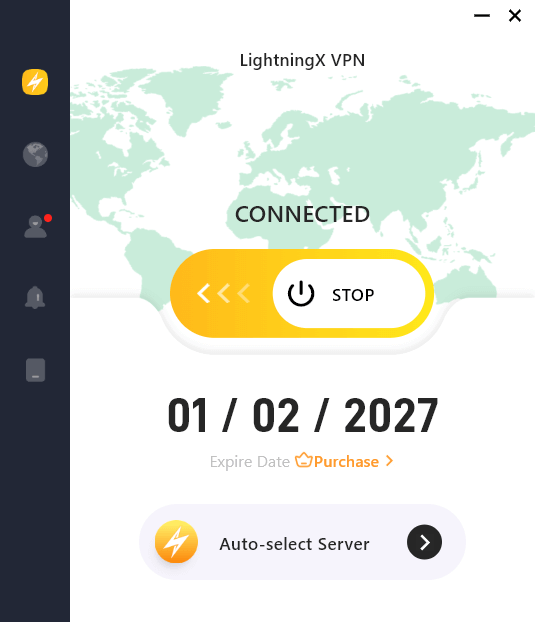
Pro Tip: When you use third-party analytics tools or manage your social media on public Wi-Fi, your login credentials and personal data are vulnerable to interception. To ensure your account remains safe from hackers and to browse privately, use LightningX VPN.
Why does it help? It encrypts your internet connection with advanced algorithms like AES-256-GCM and ChaCha20-Poly1305 to secure your data, allowing you to manage your Instagram growth strategy securely from anywhere in the world. As one of the best VPNs for Instagram, you can stream freely without exposing your sensitive information.
How to Retain Your Followers on Instagram
What can you do if you find out who unfollowed your account? Stopping the bleeding is your goal. Here are some tried-and-true methods for maintaining audience interest.
1. Analyze Your Content Quality
Check the posts you published right before you lost followers. Was the content different from your usual style? Did you post too frequently, clogging their feed?
- Consistency is key: Stick to a schedule.
- Value first: Make sure each post educates, entertains, or inspires.
2. Engage With Your Community
Social media is a two-way street. Your followers will eventually lose interest if you ignore comments.
- Reply to Comments: Try to reply within the first hour of posting.
- Use Stories: Ask questions and use polls to let followers feel heard.
3. Avoid Controversial Shifts
If you developed a following by blogging about fitness, abruptly shifting to political tirades will undoubtedly result in a decline. Make sure your main points are in line with the reasons why people initially followed you.
Bottom Line
Knowing who has unfollowed you on Instagram can help you change your content strategy effectively. Whether you choose manual checks or data analysis, always prioritize your account’s safety over curiosity. Instead of worrying only about people who decide to leave, concentrate on creating a community that wants to stay.






