



Do you want to enjoy trending short videos but hate downloading unnecessary software? You are not alone. Many users prefer browsing anonymously to save storage space. In this guide, you will learn clear instructions on how to watch TikTok without App. Let’s get into it.
How to Watch TikTok Without App on Desktop(Official Method)
The easiest way to stream without the TikTok App is through the official website on a desktop computer. This method offers you a wide-screen experience and full control over playback.
Step-by-Step Guide for Desktop Users
- Open Your Preferred Browser: Launch any web browser you like, such as Google Chrome, Mozilla Firefox, Safari, or Microsoft Edge. Ensure your browser is updated to the latest version.
- Navigate to the Official Site: Visit the TikTok official website. You will be taken to the platform’s global landing page.
- Bypass the Login Prompt: A pop-up may appear asking you to log in or sign up. Simply click the X in the corner or select Continue as Guest to keep browsing TikTok without an account anonymously.
- Explore the Feed: You will land on the “For You” feed immediately. You can scroll through videos smoothly using your mouse wheel or the arrow keys on your keyboard.
- Use the Search Feature: If you are looking for a specific creator or a viral trend, use the search bar at the very top of the page. You can enter usernames (e.g., @username) or hashtags (e.g., #dance) to find exactly what you need without ever creating an account.
This is the most reliable wayto watch TikTok without an app. The desktop interface also allows you to right-click on videos to copy links or view comments in a side panel, which makes it a powerful tool for casual viewing or research alike.
Read more: Account Not Found on TikTok? Causes & 9 Quick Fixes
How to Watch TikTok Without App on Mobile Browsers
If you want to watch TikTok on your smartphone without using the app, the platform often tries to redirect you to the App Store. However, you can easily bypass this with a simple browser trick that works seamlessly on both Android and iOS devices.
Using the “Desktop Mode” Trick
Mobile versions of the site restrict features to encourage downloads. To overcome this:
- Open Your Mobile Browser: Safari or Chrome works best.
- Navigate to the Site: Go to the official homepage.
- Request Desktop Site:
- On Chrome: Tap the three dots in the corner and select “Desktop site.”
- On Safari: Tap the “aA” icon in the address bar and choose “Request Desktop Website.”
4. Start Watching: The page will reload and look exactly like the computer version.
By force changing into the desktop view, you can search and view videos without the constant “Open in App” pop-ups. This is a feasible trick for anyone who wants to stream TikTok on a phone.
How to Watch TikTok without App via Third-Party Viewers
For users who prefer extreme privacy, third-party viewers are an excellent alternative. These are external websites that scrape data from the platform and present it in a clean interface. They do not require an account, and they do not track your history.
Popular Viewer Features
- Anonymity: You can watch stories and clips without the creator knowing.
- Downloads: Many of these sites allow you to download videos without watermarks.
- Simplicity: The interface is usually stripped down, focusing only on the video content.
Recommendations:
- WatchWithout (https://watchwithout.com/): Watch TikTok videos without downloading the app. Use this simple tool to open and view TikTok links directly in your browser, no app required.
- Tikvib (https://www.tikvib.com/): View and download public TikTok videos and stories without a watermark in mp4 or sounds in mp3 format.
- Claptik (https://claptik.com/): Open any public TikTok profile or post, watch videos, browse photos, see live profile KPIs, and save media. Fast, private, and 100% free.
Note:
When using third-party websites to watch TikTok videos, stay alert for pop-up ads, fake download buttons, or requests to enable notifications. Avoid clicking unfamiliar links, never enter personal information, and close pages that ask for unnecessary permissions. For better security, use an ad blocker and keep your browser updated to reduce potential risks.
How to Watch TikTok Anonymously Using Search Engines to Find Specific Clips
If you are looking for a specific viral video or a specific creator, you do not need to navigate the platform’s homepage at all. Try using these tips to find videos from users you like:
The Search Command Strategy
- Find a User: Type site:tiktok.com @username into Google.
- Find a Topic: Type site:tiktok.com “funny cats” into Google.
Clicking the video results will often play the clip directly in the search engine’s video player or take you to a web page where the video plays automatically. This bypasses the main feed and takes you straight to the content.
Also Read: How to Search on TikTok: Users, Videos, Hashtags, and More
How to Fix Geo-Blocking While Watching TikTok Without App
Sometimes, the issue is not just the app, but your location. Some countries and local networks (like schools or workplaces) block access to the sites entirely. When you try to visit the site, you might face an error message or infinite loading screens.
To solve this, you need to change your virtual IP location. This is where a specialized tool becomes necessary.
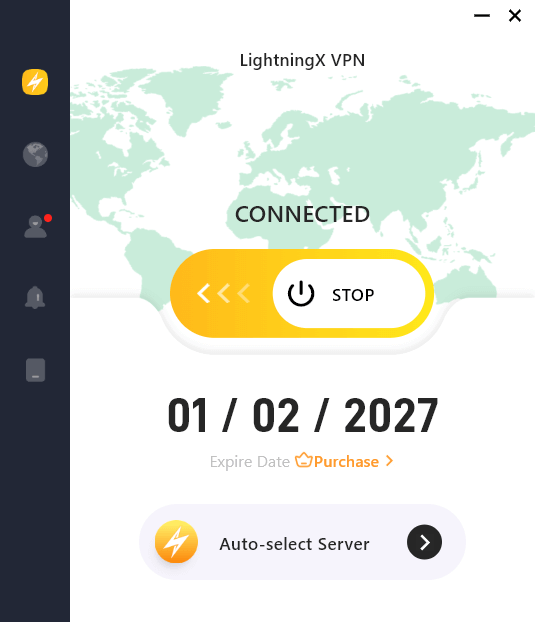
Tip: If you cannot access the site due to region locks or network restrictions, you need a secure path to the internet. For seamless streaming, use LightningX VPN. It effectively bypasses rigid geo-blocks and masks your IP address, allowing you to browse global content safely without buffering.
It also solves the “content not available” error instantly while keeping your connection encrypted and fast. By using a VPN, you make the website believe you are browsing from a different country where the platform is available. This ensures you can apply the methods above regardless of where you are located.
FAQs – How to Watch TikTok Without App
Q1: Can I watch TikTok Live without the app?
Yes, you can watch Live streams on the desktop version of the website. However, you cannot comment or send gifts without logging in.
Q2: Is it illegal to watch TikTok without an account?
No, it is completely legal. The platform makes its content public for web users intentionally.
Q3: Does the web version use less data?
Generally, yes. You have more control over playback (like pausing) on the web, and it doesn’t run background processes as the application does.
Wrap up
Accessing your favorite content is flexible and does not require heavy downloads. By following these steps, you can easily watch TikTok without App while maintaining your privacy and saving storage space. Start browsing freely today using these effective methods.






