


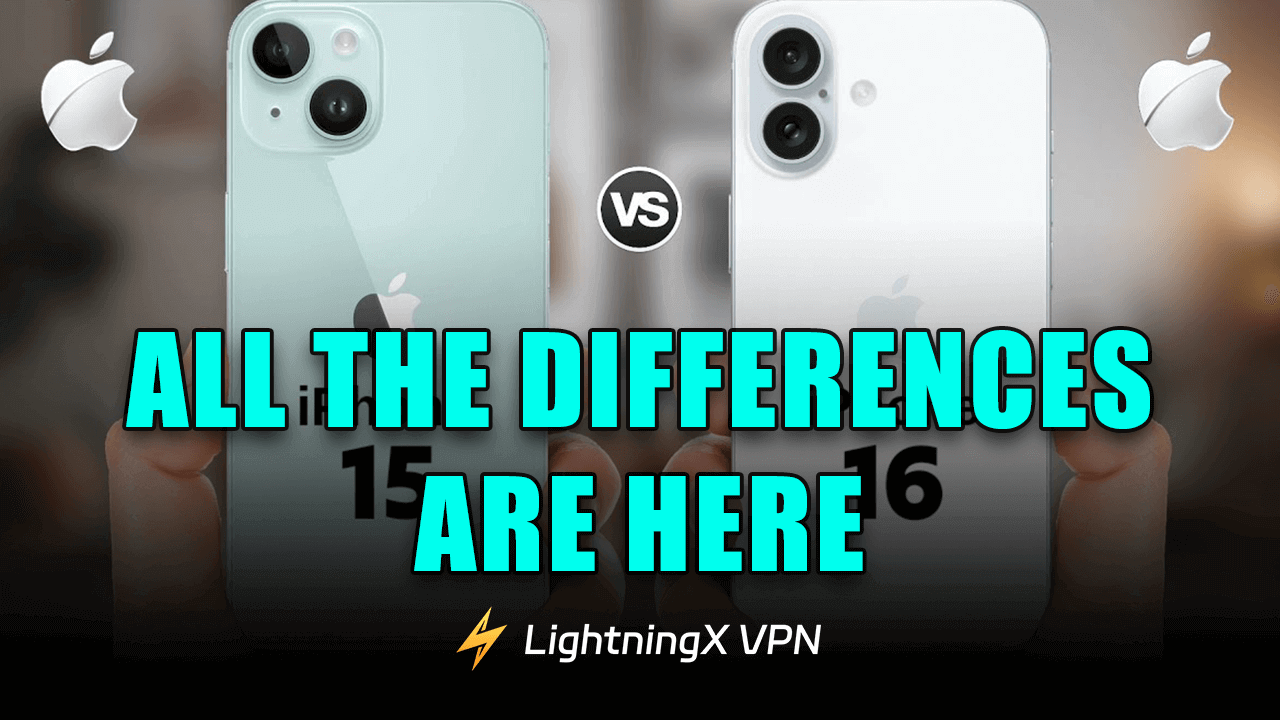
Recently, the iPhone 16 officially went on sale everywhere, which has many Apple fans excited. The latest iPhone model uses the most advanced technology, like the A18 Bionic chip and Apple Intelligence.
What’s more, the iPhone 16 has added a capture button under the power button, which is very convenient for shooting or recording a video.
If you are hesitating about upgrading to the iPhone 16, keep reading through this post about the iPhone 16 vs 15.
iPhone 16 vs 15: Price
The iPhone 15 and iPhone 16 share the same starting price, but older models gradually see price reductions following new releases. Below is a list of starting prices for different storage configurations of the iPhone 16 and iPhone 15.
| iPhone Storage | iPhone 16 Starting Price | iPhone 15 Starting Price |
| 128 GB | $799 | $799 |
| 256 GB | $899 | $899 |
| 512 GB | $1099 | $1099 |
Tip: You can trade in your old iPhone for an iPhone 16. Additionally, try LightningX VPN to compare prices of older iPhone models across different regions. LightningX VPN offers over 2,000 servers across 70+ countries. Its Android and iOS apps include free server options. It supports iOS/Android/Windows/Linux/tvOS/Android TV/Chrome/Edge/Firefox. It allows simultaneous connections on up to 3 devices.
iPhone 16 vs iPhone 15: Display and Color Options
The iPhone 16 and iPhone 15 share nearly identical screen specifications, both featuring a 6.1-inch OLED display. Their peak brightness also reaches 2000 nits, ensuring clear visibility even in bright outdoor conditions.
However, the iPhone 16 introduces refinements in display performance, with a minimum brightness level dropping to approximately 1 nit. This provides a softer viewing experience in nighttime or dimly lit settings, enhancing comfort during extended use.
In terms of body design, both models feature an aluminum frame paired with a glass back panel.
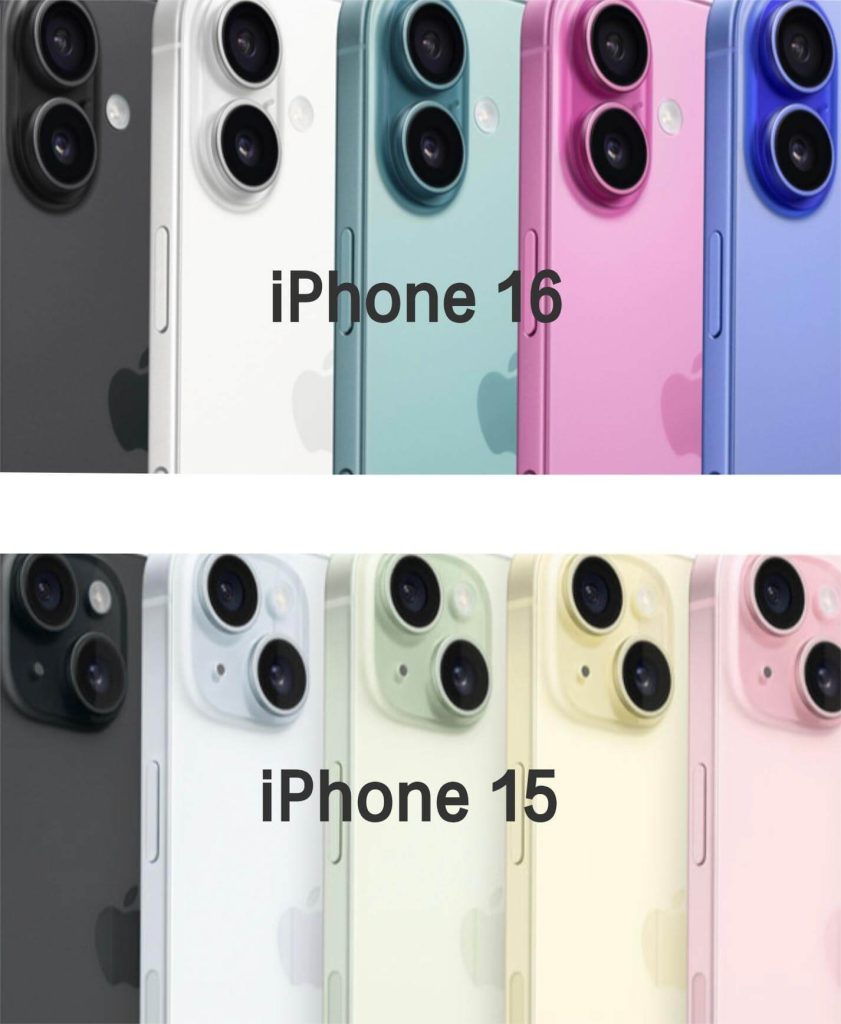
Color options: iPhone 16 comes in Pink, Turquoise, Ultramarine, White, and Black; iPhone 15 offers Black, Blue, Green, Yellow, and Pink, presenting a more vibrant overall aesthetic.
Further reading: iPhone 17 vs 16: A Comprehensive Comparison of Key Differences
iPhone 16 vs 15: Action Button vs. Camera Button
Regarding physical buttons, the iPhone 16 introduces new changes compared to the iPhone 15. While the iPhone 15 replaced the traditional mute switch with a customizable Action Button, the iPhone 16 retains this button while adding a dedicated Camera Button.
The Action Button supports customizable functions like activating the flashlight, launching Shortcuts, recording audio, or quickly accessing other system features, offering greater flexibility for daily operations.
The new dedicated camera button on the iPhone 16 is positioned on the side of the device, similar to a camera shutter button. It enables quick access to the camera app for taking photos or recording videos. A light press focuses the camera, a full press captures the shot, and sliding your finger allows for quick zoom adjustments, making the photography process more intuitive and efficient.
iPhone 15 vs iPhone 16: Bionic Chip
The iPhone 16 features the new A18 chip, while the iPhone 15 uses the A16 Bionic chip.
The A18 chip is built on a second-generation 3-nanometer process, delivering improvements in both performance and energy efficiency. Apple states that compared to the A16 Bionic, the A18 offers significant CPU performance gains, along with enhanced graphics processing and power management.
Both chips deliver robust graphics processing capabilities, smoothly handling image editing, video playback, and demanding games. However, the A18’s architectural refinements and optimizations grant it an edge in overall performance and stability.
iPhone 16 vs iPhone 15: Camera Specifications
The iPhone 16 and iPhone 15 exhibit differences in camera hardware and shooting experience, primarily concerning the ultra-wide-angle lens, lens coatings, and photography features.
iPhone 16 Camera Configuration:
- Rear Primary Camera: 48MP (supports 2× lossless cropped zoom)
- Ultra-wide: 12MP, f/2.2 aperture
- Front camera: 12MP TrueDepth
- Next-generation anti-reflective lens coating
- Supports Spatial Photo / Spatial Video capture
iPhone 15 Camera Configuration:
- Rear main camera: 48MP
- Ultra Wide: 12MP, f/2.4 aperture
- Front Camera: 12MP TrueDepth
Compared to the iPhone 15, the iPhone 16’s ultra-wide lens features a slightly larger aperture, capturing more light in low-light conditions to enhance image brightness and detail. However, true macro photography capabilities remain exclusive to the Pro series models.
In design, the iPhone 16 features a vertically aligned dual-camera module, enabling support for spatial photos and spatial videos. This content is primarily intended for viewing on Apple Vision Pro devices.
Additionally, the iPhone 16 introduces a dedicated shutter button below the power button for quick camera launch and photo capture, offering a more convenient shooting experience. Combined with Apple Intelligence, the iPhone 16 also delivers smarter photo editing and search capabilities.
iPhone 16 vs 15: Charging Speed and Battery Life
Given the similar dimensions of the iPhone 16 and iPhone 15, battery capacity remains largely unchanged. However, thanks to system and chip optimizations, the iPhone 16 shows a slight improvement in overall battery performance.
According to Apple’s official data, the iPhone 16 delivers up to 22 hours of local video playback compared to 20 hours for the iPhone 15. For online video streaming, the iPhone 16 offers up to 18 hours versus 16 hours for the iPhone 15. Audio playback time remains consistent at a maximum of 80 hours for both models.
For charging, both models offer nearly identical wired charging experiences via USB-C ports with no noticeable speed difference. However, wireless charging sees an upgrade: the iPhone 16 supports up to 25W wireless charging power when using compatible MagSafe chargers, faster than the iPhone 15’s 15W.
iPhone 16 vs 15: Generative AI
In generative AI capabilities, the iPhone 16 delivers more pronounced improvements over the iPhone 15.
The iPhone 15 primarily relies on traditional Siri and third-party AI apps (e.g., using ChatGPT via an app). At the system level, its AI functions remain focused on basic voice assistants and photo processing.
On new models supporting Apple Intelligence, Siri becomes smarter with a redesigned interface. It understands more complex voice commands, supports text input, and delivers more natural interactions across various scenarios.
AI technology enables more efficient photo search and editing, such as identifying specific objects in photos or generating photo memory videos. AI also optimizes text content, making writing more professional, fluent, and polished.
Furthermore, new features like Genmoji and Visual Intelligence enhance personalized and creative experiences, catering to users with higher demands for AI-powered creation and intelligent capabilities.
Related: How to Use Genmoji on iPhone/iPad and Mac: A Detailed Guide
iPhone 15 vs 16: Wi-Fi 7 Compatibility
The iPhone 16 supports Wi-Fi 7, while the iPhone 15 remains at Wi-Fi 6 (with Wi-Fi 6E support in select regions). In comparison, Wi-Fi 7 theoretically offers higher transmission speeds, lower latency, and more stable multi-device connectivity.
However, it’s important to note that the iPhone 16 can only fully leverage these advantages when paired with a Wi-Fi 7-compatible router and an appropriate network environment. If you’re still using a Wi-Fi 6 or earlier router, the actual performance improvement may not be noticeable.
Many core features carry over from the iPhone 15 to the iPhone 16. For instance, both models support multiple safety features, including Emergency SOS (with satellite communication support in select regions), Crash Detection, and Roadside Assistance.
For communication, both iPhone 15 and iPhone 16 support cellular voice and video calls, with eSIM or physical SIM card support depending on the region.
Note that the iPhone 16 retains the same 60Hz screen refresh rate as the iPhone 15 and does not support ProMotion. To experience a 120Hz high refresh rate display, you’ll still need to choose the iPhone 16 Pro or Pro Max models.
Should I upgrade to the iPhone 16?
This largely depends on your usage needs and budget.
For many users, one of the most significant upgrades in the iPhone 16 is support for Apple Intelligence. This feature is deeply integrated into multiple system apps, which the iPhone 15 (standard model) does not support. For users who frequently utilize AI-assisted writing, image processing, or smart search, this upgrade could deliver a noticeable improvement in experience, though it isn’t essential for everyone.
If you’re more interested in the iPhone 16’s design, color options, or other detail improvements, upgrading from iPhone 15 to iPhone 16 is also a reasonable choice. Ultimately, whether to upgrade depends on how much you value the new features.
Tip: You can upgrade your iPhone 15 to iOS 18 to experience some of the same software features as iPhone 16, but hardware-dependent upgrades still require an iPhone 16.






