


With over 200 million users, Discord offers huge convenience – but also raises real questions about privacy and security. This guide highlights the platform’s main risks and the essential settings you should adjust to stay protected. So, is Discord safe? With proper precautions, it can be safe for most users.
What Is Discord and How Does It Work?
Before diving into safety protocols, it is important to understand the platform’s structure. Discord is a VoIP (Voice over Internet Protocol), instant messaging, and digital distribution platform. Unlike traditional social media, Discord is divided into “Servers.”
Users can start private servers for small groups of friends or join public servers focused on particular subjects, such as cryptocurrency, anime, or Minecraft. Moreover, users can communicate with each other through voice calls, text messages, and video streaming.
The actual safety factors are found in how individuals interact within these semi-private communities, even though the software itself is legitimate and technically sound.
Is Discord Safe to Use?
Technically speaking, yes. The Discord application is not malware, and the company utilizes standard encryption (HTTPS) to protect communications between your device and their servers. They also run a Bug Bounty program to identify technical vulnerabilities.
But when people look up “is Discord safe,” they hardly ever ask about the code. Rather, they question its ecosystem. The platform’s open nature exposes users to serious risks related to data privacy and social engineering, even though the infrastructure is secure.
Also Read: Is Patreon Safe? Everything You Need to Know
The Privacy Trade-Off
Discord collects a substantial amount of data. This includes your IP address, device ID, and interactions within the app.
Unlike end-to-end encrypted apps (like Signal or WhatsApp), Discord can technically access your text messages and images if required by law enforcement or for Trust and Safety investigations.
Common Security Risks on Discord
Bad actors can use the platform’s features as weapons, even if you practice basic internet hygiene. These are the main possible risks that you need to be aware of.
1. Malware and Dangerous Files
Discord allows users to upload files up to 25MB (or more with a paid subscription). Cybercriminals frequently use this feature to spread malware. A user may send a file that appears to be a game mod, an image, or a beta tester application.
However, after you download and open it, an info-stealer or “Remote Access Trojan” (RAT) is launched, scraping your browser passwords.
2. Phishing Scams
“Free Discord Nitro” is the most common bait on the platform. You might receive a Direct Message (DM) from a friend (whose account has been compromised) claiming they have a free subscription gift for you. You are taken to a phony login page intended to steal your credentials when you click the link.
3. Social Engineering and Doxing
Because Discord is a social hub, users often lower their guard. Attackers use social engineering to extract personal information – your real name, school, or address. This can lead to “doxing,” where your private information is published online to harass or intimidate you.
Is Discord Safe for Kids?
This is the most critical concern for families. Is Discord safe for kids? The short answer is: only with strict supervision.
Discord requires users to be at least 13 years old. However, there is no rigorous age verification process upon sign-up. The platform contains a vast amount of User-Generated Content (UGC), which makes it difficult to police effectively.
Exposure to Inappropriate Content
While Discord has “NSFW” (Not Safe For Work) designations for channels containing adult content, these barriers are easy to bypass. A child simply needs to click a button confirming they are over 18 to access these materials.
The “Stranger Danger” Factor
Public servers can house hundreds of thousands of strangers. Predators often lurk in servers popular with younger demographics.
They may attempt to move conversations from public channels to private DMs, where there is no moderation. For this reason, leaving a child’s Discord settings on default is a significant safety risk.
How to Stay Safe on Discord
You can significantly mitigate these risks by proactively managing your account settings and adopting smart browsing habits.
1. Lock Down Privacy Settings
Discord offers granular control over who can contact you. Go to User Settings > Privacy & Safety:
- Safe Direct Messaging: Select “Keep me safe” to have Discord scan DMs for explicit content.
- Server Privacy Defaults: Turn off “Allow direct messages from server members.” This prevents random people in public servers from messaging you or sending you links.
- Friend Requests: Limit friend requests to “Friends of Friends” or turn them off entirely to stop strangers from adding you.
2. Enable Two-Factor Authentication (2FA)
If your password is stolen via a phishing site, 2FA is your last line of defense. By requiring a code from an authenticator app on your phone, you ensure that hackers cannot access your account even if they have your login details.
3. Mask Your Digital Footprint
While Discord protects your IP address from other users during standard text chat, direct interactions (like clicking a grabber link sent by a malicious user) can expose your location.
To add a robust layer of anonymity, many security-conscious users route their connection through a secure tunnel.
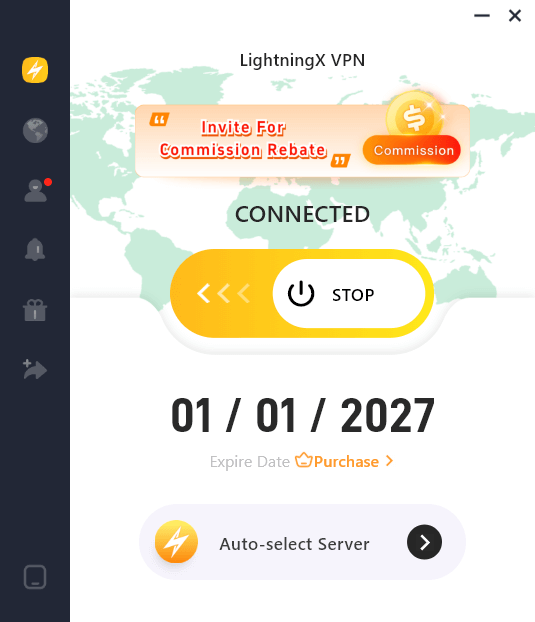
Using a tool like LightningX VPN helps mask your real IP address and encrypts your internet traffic. This makes it significantly harder for malicious actors to track your physical location or launch Distributed Denial of Service (DDoS) attacks against your home network while you are gaming or chatting.
4. Recognize the “Test My Game” Scam
A popular current scam involves a stranger asking you to “beta test” a game they made. They will send an .exe file. Never open these. Legitimate developers distribute games through platforms like Steam or Itch.io, not via Discord file transfers.
Is Discord Safe to Use for Business?
Many teams use Discord as a free alternative to Slack. While it offers great functionality, it is not enterprise-grade security.
Discord lacks end-to-end encryption for messages, meaning it does not meet the compliance standards required for handling sensitive corporate data, HIPAA-compliant medical records, or classified legal documents.
For casual team chats, it is acceptable; for confidential data, it is not recommended.
Conclusion
So, is Discord safe? Yes, but it depends on how you use it. Discord is great for gaming and communities, though it’s not built with maximum privacy by default.
Stay cautious: avoid phishing links, block DMs from strangers, and keep an eye on younger users. Think of it like a busy street – enjoy the space, but protect your personal info.






