


Trying to fix a SHEIN order can feel like shouting into a void. You’re stuck with “Isaac” the robot, clicking through pointless FAQs while your refund or missing package hangs in limbo. The truth? SHEIN doesn’t make it easy to find their Shein customer service hotline, but the human agents are there; you just have to know how to force them out of hiding.
The Fastest Way: SHEIN Live Chat
When you have a pressing issue, like a missing package or an incorrect refund amount, you don’t want to wait 48 hours for an email. SHEIN Live Chat is undoubtedly the most efficient channel. It offers 24/7 availability and, if you know the right tricks, puts you in direct contact with a human agent in minutes.
While the automated assistant (Isaac) is available 24/7, human agents typically operate during specific regional business hours. For the fastest response from a real person, try contacting them between 9:00 AM and 10:00 PM (EST). Outside of these hours, the ‘Manual Service’ button may occasionally be hidden or lead to a ticket submission form.
How to Access SHEIN Live Chat
Depending on how you shop, here is the quickest path to the chat window:
On the SHEIN App
- Log in and tap the Me icon in the bottom right corner.
- Look for the Support section (often represented by a headset icon) and tap Customer Service.
On the Web
- Scroll to the very bottom (footer) of the SHEIN homepage.
- Under the “Help & Support” column, click on Contact Us.
- Click the Customer Service button to launch the chat interface.
Pro Tip: How to Bypass the “SHEIN Bot” and Reach a Real Human
The biggest frustration for users is getting stuck in a loop with “Isaac” (SHEIN’s automated bot). The bot will try to offer generic FAQ links, but you can force the system to assign a human representative by following this “key phrase” strategy:
- Type the Magic Words: In the chat box, type “Talk to an agent” or “Live agent.”
- Ignore the FAQ Suggestions: The bot will likely reply with a list of common questions. Do not click them. Instead, type “Human” or “Agent” again.
- Select a Specific Order: Usually, the system will ask you to select the order you are inquiring about. Once selected, a “Contact Agent” or “Manual Service” button will appear at the bottom of the screen.
- Wait for the Handover: Once you click that button, you will be placed in a queue for a real person.
Is There a SHEIN Customer Service Number? (The Truth About Hotlines)
If you are looking for a traditional, 1-800 style SHEIN customer service hotline where you can call and speak to someone immediately, you might be disappointed. Unlike traditional retailers, SHEIN operates primarily as a digital-first platform. Due to the massive global volume of daily orders, they rarely offer a direct “inbound” phone line for general support.
The “Callback” System: Let Them Call You
Instead of making you wait on hold for hours, SHEIN has implemented a more efficient Callback Service. This is currently the most reliable way to speak to a human representative over the phone.
- How it works: Within the “Customer Service” section of the app or website, navigate through the bot prompts until you see the Phone Service or Manual Service option.
- Requesting a call: You can submit your phone number and a brief description of your issue. A SHEIN representative will then call you back, usually within 24 hours during their local operating hours (typically 9:00 AM – 6:00 PM).
- Availability: Note that the callback option may only appear during specific business hours or for certain “high-priority” issues like payment disputes or severe delivery delays.
Important Disclaimer: Be extremely cautious of “SHEIN Support” numbers found on random social media posts or third-party websites. These are often scams designed to steal your account info. Always initiate contact through the official SHEIN app or shein.com.
Contacting SHEIN via Email & Social Media
If you prefer a paper trail or have an issue that isn’t easily explained in a live chat, email and social media are your best “long-form” alternatives. While these methods aren’t as instant as a chat, they are highly effective for complex disputes or persistent shipping delays.
The Official SHEIN Customer Service Email
While SHEIN has moved most of its support into the in-app “Ticket” system, you can still reach them via their primary support address.
- Official Email: support@shein.com
- Response Time: Typically 24 to 48 hours.
- Pro Tip for Success: To avoid being ignored, make your subject line extremely specific. Use the format: [URGENT] Order Number #XXXXXXXX – Reason for Contact. Attach photos of the package or screenshots of the tracking status in your first email to avoid unnecessary back-and-forth.
The Social Media “Backdoor” (Faster Results)
Sometimes, “going public” is the fastest way to get a company’s attention. If your order is weeks late or your refund is being ignored, SHEIN’s social media teams are often more responsive than the standard support bot.
- Twitter (X): This is arguably the best “backdoor.” Tweet your issue and tag @SHEIN_Official or @SHEIN_Help. Publicly visible complaints are often prioritized by “Social Media Crisis” teams to protect the brand’s image.
- Instagram DMs: Go to @SHEINofficial and send a Direct Message. While they get thousands of DMs, they have dedicated staff to handle these. Be sure to include your order number in the very first message.
- Facebook: Visit the official SHEIN page and use the “Message” button. This is often linked to a more advanced version of their chat system.
Privacy Warning: Never post your order number, phone number, or email address in a public comment on Instagram or Twitter. Only share sensitive details via private Direct Messages (DM).
Advanced Troubleshooting: “Cannot Connect to SHEIN Support”
It’s a common frustration: you try to open the Help Center or launch a Live Chat, and the screen just stays white or says “Connection Failed.” If you find that you cannot connect to the App Store to update the SHEIN app, or the in-app support portal is timing out, the problem is likely your local network or regional IP filtering.
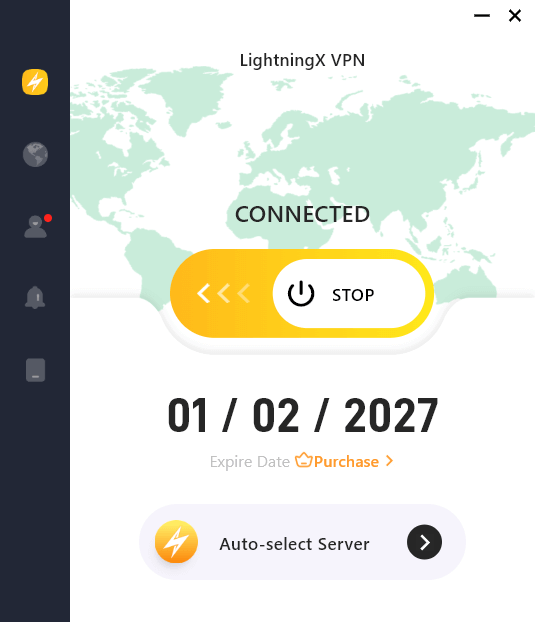
To bypass these technical glitches, we recommend using LightningX VPN. By switching your location to a high-speed node in the United States or Europe, you can:
- Unlock Restricted Support Features: Some regions have limited contact options; a VPN reveals the full support menu.
- Ensure a Secure Connection: Protect your payment and personal data while chatting with agents over public Wi-Fi.
- Bypass ISP Throttling: If your local provider is slowing down connections to international servers, a VPN provides a “clean” path to SHEIN’s headquarters.
Related: How to Fix “Verification Required” on App Store
Frequently Asked Questions About SHEIN Support
Q1: Can I change my shipping address after the order has shipped?
A: Unfortunately, once an order status is “Shipped,” SHEIN cannot modify the address. However, there is a workaround: contact the local courier (like USPS, UPS, or Evri) directly with your tracking number. They may allow you to “reroute” the package or hold it at a pickup point.
Q2: Why is my SHEIN account “frozen” or “blocked” for security reasons?
A: This usually happens due to “irregular activities,” such as multiple failed login attempts or using a payment method that doesn’t match your location. To unfreeze your account, you must contact SHEIN Live Chat and provide ID verification.
Q3: Is the first return on SHEIN really free?
A: Yes! In most regions (including the US and UK), the first return from every order is 100% free if you use the provided return label. However, if you decide to return additional items from the same order later, a shipping fee (usually around $7.99) will be deducted from your refund. Our advice? Wait until all your items arrive and return everything in one single batch!






