


ITVX is one of the best streaming platforms in the UK, boasting a massive premium series, shows, films, and live streaming. However, due to regional licensing rights, ITVX isn’t officially launched outside the UK. That means, if you’re in the US, Japan, Canada, South Korea, or Spain, you’ll need to change your IP address to the UK to access ITVX. Fortunately, a VPN with UK servers helps you do so while protecting your data and privacy.
Next, we’ll introduce the 6 best VPNs for ITVX, along with the guide for watching ITVX outside the UK.
6 Best VPNs for ITVX
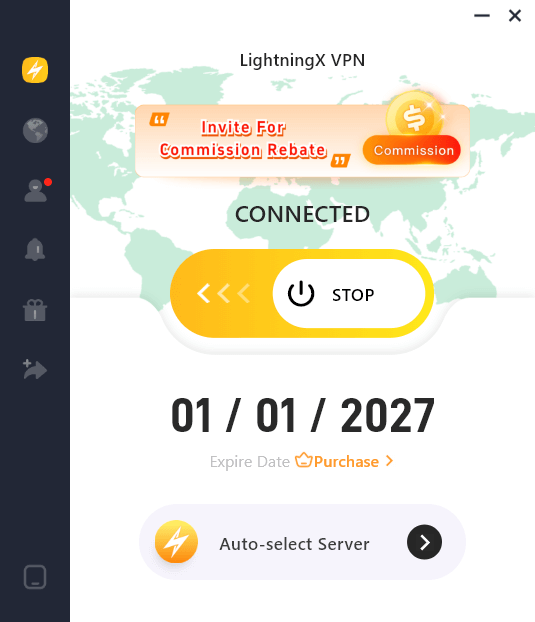
1. LightningX VPN – Cost-Effective ITVX VPN
LightningX VPN is one of the most cost-effective VPNs for smoothly streaming ITVX outside the UK.
- It offers 2,000+ servers in 70+ countries, including multiple UK locations such as London (Whitechapel) and Manchester. With so many UK options, LightningX VPN can easily unblock platforms like ITVX, BBC iPlayer, and DAZN with stable, low-latency performance.
- Mobile users can also access free UK servers, making it a convenient choice for occasional ITVX streaming.
- LightningX VPN uses lightweight and secure protocols like WireGuard, Shadowsocks, and VLESS to ensure fast, encrypted connections for streaming, gaming, and browsing.
- Its Dedicated Line Forwarding feature helps improve stability and reduce lag by routing streaming traffic through optimized lines, making it ideal for ITVX during busy hours.
- You can use LightningX VPN on Windows, macOS, Android, iOS, tvOS, Android TV, Linux, Chrome, Edge, and Firefox.
- It supports up to 3 simultaneous connections, allowing you to share your account with family or friends so everyone can watch ITVX even when you’re apart.
- LightningX VPN includes a 30-day money-back guarantee.
- It offers flexible and affordable plans: 1 week ($3.99), 1 month ($9.99), 3 months ($19.99), and 1 year ($59.99).
Related: Best VPNs for BBC iPlayer: Unblock iPlayer from Anywhere
2. Surfshark – Offering Massive UK Servers
Surfshark is also one of the best VPNs for streaming ITVX outside the UK, thanks to its excellent unblocking and streaming ability.
- With 4500+ servers in 100 countries, Surfshark delivers smooth and reliable streaming on ITVX. It offers 440+ servers across four UK cities, including London, Manchester, Glasgow, and Edinburgh. This extensive server network helps you maintain fast speeds and gives you plenty of alternatives to unblock ITVX if a particular server doesn’t work.
- Surfshark has many security measures, like a kill switch, obfuscation, ad-blocking, and NoBorders mode. Plus, it has a no-logs policy that is independently audited. Your data can be well-protected by Surfshark.
- You can use Surfshark on macOS, Windows, Android, iOS, Linux, certain home routers, Chrome, Edge, and Firefox.
- It doesn’t limit simultaneous connections. You can share your account with others who also want to split the cost.
- Surfshark offers a 7-day free trial and a 30-day money-back guarantee for you to test the waters.
- Surfshark offers plans of 1 month, 12 months, and a year, all are affordable.
3. ExpressVPN – Fast and Reliable VPN for ITVX
ExpressVPN is also one of the best VPNs that work with ITVX, based on its robust unblocking ability and fast connection speed.
- ExpressVPN offers server locations in five UK cities — London, Wembley, East London, the Midlands, and Docklands. You can choose among these locations to access ITVX. The VPN has 3,000+ servers across 105 countries, giving you an extensive global network for fast and stable streaming performance.
- It provides multiple security features to protect your online data, including Network Lock (kill switch), DNS leak protection, ad-blocking, and malicious-site blocking.
- You can use ExpressVPN to unblock ITVX on Fire TV, Fire Stick, smart TVs, gaming consoles, PCs, smartphones, and major browsers.
- It supports up to 10 simultaneous device connections.
- ExpressVPN offers a 7-day free trial and a 30-day money-back guarantee.

4. ProtonVPN – Secure ITVX VPN
ProtonVPN is another solid choice for unblocking ITVX, especially if you want strong privacy protection along with reliable UK streaming performance.
- ProtonVPN offers 36 servers in multiple UK cities, including London and Manchester. These servers support streaming-optimized performance, helping you access ITVX with stable speeds. It has 14,000+ servers in 127 countries, providing a wide network that helps you maintain fast and consistent connections for streaming.
- ProtonVPN is known for its strong security and privacy features, including Secure Core servers, a kill switch, NetShield (ad-blocking and malware protection), and full leak protection.
- You can use ProtonVPN to unblock ITVX on Windows, macOS, iOS, Android, smart TVs (via router), and most major browsers.
- It supports up to 10 simultaneous device connections on paid plans.
- ProtonVPN offers a 30-day money-back guarantee.
5. Private Internet Access – Provides Decent Streaming Speed
Private Internet Access (PIA) is also a reliable VPN for ITVX, offering a massive server network and customizable privacy features.
- PIA provides multiple servers in 3 UK cities, including London, Manchester, and Southampton, giving you plenty of options to access ITVX. If one server doesn’t work, you can easily switch to another.
- With over 35,000 servers in 90+ countries, PIA offers one of the largest VPN networks, helping you maintain steady speeds and reducing congestion when streaming ITVX.
- It includes strong privacy tools such as a kill switch, DNS leak protection, ad- and malware-blocking (PIA MACE), and open-source apps for full transparency.
- You can use PIA to unblock ITVX on Windows, macOS, iOS, Android, smart TVs, Linux, and all major browsers.
- PIA has no connection limit, making it a great option for families or shared accounts.
- It offers a 7-day free trial on mobile apps and a 30-day money-back guarantee.
6. PrivateVPN
PrivateVPN is a budget-friendly yet powerful VPN for accessing ITVX, offering strong performance despite its smaller network.
- PrivateVPN has UK servers optimized for streaming, including locations in London and Manchester, allowing you to access ITVX reliably and with smooth playback. Although it operates a smaller network of around 200 servers in 60+ countries, its servers are high-quality and deliver consistently fast speeds for HD and 4K streaming.
- It includes essential privacy and security features such as a kill switch, IPv6 and DNS leak protection, Stealth VPN (for bypassing VPN blocks), and military-grade encryption.
- You can use PrivateVPN to unblock ITVX on macOS, Windows, iOS, Android, Android TV, Fire TV Stick, Linux, and routers.
- It supports up to 10 simultaneous device connections.
- PrivateVPN offers a 7-day free trial and a 30-day money-back guarantee.
Can I Use a Free VPN for ITVX?
There are many free VPN services available. A few may offer UK-based servers, and in rare cases might help you unblock ITVX. Services such as LightningX VPN (free version), ProtonVPN Free, and Windscribe Free are sometimes suggested.
However, free versions typically have fewer UK servers and more users per server, which means streaming speed and stability are often limited. There’s also no guarantee they will successfully bypass ITVX’s VPN detections. For consistent, buffer-free ITVX streaming, a paid VPN plan is usually more reliable.
How to Watch ITVX Outside the UK with a VPN
After choosing your preferred VPN service, you can start accessing ITVX. Here’s how:
- Connect to a VPN server in the UK.
- Open the ITVX website or app. The website is typically easier to access with a VPN.
- Sign in to your account, or create one if you don’t have one yet.
- Start streaming ITVX for free, or upgrade to a paid plan using a UK-based payment method.
ITVX Not Working with VPN – Common Causes and Fixes
Sometimes your VPN may not work with ITVX because the platform detects your VPN use, or due to IP, DNS, or cache-related issues. Here are some fixes you can try:
- Clear the app or browser cache: Cached location data may cause ITVX to think you’re outside the UK.
- Change to another VPN server: The server you’re using may be blocked, so switching to a different UK location often helps.
- Try accessing ITVX via the web: The website version tends to be less strict than the mobile app when using a VPN.
- Reconnect to the VPN: A fresh connection can give you a different IP address that works with ITVX.
- Disable IPv6: Disabling IPv6 on your device or router can prevent these leaks and help the VPN work properly with ITVX.
- Use a dedicated IP address: A dedicated IP gives you an IP address used only by you, reducing the chance of being flagged as a VPN user.
VPN for ITVX – FAQs
Q: How does ITVX know my location?
ITVX detects locations by the users’ postcodes and IP addresses that their website or app collects. But you can use a VPN to hide your real IP address.
Q: What to watch on ITVX?
There’s plenty of premium content available to watch on ITVX, including reality TV shows, movies, and series. Here are some titles you can binge-watch.
- Love Island
- The Voice UK
- Red Eye
- Thorne
- The Grinch
- Bay of Fires
- Girls on Top
- Love & Death
- The Victim
- Star Wars
- Family Guy
- Fearless
- Grace
- Manhunt






