


VPNs have become an indispensable tool for personal privacy and business security. While most VPNs assign a shared IP address that changes with each connection, VPNs with static or dedicated IP addresses provide a consistent online identity.
This makes it easier to access work tools, streaming platforms, banking services, and gaming servers without worrying about interruptions or security checks.
In this guide, we’ll explore the 5 best VPNs with static or dedicated IP addresses, their key features, and why they might be your ideal choice.
NordVPN

- Dedicated IP available in 28 countries
- Access to 8,000+ RAM-only servers in 120+ countries
- Supports 10 simultaneous device connections
- Works with Netflix, Amazon Prime Video, Disney+, and BBC iPlayer
- Support Windows, macOS, Linux, Android, iOS, Chrome, and Firefox browser extensions
If you need a VPN with a static or dedicated IP address, NordVPN is one of the best options. NordVPN allows users to upgrade their subscription to receive a dedicated IP address. This means the IP address is assigned to only you, rather than being shared with other users, thus helping to maintain a consistent online identity.
A dedicated IP address is especially useful for remote work, secure access to accounts, and services that require a stable IP address. Because the IP address is used by only one person, it usually has a cleaner IP reputation. This reduces the chances of encountering CAPTCHA, login verification prompts, or temporary IP address blocking.
NordVPN currently offers dedicated IP addresses in 28 countries, including the United States, the United Kingdom, Germany, Canada, Japan, Australia, and several European regions. Users can choose the most suitable server location based on their needs.
In addition to choosing the dedicated IP address option, you can also access NordVPN’s complete network of over 8,000 pure memory servers located in more than 120 countries. You can flexibly switch between static IP addresses and shared servers to suit your needs.
How to Get a Dedicated IP Address with NordVPN?
Step 1: Choose a NordVPN plan that includes the private IP feature.
Step 2: Log in to your NordVPN account and select the country/region and city where you want to use a private IP address.
Step 3: Install the NordVPN app on your device and connect to the private IP server you selected.
LightningX VPN
- Dedicated IP, Static IP, and Dynamic IP customization available
- 2,000+ servers across 70+ countries worldwide
- No bandwidth limits and no speed restrictions
- High-speed connections suitable for streaming and gaming
- Works with Netflix, YouTube, TikTok, Disney+, Hulu, and more
- Supports Android, iOS, macOS, Windows, TV, Linux, and Chrome extension
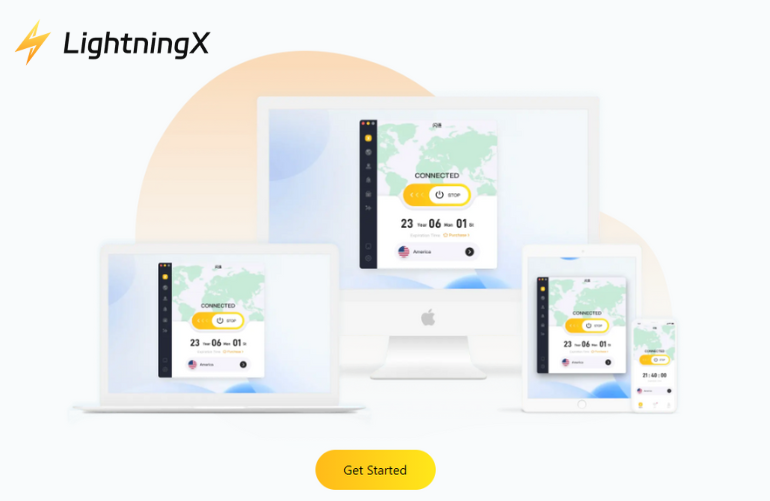
LightningX VPN allows you to customize your IP type to suit your needs, including a dedicated IP, a static IP, or a dynamic IP.
Using a static or dedicated IP VPN is ideal for remote work, accessing restricted services, or managing accounts that require a fixed login location. LightningX VPN protects your connection by hiding your real IP address and replacing it with a secure virtual IP address. Meanwhile, all internet traffic is encrypted, helping to protect your data from potential tracking.
LightningX VPN also excels at bypassing network restrictions. It can unlock platforms like Instagram, Facebook, Discord, and other global websites that may be restricted in some regions.
The service offers over 2,000 servers in more than 70 countries worldwide, including popular regions such as the United States, Germany, Australia, Singapore, Japan, and South Korea. This global coverage allows users to easily connect from different locations and enjoy a localized browsing experience when accessing region-specific content.
How to Get a Dedicated or Static IP with LightningX VPN?
Step 1: Download LightningX VPN and create an account.
Step 2: Contact customer support to request a dedicated IP or static IP customization and select the country or region you need.
Step 3: Connect to the assigned server in the LightningX VPN app, then use your dedicated or static IP address.
Express VPN
- Dedicated IP available in 20+ countries and 29 cities
- Servers in 105 countries worldwide
- Fast average speeds suitable for streaming, gaming, and torrenting
- Works with Netflix, Amazon Prime Video, Disney+, HBO Max, and BBC iPlayer
- Advanced security features, including a kill switch, leak protection, and split tunneling
- Support for Windows, macOS, iOS, Android, Linux, Fire TV, and routers
ExpressVPN offers static or dedicated IP addresses. Users receive a unique IP address that is not shared with other VPN users. This helps reduce common issues such as CAPTCHA, verification requests, or temporary IP blocking.
The service currently offers dedicated IP addresses in over 20 countries, covering 29 cities. Popular options include Sydney, Toronto, Tokyo, Madrid, Amsterdam, and several cities in the United States.
ExpressVPN uses a blind token-based system that separates payment information from the dedicated IP address assigned to each user. This design helps ensure that even the service provider cannot directly associate a user’s identity with their dedicated IP address.
ExpressVPN also adheres to a strict zero-logs policy and has undergone multiple independent audits. While it is pricey, it offers robust privacy protection, reliable streaming access, and a wide range of server locations worldwide.
How to Get a Dedicated IP Address with ExpressVPN?
Step 1: Sign up for an ExpressVPN subscription. Dedicated IP is included with the Pro plan or available as an add-on for other plans.
Step 2: Select the dedicated IP option and choose the location you want to use.
Step 3: Install the ExpressVPN app on your device and follow the instructions to activate and connect to your dedicated IP server.
Proton VPN
- Dedicated static IP addresses available for business users
- Secure remote access to company servers and internal resources
- Helps reduce CAPTCHA and IP reputation issues
- Reliable email delivery with lower risk of spam filtering
- Ability to switch between dedicated IP servers and regular VPN servers
- Apps available for Windows, macOS, Linux, Android, and iOS
For businesses seeking VPN services with static or dedicated IP addresses, Proton VPN is a great option. This means your team can maintain a consistent IP identity while enjoying a secure VPN connection.
Dedicated static IPs are especially important for businesses that require reliable access to internal systems or secure remote work environments. With Proton VPN, employees can connect to a company-specific VPN server, accessible only to authorized personnel.
Because Proton VPN’s dedicated IPs are used exclusively by your company, they typically maintain a high IP reputation and provide smoother access to banking platforms, cloud tools, or developer services like GitHub and AWS.
Dedicated IP addresses also improve email delivery rates. Using it assigned only to your company reduces the likelihood of emails being flagged as spam and ensures more reliable delivery to partners and customers.
While dedicated IP addresses are designed for enterprise users, Proton VPN still allows users to switch between dedicated IP servers and regular shared VPN servers as needed.
How to Get a Dedicated IP Address with Proton VPN?
Step 1: Reach out to the Proton VPN team to request one or more dedicated IP addresses for your organization.
Step 2: Discuss your company’s requirements, including the number of IP addresses and server setup.
Step 3: Once the dedicated IP is set up, your team can connect to the assigned server using Proton VPN apps on their devices.
PureVPN
- Dedicated IP addresses available as an add-on to VPN subscriptions
- Works with modern protocols including WireGuard, OpenVPN, and IKEv2
- Ability to switch between dedicated IP and shared IP servers
- Compatible with major platforms, including Windows, macOS, Android, and iOS
PureVPN is a practical VPN that offers static or dedicated IP addresses. Users can choose to purchase a dedicated IP address as an add-on when registering for a VPN plan. Once activated, this IP address is exclusively yours, helping to maintain a consistent online identity.
With PureVPN’s dedicated IP, your IP reputation is only associated with your own activities, thus avoiding sudden access problems on websites, applications, and online services.
Another advantage is improved connection stability. Because the dedicated IP address is not shared with other users, your network performance is not affected by traffic from other users on the same server. This results in a more stable browsing experience.
PureVPN’s dedicated IP feature supports multiple modern VPN protocols, including WireGuard, OpenVPN, and IKEv2. This means that users do not need to change their preferred protocol settings or manually adjust configurations when using the dedicated IP address option.
Furthermore, you can easily switch between a private dedicated IP address and a regular shared VPN server at any time.
How to Use a Dedicated IP with PureVPN?
Step 1: Install the PureVPN application on your device.
Step 2: Open the app, sign in to your account, and go to the Locations section.
Step 3: Select the dedicated IP option and connect to start using your private IP address.
Why Should You Use a VPN with Static IP Addresses?
Using a VPN with a static IP address can make many online activities easier and more stable. Here are some practical benefits:
- Platforms like AWS, GitHub, or company control panels often only allow logins from trusted IP addresses. A static IP VPN keeps your IP address constant.
- Shared VPN IP addresses are often flagged by websites like Google, Cloudflare-protected sites, and online forums, leading to frequent CAPTCHA checks. A static IP address can reduce this problem.
- Some platforms, like PayPal, Stripe, or online banking websites, monitor IP address changes for security. A static IP address can help avoid account warnings or temporary bans.
- Developers and IT teams often connect to servers using tools like SSH, cPanel, or remote desktop services. A static IP address allows administrators to whitelist individual trusted IP addresses.
- When managing social media or business accounts on platforms like Instagram, Facebook, or Twitter, a stable IP address helps prevent suspicious login alerts due to frequent location changes.
- If you run game servers, websites, or private networks, a static IP address makes it easier for others to connect because the address doesn’t change.
Read more: Static IP vs Dynamic IP Address: Differences Explained
Final Thought
Choosing a VPN with a static or dedicated IP address can simplify your online experience and enhance security.
From seamless access to platforms like Netflix, GitHub, or company control panels, to reducing CAPTCHA and login verifications, a dedicated IP ensures a reliable and stable connection.






