


Have you ever noticed your phone getting unusually hot? It can be quite worrying when your device feels like it’s about to take off! Why is my phone so hot? In this blog, we will explore the reason why your phone might be heating up and what you can do to cool it down.
Whether it’s during a game, while charging, or just from regular use, understanding why your phone is so hot can help you keep it in good shape. Let’s dive into the common causes and solutions!
Why Is My Phone So Hot? Common Causes
Heavy Apps and Games
One of the most common reasons for a hot phone is running heavy apps or games. These applications demand a lot of power from your phone’s processor (CPU) and graphics chip. When these components work hard, they generate a lot of heat. For example, playing a graphically intense game or using an app with lots of animations can cause your phone to heat up quickly.
Background Apps
Sometimes, apps continue to run in the background even when you are not using them. These apps can use resources and drain the battery, which causes your phone to heat up. For instance, apps that constantly update your location or sync data can be suspects that cause your phone to overheat.
Overcharging
Charging your phone for long periods, especially using a non-standard charger or cable, can cause it to overheat. Overcharging can strain the battery and generate excess heat.
Environmental Factors
External factors such as high temperatures and direct sunlight can also cause your phone to get hot. Leaving your phone in a hot car or direct sunlight can make it overheat quickly.
Faulty Battery
A defective or aging battery can also be a reason for your phone heating up. Batteries that are old or damaged may not function properly and can generate excess heat.
Software Issues
Sometimes, software glitches or bugs can cause your phone to overheat. This can happen if an update doesn’t install correctly or if there are issues with the phone’s operating system.
High Mobile Data Usage
Using mobile data for activities like streaming videos or making video calls can cause your phone to work harder and generate heat.
Malware or Viruses
Malware, viruses, and tracing locations can cause your phone to overheat by running unauthorized processes in the background.
How to Cool Down Your Overheating Phone?
Reduce the burden of running memory
- Try closing unused apps and games. You can also check the settings of your game or app to reduce graphics quality. Lowering the graphics settings can reduce the load on your phone and help it stay cooler.
- Go to your phone’s settings and check the list of apps running in the background. Close any that you do not need. You can also use the built-in battery or performance manager to identify which apps are using the most resources.
- Limit high-data activities when possible. Use Wi-Fi for streaming and other data-intensive tasks to reduce the load on your phone’s processor.
Care about your battery health
- Use the charger and cable that came with your phone or certified replacements. Unplug your phone once it reaches 100% to prevent overheating. Also, avoid charging your phone overnight.
- If your phone’s battery is old or showing signs of damage, consider getting it replaced by a professional. It’s important to use authorized service centers for such repairs.
Make sure the environment is suitable
- Keep your phone out of direct sunlight and avoid leaving it in hot environments. If you are outside on a hot day, keep your phone in a cool place like a shaded pocket or bag.
- Consider removing your phone case if you notice it getting hot. Use a case designed to allow better airflow and cooling.
Device updating and security
- Check for software updates and install any that are available. Restarting your phone can also help resolve minor software issues. If problems persist, consider resetting your phone to factory settings, but make sure to back up your data first.
- Install a reputable antivirus app and run a full scan of your phone. Keep your phone’s software up to date to protect against malware.
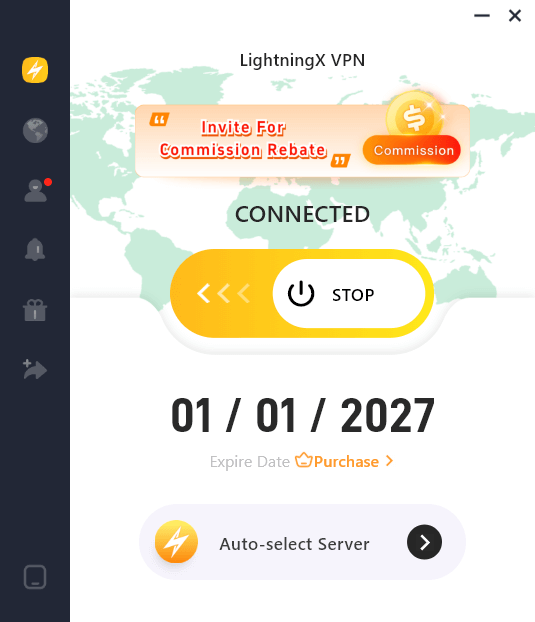
Tips: Download a VPN product that can effectively improve your phone security. LightningX VPN guards your phone from malware and viruses.
A VPN won’t physically cool your phone; in fact, its encryption process adds a slight load to your CPU.
However, if your phone is heating up due to malware phoning home or unauthorized data mining, using LightningX VPN with a built-in tracker blocker can cut off those malicious background connections.
Pro-Level Tactics to Cool Down Your Device (The “Hardcore” Guide)
Most guides tell you to “stop playing games,” but that’s not always practical. If you want to keep your phone cool without turning it off, try these technical adjustments that actually make a difference:
1. Tackle the “Modem Heat” (Disable 5G)
In areas with weak or fluctuating 5G coverage, your phone’s modem works overtime, constantly “pinging” towers to maintain a high-speed link. This is a primary source of internal heat.
- The Fix: If your phone feels hot while browsing, switch your cellular settings to LTE/4G only.
- How: On iPhone, go to Settings > Cellular > Cellular Data Options > Voice & Data. On Android, search for “Preferred network type” in your settings. Stable 4G is much cooler than struggling 5G.
2. Throttle the Display (The 120Hz Tax)
Modern 120Hz “ProMotion” or “Smooth Display” screens are heat magnets because they force the GPU to render twice as many frames every second.
- The Fix: Manually lock your refresh rate to 60Hz. You’ll notice a massive drop in temperature while scrolling or video streaming.
- How: Look for “Motion Smoothness” (Android) or “Limit Frame Rate” under Accessibility > Motion (iOS).
3. Audit “Ghost” Processes in the Background
Swiping an app away doesn’t always kill its background activity. Some apps “zombify” and continue to drain resources.
- On Android: Go to Settings > Developer Options > Running Services. This shows you exactly which apps are eating RAM and CPU cycles in real-time. If you see a random app using 500MB of RAM, stop it.
- On iOS: Check Settings > Battery. Look at the “Activity” breakdown. If an app shows high “Background” activity, disable its Background App Refresh permissions immediately.
4. Check Your Battery’s Peak Performance Capability
An aging battery has higher internal resistance, meaning it generates significantly more heat to provide the same amount of power.
The Check: On iPhone, go to Settings > Battery > Battery Health & Charging. If your “Maximum Capacity” is below 80%, your phone is likely overheating because the battery is struggling to keep up with the voltage demands.
The “Fridge Trap”: A Warning
Never put your overheating phone in the freezer or fridge. While it seems logical, the rapid temperature drop causes moisture in the air to condense inside your phone’s sealed chassis. This leads to water damage on the motherboard that is far more lethal than the heat itself. Instead, place it in front of a fan or on a cold tiled surface.
Tips to Prevent Your Phone from Overheating
Now that we’ve looked at some common causes, here are a few general tips to help keep your phone cool:
- Avoid using your phone while charging: It’s best to let your phone charge without using it. This helps prevent the phone from heating up due to simultaneous charging and usage.
- Use Airplane Mode: If you don’t need internet or cellular services temporarily, turning on Airplane Mode can reduce the workload on your phone and help it stay cooler.
- Keep software updated: Regular updates can fix bugs and improve performance, which can help keep your phone from overheating.
- Clean your phone: Dust and debris can affect your phone’s cooling system. Regularly clean your phone and keep its vents clear.
- Use Power-Saving Mode: Most phones have a power-saving mode that reduces the workload on the CPU and GPU, which can help keep the temperature down.
Conclusion
If your phone is getting hot, it’s important to identify the cause and take steps to prevent it. By following the tips and solutions outlined in this blog, you can ensure your phone stays cool and performs optimally.






