


You pay for fast Xfinity service, but when you settle in for a 4K stream or download a large file, does your speed mysteriously crawl? If so, you’re likely running into bandwidth throttling. This guide cuts through the confusion, showing you exactly how a simple tool, a VPN, can stop Xfinity from tracking your data and eliminate sneaky speed limits for you. We’ve tested the services to recommend the top Xfinity VPNs guaranteed to work flawlessly with your Comcast connection. Keep on reading.
Why Do I Need a VPN for Comcast Xfinity?
A VPN is essential for any Comcast Xfinity subscriber looking to reclaim control over their internet connection.
The primary reason is to prevent bandwidth throttling. Xfinity, like other major ISPs, may intentionally slow down your speeds, especially during high-data tasks like streaming in 4K or P2P file sharing.
By encrypting your data, a VPN hides your activity from Xfinity, eliminating its ability to selectively impose speed limits. Furthermore, a VPN provides crucial privacy protection.
Your ISP has the technical capability to log every website you visit; a VPN scrambles this data, ensuring Xfinity only sees secure, encrypted traffic, not your personal browsing history.
Finally, a VPN is your tool for unlocking geo-restricted content and staying secure on public Xfinity Wi-Fi hotspots, giving you digital freedom and safety wherever you connect.
Best VPN for Comcast Xfinity
This section will provide a curated list of the best VPN services tailored to the specific needs of Comcast Xfinity users in 2026:
Best Overall Xfinity VPN: LightningX VPN
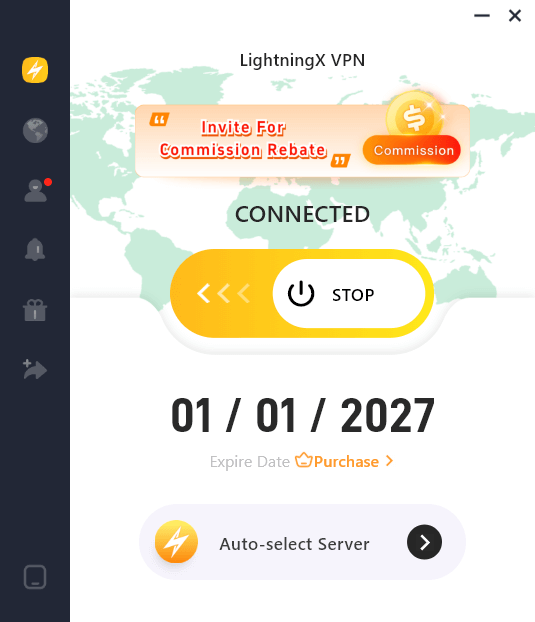
LightningX VPN secures the top spot as the best overall VPN for Xfinity users due to its unmatched combination of speed, security, and expansive US server presence.
- Why it’s the best for Xfinity: LightningX VPN is engineered to minimize speed drop-off, making it the ideal partner for high-speed Xfinity plans. It rivals competitors by delivering exceptional speed retention, which is essential for heavy data usage like 4K streaming and gaming.
- Security & privacy: It employs AES-256 encryption, DNS leak protection, and a reliable Kill Switch to protect your data even if the VPN connection briefly drops.
- Server Network: With over 2,000 high-speed servers across 70 countries, LightningX VPN offers a massive fleet of US servers (including several free nodes). This concentration ensures you can always find a low-latency connection nearby to successfully unblock major US streaming libraries (Netflix, Hulu, HBO Max).
- Usability: LightningX VPN supports up to 3 simultaneous connections on a single account. Now, it supports devices like Android, iOS, macOS, Windows, TV, Linux, Chrome extension, etc.
Fastest VPN for Streaming on Xfinity: ExpressVPN
ExpressVPN is the speed demon you need to keep up with your Xfinity connection.
- Why it’s the fastest: Known industry-wide for its superior consistency and minimal speed loss, ExpressVPN’s custom Lightway protocol ensures a smooth, low-latency connection. This makes it ideal for users with high-speed Xfinity plans who refuse to compromise on quality when watching live sports or streaming in Ultra HD.
- Router compatibility: Unlike many competitors, ExpressVPN offers a dedicated router app, making it the easiest option for protecting your entire Xfinity home network (including Smart TVs and gaming consoles) if you use a third-party router instead of the Xfinity Gateway.
- Ease of use: Its streamlined, highly intuitive apps are perfect for beginners, offering a simple one-click solution to securing your connection.
Best Budget-Friendly VPN for Xfinity: Surfshark
Surfshark delivers premium performance at a highly competitive price point, making it the best value VPN for large Xfinity households.
- Why it’s budget-friendly: A single subscription covers every phone, laptop, smart device, and tablet connected to your Xfinity service without extra cost, providing exceptional value.
- Speed & features: Despite the low price, Surfshark utilizes the modern WireGuard protocol, offering fast speeds that are more than sufficient for bypassing throttling and enjoying seamless streaming.
- Bonus tools: Features like CleanWeb (ad/malware blocker) enhance the browsing experience on the Xfinity network, and its Bypasser (split tunneling) feature allows you to choose which apps use the VPN and which use the regular Xfinity connection.
How to Set Up a VPN with Xfinity? Step-by-Step Setup Guide
There are typically three main approaches:
Method 1: Installing the VPN App on Individual Devices
This is the fastest and most common method. It secures one device at a time, such as your laptop, phone, or tablet.
Before you begin: Make sure you have already set up your Xfinity Wi-Fi network and that it is functioning correctly.
- Sign up: Choose one of the recommended VPNs (like LightningX, ExpressVPN, or Surfshark) and complete your subscription.
- Download the App: Go to the VPN provider’s website or your device’s app store (iOS/Android) and download the correct application for your operating system (Windows, macOS, Android, iOS, etc.).
- Install and log in: Install the software and use the credentials you created during sign-up to log into the application.
- Connect: Open the app and choose a server location. For maximum speed and security, select a server geographically close to you. If your goal is to unblock content, choose a server in the desired country.
- Verify: Once the app indicates you are connected, your Xfinity traffic is now encrypted, and your activities are protected from ISP monitoring.
Method 2: Installing a VPN on a Third-Party Router
This method protects every device in your home, including smart TVs, gaming consoles, and guest devices, without needing to install an app on each one.
To use a VPN on your router, you must use a third-party router that is either connected to the Xfinity Gateway or used as a full replacement (if you choose to purchase your own modem).
- Get a compatible router: Purchase a router that supports VPN client installation. Routers pre-flashed with firmware like DD-WRT or OpenWRT are often the best choice, or look for routers specifically supported by your chosen VPN provider.
- Download configuration files: Access your VPN account dashboard and download the router-specific configuration files.
- Flash or access router firmware: Connect to your third-party router’s interface (via web browser). Depending on the router, you will either use a dedicated VPN app interface or manually upload the configuration files via the firmware settings.
- Enter credentials: Input your VPN username and password, then select your desired server.
- Connect all devices: Once the router is connected to the VPN, every device that connects to that router’s Wi-Fi network will automatically be protected by the VPN encryption.
Important Note on Xfinity Gateway
The Xfinity Gateway (Comcast’s modem/router combo, e.g., XB6, XB7, XB8) is proprietary hardware. For security and remote management reasons, it does not support direct installation or configuration of third-party VPN clients.
Method 3: Using VPN on Xfinity Mobile Hotspots
Xfinity offers vast networks of public Wi-Fi hotspots. These networks are inherently less secure than your home network.
Simply use Method 1 above.
Ensure the VPN application on your phone or laptop is active and connected before you access sensitive data (like banking or email) while using any public Xfinity Wi-Fi hotspot.
The VPN’s encryption will shield your activity from potential snoopers on the shared network.
FAQs – Xfinity VPN
Q1: Will Xfinity Know I Am Using a VPN?
A: Xfinity can technically see that you are connected to a server located outside of their network, meaning they can detect that you are using some form of encryption.
However, they cannot see or log into what you are doing while connected to the VPN. The contents of your traffic (websites, downloads, communications) are completely shielded by the VPN’s encryption, protecting your privacy from your ISP.
Q2: Is It Legal to Use a VPN with Comcast Xfinity in the US?
A: Yes, using a VPN is perfectly legal in the United States and within the bounds of Xfinity’s Terms of Service. VPNs are standard tools used by millions for privacy and security.
The legality issue only arises if you use the VPN to conduct activities that are illegal, regardless of whether you use Xfinity (e.g., piracy of copyrighted material).
Q3: Does Xfinity Gateway Support Direct VPN Installation?
A: No, the standard Xfinity Gateway (XB6, XB7, XB8, etc.) does not allow users to install third-party VPN client software directly.
These devices are closed, proprietary hardware controlled remotely by Comcast. If you need whole-home VPN protection, you must use Method 2 (installing the VPN on a separate, compatible third-party router connected to your Xfinity modem).
Conclusion
You don’t have to tolerate ISP snooping, frustrating bandwidth throttling, or content restriction just because you subscribed to Comcast Xfinity. By integrating a reliable VPN into your connection, you reclaim the speed and privacy you pay for.






