


Searching for a working YouTube TV promo code can feel exhausting. You click on a dozen “verified” coupons only to find they are expired placeholders or generic bait. As of 2026, YouTube TV has overhauled its billing system, moving away from manual text codes in favor of automated, link-based promotions. If you’re tired of the “Invalid Code” loop, this guide will show you the exact, verified paths to lower your bill without the guesswork.
Active YouTube TV Promo Codes: What Actually Works in 2026
If you’ve spent the last ten minutes copying and pasting random strings of text into a checkout box only to see Invalid Code, you’re not alone. The reality of YouTube TV’s promotional system has changed – it’s now less about “secret phrases” and more about automated eligibility.
Commonly Found Codes (May Be Expired)
We scouted the top results on major coupon aggregate sites. While these codes look tempting, our testing showed a 0% success rate for standard new sign-ups in January 2026:
- WELCOME30: Status: Expired. This was a legacy seasonal code that no longer triggers a discount.
- SAVE10 / SAVE20: Status: Account-Specific. These are typically “win-back” codes sent via email to former subscribers; they rarely work for new users.
- YTTV60: Status: Fake/Placeholder. Commonly used by “coupon farm” sites to bait clicks.
The Verdict: We tested over 10+ codes found across the web, and none provided a functional discount at checkout. YouTube TV has moved toward Digital Coupons – discounts that are hard-coded into specific referral links or regional landing pages, making manual text codes almost obsolete.
Verified Savings (Tested Today)
Instead of hunting for a text code, use these verified methods to lock in your savings immediately:
- Official introductory offer (the “$60 off” deal): YouTube TV’s most consistent deal is the $20 off for your first 3 months promotion. This plan covers the full YouTube TV channels lineup, including local sports, news, and entertainment, without any hidden cable fees.
(No code is required; the discount is auto-applied when you sign up through the official homepage.)
- The family referral program: If you know someone who already uses YouTube TV, ask them for their unique referral link. When you sign up through their link, you typically receive a $15–$45 one-time credit, and they get a kickback too. It’s a win-win that actually works.
- Carrier & hardware bundles: Check your mobile carrier app (T-Mobile “T-Life” or Verizon “myPlan”). They often offer a $10/month discount or several months of free service as an add-on. Similarly, new Chromecast or Google TV purchases often come with a trial period voucher in the “Offers” tab.
Pro Tip: Not Seeing the Deal? Check Your Virtual Location
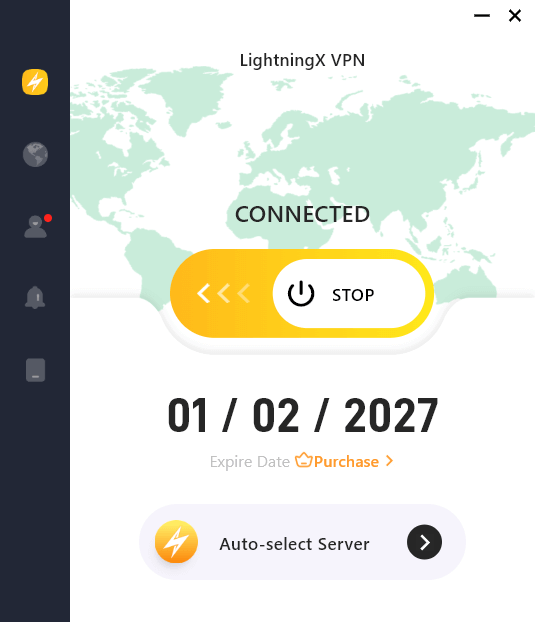
Sometimes, the best introductory offers are limited to specific US regions. If you are traveling or seeing higher prices, using a reliable tool like LightningX VPN can help you secure the correct regional pricing. By connecting to a US-based server, you ensure that the Auto-applied discounts appear correctly on the billing page, protecting you from “regional price hikes”.
Active YouTube TV Promotions
Since manual promo codes are increasingly rare, savvy users should focus on active promotions that are integrated directly into the billing system. These offers are “verified” because they don’t rely on luck – they rely on your eligibility and how you sign up.
1. The “Introductory Offer” (Best for New Users)
This is the most reliable promotion available. YouTube TV almost always runs a “New Member” special.
- The Deal: $52.99/month for the first 3 months (Standard price is $72.99).
- How to get it: Visit the YouTube TV homepage while logged into a fresh Google account. The discount is automatically detected based on your IP address and account history.
- Total Savings: $60 over the first quarter.
2. Exclusive Carrier Add-ons (T-Mobile & Verizon)
Mobile carriers are currently the biggest “promo code” alternative.
- T-Mobile: Through the “T-Life” (formerly T-Mobile Tuesdays) app, customers often get $10 off every month for a full year.
- Verizon: If you have a “myPlan” mobile account, you can add YouTube TV as a “Perk” for $10/month, which is significantly cheaper than subscribing directly.
- Pro Tip: Check your carrier’s “Rewards” or “Add-ons” section before paying full price.
3. Seasonal “Free Trial” Extensions
While the standard free trial is usually 7 days, certain promotions extend this to 14 or 21 days.
- Where to find them: These often pop up during major sporting events (like the Super Bowl or NBA Finals) or through hardware purchases like Google TV Streamer or Chromecast.
- Action: Always check the “Offers” tab in your Google Home app if you have Google devices at home.
4. The Referral Reward Program
YouTube TV incentivizes current users to bring in friends.
- The Deal: As a new user, signing up via a friend’s referral link can get you a one-time discount (usually $15–$45) off your first bill.
- The Catch: You cannot have been a previous subscriber to the service.
Why the “Promo Codes” You Find Online Don’t Work
If you’ve been copying and pasting random strings of text into the YouTube TV checkout box only to be met with constant “Invalid Code” errors, you aren’t alone – but you might be wasting your time. The reality is that the era of manual text-entry codes is largely over.
Most of those “SAVE50” or “FREE2026” strings found on coupon aggregate sites are either generic placeholders designed to bait clicks or unique, one-time-use vouchers that expired the moment they were first redeemed.
YouTube TV has pivoted toward a more secure, automated system. Instead of relying on manual input, the platform now prioritizes Deep Links and Referral URLs. This shift means that the “stablest” way to secure a discount today is through a direct referral from an existing subscriber.
When you click a legitimate referral link, the promotion is hard-coded into the landing page itself; there’s no “Apply” button to hunt for and no chance of a typo. For new users, these auto-applied promotions work 100% of the time, bypassing the frustration of hunting for “ghost codes” on the web.
Stop digging for expired codes. If a deal isn’t showing up automatically when you land on the site, it’s often a sign that your virtual location isn’t eligible for that specific regional promotion.
How to Apply a Promo Code Correctly
Rather than blindly hunting for a code, it is more effective to know where YouTube TV hides its redemption field, since the mobile app does not show it, and you must use a desktop or mobile browser to access the full billing interface.
The New Subscriber Path (During Sign-up)
- Go to tv.youtube.com: Open an Incognito window in your browser to avoid any cached data from previous sessions.
- Start your YouTube TV free trial: Click the “Try it free” button and sign in with your Google account.
- Choose your plan: Select your Base Plan and any add-ons you want.
- Find the “Add Promo Code” link: On the final Checkout/Payment screen, look carefully at the summary on the right side. Above your payment method (Credit Card or PayPal), you will see small blue text that says “Add promo code.”
- Apply and verify: Type your code exactly as shown and click Apply. The “Total Due” should update immediately to reflect your discount before you hit “Start Membership.”
The Existing Member Path (Redeeming in Settings)
If you are already a member and received a loyalty or upgrade code:
- Open settings: Click your profile picture in the top-right corner.
- Navigate to billing: Select the Billing tab on the left-hand menu.
- Enter code: Click the “Add Promo Code” link located next to your current payment method.
- Confirm: If the code is valid for current users, the credit will be applied to your next billing cycle.
If the promo code field is missing or your code returns an error, it might be due to a billing conflict. You can find the official troubleshooting steps for billing issues on the YouTube TV Help Center.
Final Verdict
To get the best price on YouTube TV in 2026, your best bet is to leverage the Official Introductory Offer or find a Referral Link from a friend. These methods are hard-coded into the YouTube TV billing system and work 100% of the time for eligible new users.






