


If you want to unblock all CapCut templates, filters, and video resources, using a VPN is one of the easiest solutions.
The best CapCut VPN can help you unlock regional content and use CapCut smoothly on any device.
In this guide, we’ve listed the 5 best free VPNs for CapCut, and paid CapCut VPN options.
5 Best Free VPNs for CapCut
LightningX VPN: Best Free VPN for CapCut
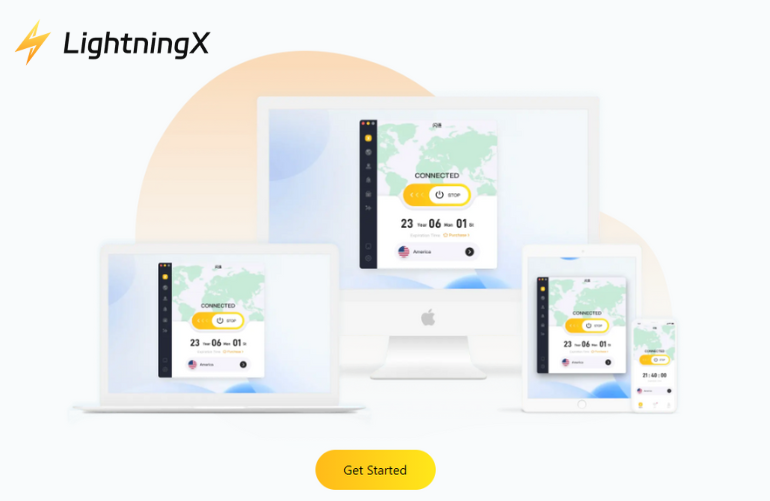
- Fast servers up to 800 Mbps
- 2000+ servers in 70+ countries
- Strong encryption and DNS leak protection
- No-logs policy
- No speed or bandwidth limits
- Works on Windows, macOS, Android, iOS, tvOS, Android TV, Linux, Chrome.
- Some free nodes + 30-day money-back guarantee
Why You Should Use LightningX VPN?
LightningX VPN makes CapCut run smoother because its servers are fast and stable. You can import files quickly, download templates without lag, and export videos more easily.
Its global server network helps you unlock templates and effects that are not available in your region. If CapCut is blocked where you live, it can also help you access it safely.
LightningX VPN also works on all major devices. Whether you use CapCut on mobile or need a VPN for CapCut PC, you can connect in one click with no speed or bandwidth limits.
The free nodes with no speed and bandwidth limits make it the best free VPN for CapCut.
Proton VPN: Best VPN for CapCut on Mac
- Strict no-logs policy
- Strong AES-256 encryption
- 16000+ servers in 127 countries
- 30-day money-back guarantee
- Free plan available with unlimited data
- Support Windows, macOS, Android, iOS, Linux, Chrome, and Firefox.
If you want to find the best CapCut VPN for Mac, ProtonVPN is a good choice.
ProtonVPN has 16000+ servers, helping you access CapCut templates and streaming platforms. It uses AES-256 encryption to keep your data safe while you edit.
As the best Mac VPN, ProtonVPN is compatible with macOS versions, making installation and use a breeze. It’s free plan offers unlimited traffic, strong encryption, and a strict zero-logs policy, allowing you to use CapCut VPN securely even on a budget.
Hide.me VPN
- 10GB of free data per month.
- 8 free servers (US, Canada, Germany, the Netherlands, and more).
- Servers are designed for stable connections and low latency.
- Strong AES-256 encryption and a No-logs policy.
- Works on Windows, macOS, iOS, Android, Linux, Chrome, and Firefox.
Why Hide.me is a Free VPN for CapCut?
If you’re looking for a free VPN to unblock CapCut, Hide.me is an excellent choice. You don’t need an email address, an account, or any personal information to use it.
The free plan includes 10GB of data per month, more than enough for browsing templates, downloading effects, and exporting short videos on CapCut. Hide.me also offers 8 free servers in countries such as the US, Canada, Germany, and the Netherlands. These servers provide stable speeds and low latency.
Because it supports almost all major platforms, you can use it whether you’re editing on a mobile phone, laptop, or browser extension.
Turbo VPN
- Connect to over 21000 servers in 111 locations
- Free version available
- Works on mobile devices and desktops
- Ads appear in the free version
- Limited free server locations
Turbo VPN’s free version lets you use the app without paying anything. You can connect quickly and unlock a few regions to access basic CapCut templates and effects.
However, the free servers are limited and often crowded, so the speed may drop during busy hours. Ads will interrupt your connection, and you cannot choose from Turbo VPN’s full 21000+ server list.
Despite these limits, the free plan still works if you only need a simple and fast way to access CapCut templates from one or two regions.
Hotspot Shield
- No credit card required
- 1 free server location (usually the US)
- Daily 500MB bandwidth limit
- Ads included in the free version
The basic free plan of Hotspot Shield is easy to use and does not require payment or signup. You get one free US server, which is enough to browse CapCut, check templates, and download small files.
The daily 500MB limit means it’s not ideal for heavy video uploads or large template downloads. Still, for simple editing tasks or accessing CapCut when your region blocks it, the free plan works fine.
Hotspot Shield Basic is a good option if you want a free CapCut VPN with a clean interface and quick setup.
Best Paid VPNs for CapCut
ExpressVPN: Fast and Reliable VPN for CapCut
- Over 3,000 servers in 105 countries
- Very fast speeds, low latency
- Strong AES-256 encryption
- No-logs policy
- Works on Windows, macOS, iOS, Android, Linux
Why Choose ExpressVPN for CapCut:
ExpressVPN is one of the fastest paid VPNs, making it perfect for CapCut users who want smooth editing and quick downloads of templates.
Its large server network lets you access CapCut content from almost any country. Security is strong, so your data and location stay private while editing.
PureVPN: Affordable Paid VPN for CapCut
- 6500+ servers in 65+ countries
- Good speed and stable connection
- AES-256 encryption with advanced security features
- Compatible with major platforms (PC, Mac, mobile)
- 31-day money-back guarantee
Why Choose PureVPN for CapCut:
PureVPN is a solid paid option for CapCut users who want a balance of price and performance.
Its servers provide fast and stable connections, helping you access international templates and filters. It also protects your files and browsing data with strong encryption.
CyberGhost
- Located in 100 countries and 125 locations
- Servers optimized for streaming and downloading
- Zero-logs policy and strong encryption
- Apps work on all major devices
- 45-day money-back guarantee
Why choose CyberGhost for CapCut:
CyberGhost is user-friendly and ideal for CapCut editors who want to easily set up their applications.
It boasts servers optimized for streaming and fast downloads, allowing you to quickly load CapCut templates. This VPN also protects your identity and data privacy.
Why is CapCut Banned in Some Countries?
CapCut is a popular video editing app from ByteDance that has been banned in some countries due to concerns about data privacy and national security.
- Data collection: Some countries are concerned about CapCut collecting and using citizens’ data.
- Connection to TikTok: CapCut comes from the same company as TikTok, which has also been banned for similar reasons.
- Legal action: In India, the government has passed a law banning apps that are considered security risks.
Current situation:
- India: CapCut, like many other apps from China, has been banned in India since June 2020.
- Afghanistan: The app has also been banned in Afghanistan for reasons similar to those of other social media apps.
While CapCut is still available in the United States, rumors exist that it may be banned due to its connection with TikTok.
FAQ about CapCut VPN
1. Is CapCut banned in India?
Yes, CapCut is banned in India. According to the Ministry of Information Technology of India, CapCut has been disabled due to data privacy and national security issues. The Indian government is concerned that CapCut may collect and transmit user data.
2. Which VPN is best for CapCut?
The best VPN for CapCut is LightningX VPN. It offers fast speeds of over 800 Mbps, privacy policies like Shadowsocks and Vless, and access to over 2,000 servers in over 70 countries.
This ensures smooth video editing and easy access to global content. Plus, it supports multiple devices, is affordable, and offers a free trial, making it a great choice for CapCut users.






