



If you want to delete your Disney account after your subscription has ended, you can check the step-by-step guide below.
How to Delete Disney Plus Account Permanently
Step 1. Make some preparations before deleting your Disney+ account.
- You can save any watchlist information or personal data you want to back up.
- Make sure to cancel any of your active Disney Plus subscriptions first, to avoid future billing charges.
- Still, if you subscribed to the Disney Bundle, you should also cancel your Disney Bundle subscription first. Removing the Disney Plus account won’t delete your Hulu or ESPN+ account.
- Ensure there are no pending charges or refunds.
Step 2. Log into your Disney Plus account.
- When you are ready to remove your account, you can visit the Disney Plus official website in a browser on your computer or mobile.
- Click the Log In button at the upper-right corner.
- Enter your account login credentials to sign into your Disney Plus account.
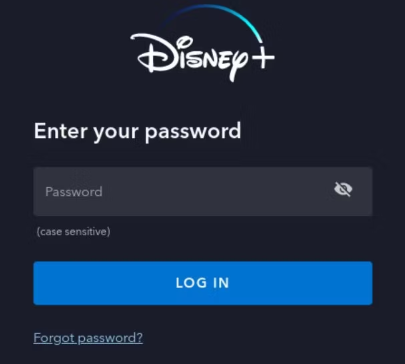
Step 3. Access the account settings page.
- After logging in, you can click your profile icon at the top-right corner.
- Select Account from the dropdown menu to open your Disney+ account settings screen.
Step 4. Click “Delete Account”.
- Scroll down to find the “Account Details” section or click “Manage Account”.
- Find and click the Delete Account option or similar option.
- In the pop-up prompt, confirm your decision. If it asks you to enter your Disney Plus account password again, do it.
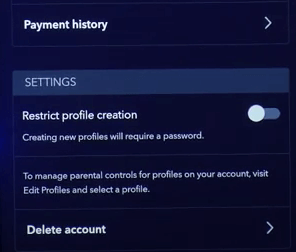
Step 5. Verify your email to complete the account deletion.
- You will receive a verification email from Disney Plus. Check your email inbox to open the verification email.
- Enter the 6-digit verification code or click the verification link to complete deleting your Disney Plus account.
Related: How to Change/Reset Disney Plus Password: Step-by-Step-Guide
What Happens After Deleting Your Disney Plus Account
Deleting your Disney Plus account will remove your access to all content and data associated with your account. Your personal data, watch history, preferences, etc. will be permanently deleted.
If you subscribed to Disney+ with the Disney+ platform, you could still access and use Disney+ by the end of your current billing period. This lets you get the full value of your paid subscription period. Your account deletion will be finalized after your subscription ends.
However, if you subscribed to Disney Plus through a third-party service, you would lose access to Disney+ immediately after submitting your account deletion request.
Alternatives to Deleting Disney Plus Account
Instead of permanently removing your account, you may temporarily stop your subscription, and this will not lose any data. You can re-subscribe to Disney+ any time you want in the future.
If you previously bought the annual subscription of Disney+, you may downgrade to a cheaper and shorter plan like the monthly subscription.
Alternatively, you may create a new Disney Plus account instead of deleting the old one.
Access Disney+ and Global Apps/Sites/Services with LightningX VPN
Due to region restrictions, you may not be able to access some popular apps/sites/services outside of your region. With a VPN, you can easily resolve the issue.
LightningX VPN is the best VPN for PC, Mac, Android, iOS, TV, Linux, Chrome, Firefox, Edge, etc.
It provides 2000+ servers in 70+ countries. You can connect to any preferred server with one click. It offers lightning internet speed with no bandwidth/speed limit.
This VPN uses robust data encryption and security protocols like Shadowsocks, Vless, WireGuard, and AES-256 to protect your online safety. It also changes your IP address to protect your online privacy.
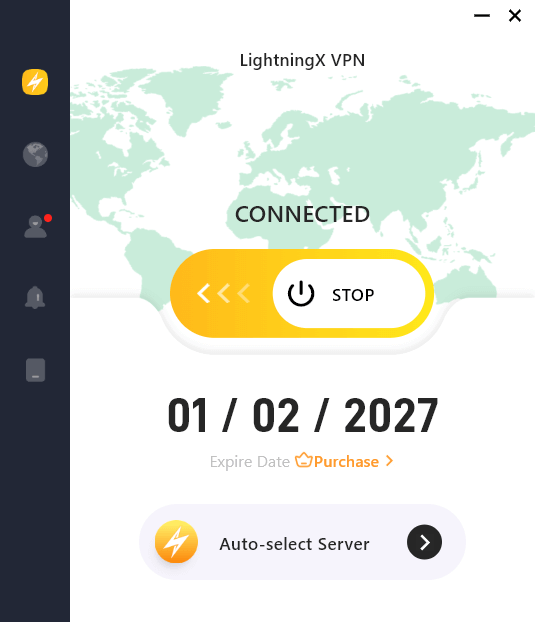
Download and install LightningX VPN on your device and use it to access Disney+, Netflix, Hulu, HBO, YouTube, TikTok, Instagram, Facebook, Twitter, Steam, and more platforms and websites.






