


If you are unable to access Grindr, it may be because your Grindr account has been banned.
In this guide, we will introduce some effective methods to unblock your Grindr account, including using a VPN, resetting your device ID, creating a new account, and submitting a formal appeal to Grindr customer support.
What is Grindr?
Grindr is one of the world’s most popular dating apps, designed specifically for the LGBTQ+ community. It uses your device’s GPS functionality to display nearby user profiles in real time, allowing you to easily and quickly connect with people around you.
Because Grindr heavily relies on account data, device information, and IP addresses to maintain platform security, accounts may sometimes be automatically restricted or banned even if users believe they haven’t explicitly violated any rules.
Why Did Grindr Ban You?
Grindr bans accounts to enforce its community guidelines and maintain platform security. However, many bans are triggered automatically, so you may not know why you were banned by Grindr. Please consider the following reasons:
1. User reports: If multiple users report your profile or messages, Grindr’s system may automatically flag your account.
2. Behavior-based signals: Certain activity patterns can trigger a ban, such as repeatedly sending similar messages, frequently updating your profile, or creating multiple accounts in a short period.
3. Location and network changes: Logging in from different locations in a short time, frequently switching networks, or using an unstable connection can lead to a Grindr ban.
4. Device-level identifiers: Grindr can associate accounts with device information, such as your device ID or SIM card-related data. If a previous account was banned, a new account on the same device may also be restricted.
How to Get Unbanned from Grindr Quickly?
If your Grindr account has been banned, there are several effective methods to help you regain access.
Method 1: Change your IP address using a VPN
Grindr often restricts account access based on IP addresses, which can lead to failed login attempts.
Using a VPN to change your IP address and encrypt your connection reduces the likelihood that Grindr will associate your new login with your previously banned account.
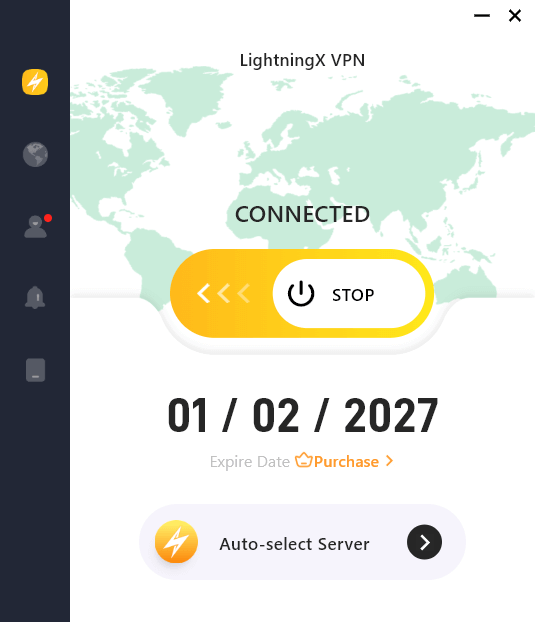
Step 1: Visit the official LightningX VPN website or app store to download it. Supports Android, iOS, macOS, Windows, TV, Linux, and Chrome.
Step 2: Open LightningX VPN and create an account. It offers some free servers, allowing you to test if it can bypass Grindr’s restrictions.
Step 3: Select a server location where Grindr is available, such as the United States, the United Kingdom, or Australia.
Step 4: After selecting a server, click the connect button. Wait for the VPN to establish a secure connection. Your device will now have a new IP address, which Grindr will see.
Now you can open Grindr and log in to your account.
Method 2: Delete and Reinstall Grindr
Completely removing Grindr from your device can help clear any cached data or residual information that might be related to the ban.
Step 1: Before deleting Grindr, save any important information you want to keep, such as screenshots or contact information.
Step 2: On your device, long-press the Grindr icon, select “Remove App,” and then select “Delete App” or “Uninstall.”
Step 3: Clear remaining app data
- iOS users: Go to Settings > Apple ID > iCloud > Manage Storage, find Grindr, and delete all stored data.
- Android users: Go to Settings > Apps > Grindr > Storage, then tap “Clear Data” and “Clear Cache” (if available).
Step 4: Open the App Store (iOS) or Google Play Store (Android), search for “Grindr,” and download the latest version.
After reinstalling, open Grindr and log in with a new account, or try accessing your existing account.
Method 3: Resetting Your Device ID
Grindr not only bans accounts but also devices. Resetting your device ID can help prevent your new account from being flagged.
Step 1: Before making any changes, back up your phone to avoid losing important data. On iOS devices, use iCloud; on Android devices, use Google Drive or other backup methods.
Step 2: Reset Device Settings
- iOS: Go to Settings > General > Transfer or Reset iPhone > Erase All Content and Settings. Confirm and follow the on-screen instructions to reset your device.
- Android: Go to Settings > General Management > Reset > Factory data reset.
This will generate a new device ID that was not previously associated with the banned account.
Step 3: Go to Settings > Apple ID > iCloud > Manage Storage. Find Grindr and delete all stored app data.
This ensures that residual cloud data doesn’t link your new account to the old, banned device.
Method 4: Creating a New Grindr Account
If your email or phone number has been banned, creating a new account is a good solution.
Step 1: Use an email service that allows account creation.
Step 2: If your phone number is banned, use a new SIM card or a virtual phone number service.
Step 3: Open Grindr on a device with a VPN activated and the device ID reset. Click “Register” and enter your new email and phone number.
Now you have the best chance of logging back into Grindr without being immediately flagged by the system.
Recover Your Grindr Account by Filing an Appeal
If you want to regain access to your previous Grindr account and recover your chat history, submitting a formal appeal is the most reliable method.
Step 1: Visit the official Grindr support page and submit a request.
Step 2: Select the option to appeal an account ban or report an account issue.
Step 3: Provide your Grindr account information, such as:
- The email address associated with your account.
- Your username.
- Your device type.
Step 4: In the message box labeled “Tell us what happened,” explain why you believe your account should not have been banned. For example:
Subject: Appeal for Grindr Account Ban
Message:
Hello Grindr Support Team,
I recently discovered that my Grindr account has been banned. I believe this may have been a mistake, as I always strive to follow the community guidelines.
Here are my account details:
- Username:
- Email:
- Device:
I kindly request a review of my account and would appreciate any guidance on how to resolve this issue. I am committed to following Grindr’s rules and ensuring my account complies with all guidelines.
Thank you for your time and support. I look forward to your response.
Step 5: Check all relevant checkboxes to indicate that you understand the rules and agree to abide by them.
Step 6: If necessary, attach any screenshots or other supporting evidence, then click “Submit.” Grindr typically takes 24 hours or longer to review appeals.
How to Avoid Being Banned on Grindr?
To avoid being banned on Grindr, you need to follow these rules:
- Adhere to Community Guidelines: Grindr explicitly prohibits harassment, posting sensitive photos and content in public profiles, and other similar behaviors.
- Respect Other Users: Avoid sending spam or bothering other users. Respect others’ boundaries.
- Avoid Sharing Personal Private Information: Never post your phone number, home address, financial information, or other private data in your profile or chats.
- Maintain Profile Authenticity: Do not impersonate other users or use fake photos.
- Limit External Promotion or Activities: Do not use Grindr for commercial advertising or organizing events unless explicitly permitted.
- Regularly Update the Application: Keeping Grindr updated ensures you have the latest security patches and prevents accidental violations due to outdated application features.
- Maintain Consistent Behavior: Do not frequently create multiple accounts or frequently change your IP address.
Final Thought
Being banned from Grindr doesn’t necessarily mean your account is gone forever.
In many cases, you can get unbanned from Grindr by changing your IP address using a reliable VPN, resetting your device ID, reinstalling the app, or creating a new account with new identity information.






