


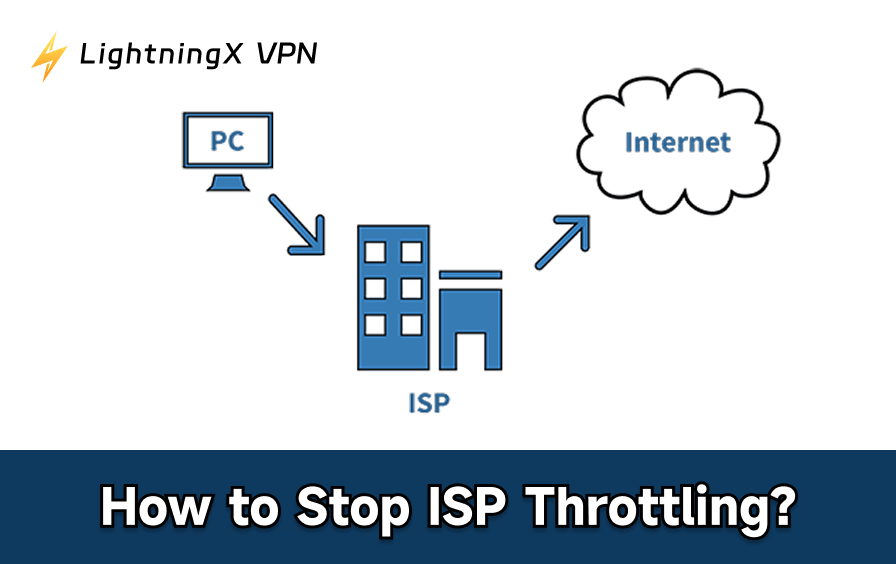
Have you noticed your internet speed suddenly slowing down when watching videos, downloading files, or playing online games? In many cases, this is likely due to speed throttling by your Internet Service Provider (ISP).
ISP speed throttling refers to your internet service provider intentionally limiting your connection speed for certain types of online activities.
In this guide, you will learn how to stop ISP throttling with or without a VPN.
What Is ISP Throttling?
ISP throttling is when your internet service provider (ISP) deliberately slows down your internet connection. Instead of giving you the full speed promised in your plan, the ISP reduces your bandwidth under certain conditions.
Throttling often affects specific activities like streaming videos, online gaming, or file sharing. This is why regular web browsing might still feel normal, but videos buffer or downloads take longer.
ISPs use network management tools to detect heavy usage or certain types of data and apply speed limits. Common reasons for throttling include exceeding a monthly data cap, using bandwidth-heavy services, or connecting during peak hours.
How to Know If My Internet is Being Throttled?
If your network suddenly slows down for some activities while remaining normal for others, you may be experiencing ISP throttling. You can check your network by following these steps:
Method 1: Run a speed test
Visit websites like Speedtest.net or Fast.com to measure your internet speed. Compare the test results to the speed promised in your data plan.
Read more: How to Test Your Internet Speed – A Complete Guide
Method 2: Test different activities
Try watching videos, downloading large files, or playing online games while monitoring your speed. If only certain activities are slow, it’s likely your ISP is throttling your network.
Method 3: Test at different times of day
Test your network during peak and off-peak hours. A significant drop in speed during peak hours may indicate throttling.
Method 4: Compare with a VPN
Connect to a VPN and repeat the speed test. If your speed improves when using a VPN, your ISP may be throttling specific traffic.
By using these methods, you can determine whether your slow internet speed is due to ISP throttling or a general network issue, and take steps to maintain a stable connection.
How to Stop ISP Throttling with VPN?
One of the most effective ways to block Internet Service Provider (ISP) speed throttling is by using a VPN. A VPN encrypts your network traffic and hides your online activity from your ISP. This means your service provider can’t see if you’re streaming, playing games, or downloading large files, making it harder for them to implement targeted speed throttling.
Here’s how to stop ISP speed throttling using LightningXVPN:
Step 1: Download LightningXVPN
Visit the official LightningX VPN website and download the app for your device. LightningXVPN supports Windows, macOS, Android, iOS, and other major platforms.
Step 2: Install and Sign in
Follow the installation instructions and launch the application after installation. Sign in using your LightningX VPN account. If you don’t have an account yet, create one directly within the application.
Step 3: Connect to a Server
Choose a server location and click “Connect.” LightningXVPN will encrypt your network traffic and route it through the selected server.
Step 4: Test Your Connection Speed
After connecting, visit a speed test website again. If you experience faster speeds while streaming, downloading, or gaming, your ISP is likely throttling your connection.
That’s why you can use LightningXVPN to block your ISP from limiting your connection speed and help maintain a stable connection.
How to Fix ISP Throttling without VPN?
If you don’t want to use a VPN, you can still try these practical steps to mitigate the impact of ISP speed limits. Please follow these simple methods to test and improve your internet speed.
Method 1: Restart Your Modem and Router
- Turn off your modem and router.
- Unplug the power cords from both devices.
- Wait 1-2 minutes.
- Plug the power cords back in and turn them on.
- Once the connection is restored, visit Speedtest.net or Fast.com to test your internet speed.
Restarting your network devices can refresh your connection and sometimes even remove temporary speed limits.
Method 2: Limit High-Bandwidth Activities
- Close data-intensive applications, such as cloud backups, large downloads, or watching streaming media on multiple devices simultaneously.
- Pause automatic updates on your computer or game console.
- Test your internet speed again to see if performance has improved.
Reducing network traffic helps avoid triggering ISP speed limits.
Method 3: Check Your Data Usage
- Log in to your ISP’s official website account.
- Go to the “Data Usage” or “Account Dashboard” section.
- Check if you have reached your monthly data limit.
Many internet service providers (ISPs) will reduce your internet speed after you exceed your data limit, which may appear as ISP throttling.
Method 4: Contact your Internet Service Provider (ISP)
- Visit your ISP’s support page or customer service portal.
- Ask if your current plan throttles your speed after reaching a certain data limit.
- Ask if there are plans with higher data limits or fewer restrictions.
This will help you confirm whether ISP throttling is affecting your network connection and what methods you can use to improve your speed.
Best Free VPN to Bypass Throttling
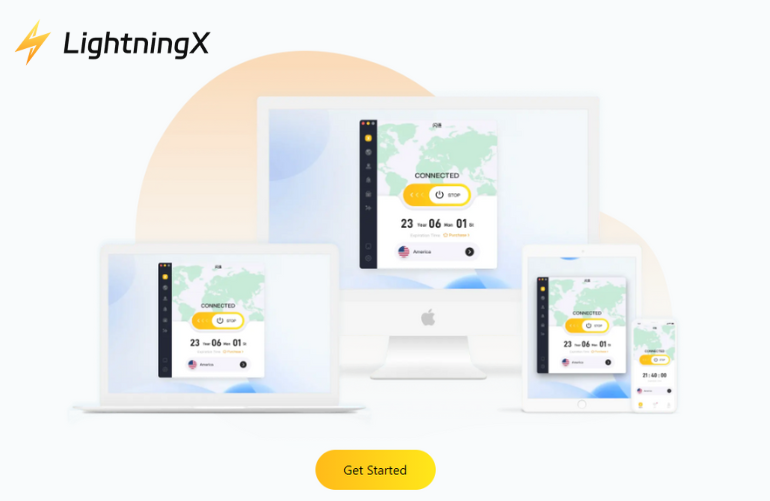
If you encounter speed throttling issues from your Internet Service Provider (ISP), using a VPN is one of the most reliable solutions.
You can choose LightningXVPN to help you bypass speed throttling, as it combines strong encryption, high-speed servers, and a user-friendly interface.
LightningXVPN encrypts your network data and hides your real IP address. Your ISP can only see that you are connected to the VPN server, not the websites you visit or the services you use. This helps prevent targeted speed throttling for streaming, downloads, or games.
The service offers over 2,000 servers in more than 70 countries, allowing you to connect to different server locations even if your local network speed is limited.
This VPN supports modern protocols such as WireGuard, Shadowsocks, and Vless, and uses strong encryption algorithms such as AES-256-GCM and ChaCha20-Poly1305 to help protect your data security and online privacy.
FAQ about ISP Throttling
1. Is ISP throttling legal?
Yes, in many countries, including the United States, it is generally legal for Internet Service Providers (ISPs) to throttle network speeds.
ISPs can manage network traffic to prevent congestion or control excessive bandwidth usage. However, ISPs are typically required to disclose these practices in their terms of service. Excessive or misleading speed throttling can raise regulatory issues.
2. Can free VPNs stop throttling?
Yes, free VPNs can help reduce or bypass ISP speed limits because they encrypt your network traffic and hide your online activity.
However, many free VPNs have risks to speed, bandwidth, or the number of servers, which can affect performance. For better stability and faster speeds, it is generally recommended to use a more reliable VPN service.
Read more: Are Free VPN Safe? 5 Risks You Need to Know!






