


The old posting strategy on Instagram is no longer effective. Instagram isn’t just a place for pretty photos – it’s a cutthroat social search engine. If you’re still chasing likes while ignoring ROI, you’re essentially running on a treadmill. This guide isn’t about vanity metrics; it’s a tactical blueprint for business owners who want to cut through the noise and turn scrollers into actual revenue.
Unlocking Potential: Use Instagram for Business Growth
Instagram is no longer just a place to post photos. It has quietly become one of the most active social search platforms, where people look up brands, compare products through Reels, and make buying decisions without ever leaving the app.
The way users interact with Instagram has changed. Scrolling for entertainment still exists, but more and more people are using the platform with intent: searching, evaluating, and shopping in real time. That shift means visibility alone isn’t enough anymore.
What actually matters now is how clearly your content signals value. The algorithm has grown less impressed by constant posting and more responsive to content that attracts the right audience at the right moment. It favors clarity over volume, relevance over repetition.
If you want Instagram to drive real business growth, the goal isn’t to post on Instagram more but to post with purpose. When used well, Instagram becomes more than a marketing channel; it functions like a storefront that works for you around the clock, turning attention into trust and, eventually, into customers.
How to Build Instagram Business Accounts
Turning an Instagram profile into a real business asset doesn’t require anything complicated, but it does require setting things up the right way from the start. These three steps help you move from a casual account to one that’s built for visibility, trust, and conversions.
Step 1: Switch to a Professional Account (So You Can See What’s Actually Working)
Running a business on a personal profile means guessing instead of measuring. Without access to insights, you have no clear idea what content performs, who your audience is, or where your growth comes from.
To switch:
- Go to your profile and tap the menu (three lines) in the top-right corner.
- Open Settings and privacy, then tap Account type and tools.
- Select Switch to professional account.
- Choose the category that best matches what you do, such as E-commerce or Digital Creator.
Once you switch, Instagram unlocks analytics, audience insights, and the Professional Dashboard. This helps the platform better understand who your content is for, and helps you stop posting blindly.
Related: How to Switch to a Personal Account on Instagram
Step 2: Optimize Your Bio for Search and Clarity
Your bio isn’t just an introduction anymore. It’s searchable, skimmable, and often the deciding factor in whether someone follows or leaves.
A simple three-line structure works well:
- Line 1: What you do – Be direct and use plain language. Say exactly what you offer using keywords people actually search for.
(Example: Helping small businesses grow with AI content.) - Line 2: Why you’re worth trusting – This can be experience, results, or a clear benefit.
(Example: Used by 500+ brands worldwide.) - Line 3: What to do next – Tell people where to go and why.
(Example: Get the 2026 growth guide)
Clarity beats clever wording here. If someone understands your value in three seconds, your bio is doing its job.
Step 3: Enable Action Buttons to Remove Extra Steps
If people have to DM on Instagram, you just find basic information; you’re adding friction. Action buttons turn your profile into something people can use immediately.
To set them up:
1. Tap Edit Profile on your home screen.
2. Scroll down to Action Buttons.
3. Choose the button that fits your goal:
- Book Now: Connects directly to your scheduling tool (like Calendly).
- View Shop: Links your Instagram Shop catalog.
- Contact: Adds your professional email or business phone number.
These buttons reduce the effort it takes for someone to act. Instead of asking, waiting, and following up, they can move forward with a single tap.
How to Manage and Grow Your Instagram Presence
In 2026, running a successful Instagram isn’t a one-man show; it’s more about orchestrating a mix of community tools and AI shortcuts. If you’re still just posting to your grid and ghosting, you’re leaving money on the table.
Focus on Community, Not Just Visibility
The old “post and hope it reaches people” approach doesn’t work very well anymore. Followers now expect access, context, and a sense of being closer to the brand.
Broadcast Channels are a practical way to do this. Instead of repeating what’s already in your feed, use them for things that feel more personal. Like early product drops, quick updates, or unpolished behind-the-scenes moments.
You can create one by tapping the pencil icon in your DMs and selecting Create Broadcast Channel. Because these messages aren’t public, they naturally feel more exclusive than regular posts.
Use Collaborations to Grow With the Right Audience
Paying for one-off influencer shoutouts usually brings short-term attention, not long-term followers. A more effective option is using Instagram’s Collaborators feature.
When posting a Reel, go to Tag People and invite a collaborator. Once they accept, the post appears on both accounts. This allows you to share reach with a partner whose audience already overlaps with yours, instead of borrowing attention from someone unrelated.
It’s one of the simplest ways to grow without relying on ads.
Collaborative Collections are easy to overlook, but they’re surprisingly useful for teams and client relationships.
They work like shared folders where multiple people can save and comment on posts. For businesses, this can mean:
- A private trend board with your creative team
- A shared wishlist or reference folder with high-value clients
Instead of sending screenshots back and forth, everything stays inside Instagram, and participation feels more natural.
Reaching International Audiences More Effectively
If your business operates in one country but targets customers elsewhere, you may notice that your content struggles to reach the right region.
Instagram’s discovery system is heavily influenced by location. To better understand what works in another market, it helps to see the platform from that region’s perspective – including Explore results and trending audio.
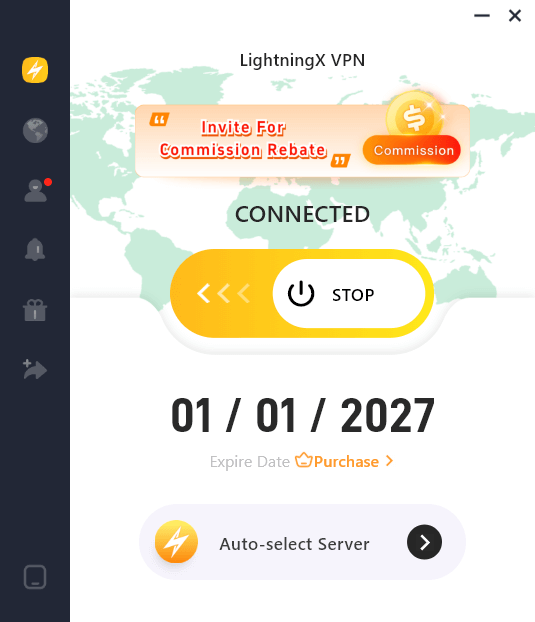
Tools like LightningX VPN make this easier by allowing you to view Instagram as if you were browsing from your target location. Using a VPN for business can help your content feel more aligned with local trends instead of missing the mark.
Using Meta AI Without Losing Your Voice
Smart Copywriting with Meta AI
You don’t need a dedicated copywriter anymore. When you upload an image, Meta AI now reads the “vibe” of your photo. Look for the “Generate with AI” prompt in the caption box; it will spit out three variations based on your brand voice.
The best part? It suggests low-competition hashtags based on real-time search data, not just generic tags from five years ago.
Scaling with AI Avatars
Let’s be real: being “always on” leads to burnout. Use AI Avatars to do the heavy lifting. You can train your digital twin (via Settings > Meta AI) to mirror your personality.
These avatars can host “Daily Tip” Stories or handle basic FAQs in your Reels comments. It keeps your engagement metrics high while you’re actually sleeping or running the back-end of your business.
Strategies for Business Conversion & ROI
Follower count looks nice, but it doesn’t pay the bills. For most small businesses, what matters is whether Instagram actually leads to sales. By now, brands that see results tend to treat Instagram as a full journey, not just a place to post content and hope for the best.
The Three-Step Funnel Flow
Very few people buy from a single Reel. Most sales happen after a few touchpoints.
- Discovery (Reels): Use trending audios and AI-enhanced visuals to get in front of new eyes.
- Nurturing (Stories): This is where you build trust. Share the “messy” behind-the-scenes or answer customer doubts.
- Conversion (DMs): The real money is made in the DMs. Use automated “Quick Replies” to handle FAQs and send direct purchase links to hot leads.
Use Pinned Posts to Build Trust Fast
Most visitors decide within seconds whether to keep scrolling or leave. Your pinned posts help shape that first impression.
Instead of pinning your favorite visuals, consider pinning proof:
- A short customer testimonial
- A results-focused carousel
- A clear explanation of the problem you solve
These posts quietly answer the question, “Is this brand worth my time?” even when you’re offline.
A More Personal Way to Sell Products
One useful but underused feature is creating private product collections for specific people.
For example, you can invite a VIP customer or micro-influencer into a shared folder where you curate products just for them. It feels less like a sales pitch and more like a conversation, and because everything links directly to checkout, the path from interest to purchase is shorter.
Using Instagram SEO to Get Found
Search on Instagram matters more than many people realize, especially for younger users who treat it like a discovery tool.
- Be clear in captions: Clever wording is fine, but clarity comes first. If you sell eco-friendly skincare, say that early in the caption instead of hiding it behind wordplay.
- Use alt text properly: Before posting, go to Advanced Settings > Write Alt Text and describe the image using simple, accurate keywords. This helps Instagram understand what your content is about and improves how it appears in Search and Explore.
How to use Instagram’s Professional Dashboard for Data-Driven Growth
The Professional Dashboard is useful, but only if you focus on the right signals.
- Saves and Shares matter more than Likes: A like is quick. A save means someone wants to come back. A share means they found it valuable enough to pass along. Both tend to matter more for long-term growth and sales.
- The “Experiments” Tab: Instagram’s built-in A/B testing lets you compare different styles. For example, you might test polished, AI-assisted content against raw, low-effort videos. Many brands find that imperfect content builds more trust, even if it looks less “professional.”
How to use Instagram with AI Tools (Grok & ChatGPT) for Automated Content
While Meta AI is great for quick fixes, power users in 2026 use a cross-platform AI strategy to stay ahead.
- Grok (Real-Time Trend Hunting): Use Grok to scan for what’s trending on X (Twitter) right now. If a specific topic is blowing up, pivot your Instagram content within the hour to catch the wave.
- ChatGPT (The Content Architect): Don’t just ask ChatGPT for captions. Give it your top-performing blog post and ask it to “Atomize this into 10 Reel scripts and 5 Story polls.”
FAQs – How to Use Instagram for Business
Q1: How often should I post in 2026 to stay relevant?
Quality beats frequency. Aim for 3 high-signal Reels per week and daily Stories. The 2026 algorithm prioritizes “Meaningful Social Interactions” over flood-posting, so focus on content that sparks Saves and Shares.
Q2: Can I use Meta AI and Grok content without being penalized?
Yes, but avoid “pure” AI output. Instagram’s algorithm rewards AI-assisted content (using AI for research/scripts) that is then refined with a human touch. Always add your unique brand voice to ensure it doesn’t feel “robotic.”
Q3: Why is my “Professional Dashboard” showing high reach but low sales?
You likely have a “Top-of-Funnel” problem. Your Reels are entertaining (Discovery), but your Stories lack Direct CTAs, or your Action Buttons aren’t set up. Use the “Experiments” tab to test different Lead Gen tactics in your Stories.






