



DuckDuckGo is a search engine focused on privacy, offering a clean and secure way to browse the web. But is DuckDuckGo safe to use?
In this article, we’ll break down how DuckDuckGo protects your privacy, what it collects (and what it doesn’t), and share practical tips to make your browsing even safer.
What is DuckDuckGo?

DuckDuckGo is a search engine company focused on user privacy, founded by Gabriel Weinberg in 2008. Unlike Google and other search engines, its core promise is simple: to protect users from being tracked while searching the web.
It doesn’t track your search history, store personal data, or build user profiles to personalize search results. Instead, all users searching for the same keywords see the same search results.
Beyond its search functionality, DuckDuckGo extends to other privacy tools, including a privacy browser, tracker-blocking extensions, email protection, and VPN services.
Is DuckDuckGo Safe?
Yes, DuckDuckGo is one of the safest search engines available, for the following reasons:
1. It doesn’t track or analyze users
DuckDuckGo does not track your search history or build personalized user profiles. Your search activity remains private unless you actively choose to share information.
2. It prevents search information leaks
DuckDuckGo uses encryption to prevent your search queries from being transmitted to the websites you visit. This means websites cannot see what you searched for before clicking their links.
3. It doesn’t store or sell search history
DuckDuckGo does not save your search history and strictly prohibits the sale of user data to advertisers or third parties.
4. Data usage is minimal and only temporary
DuckDuckGo temporarily processes some basic technical data, such as your IP address, browser type, and language, to ensure the service functions properly and to filter out bots. This data is not stored or associated with your identity.
5. Robust Privacy Controls
Users can customize privacy settings, such as:
- Use only anonymous cookies
- Remove tracking parameters from the URL
- Limit local storage to the minimum required for core functionality
6. Trusted by Privacy-Focused Companies
Apple, known for its commitment to user privacy, considered making DuckDuckGo the default search engine for its private browsing mode. While the partnership ultimately fell through, this reflects DuckDuckGo’s strong reputation for privacy and security.
What DuckDuckGo Collects and What It Does Not?
If you want to learn what data DuckDuckGo collects and what personal information it avoids storing or tracking, keep reading:
What DuckDuckGo Collects?
- Your browser type, operating system, and language.
- Used only to provide approximate local search results.
- Technical data for bot protection: e.g., IP address or request headers.
- Search keywords (temporarily).
What DuckDuckGo Does Not Track or Collect?
- Your search history is not saved, logged, or associated with your account.
- User profiles.
- No trackers or cookies will track you when you visit other websites.
- Personal information for advertising purposes.
- Your IP address is not logged or used to identify you.
- Your information will not be sold to anyone else.
How to Use DuckDuckGo Safely?
While DuckDuckGo offers robust privacy protection by default, it’s not enough. Here’s how to further enhance your online security:
Way 1: Use a VPN for DuckDuckGo
While DuckDuckGo protects your search privacy, it doesn’t hide your IP address or encrypt all your network traffic.
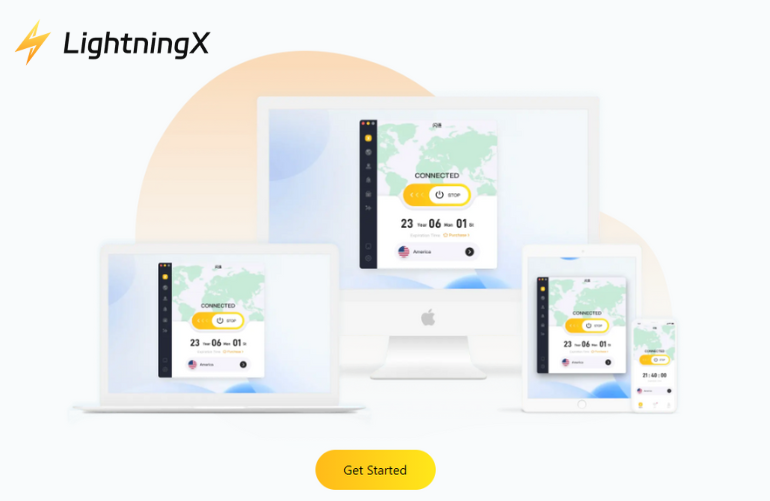
A VPN encrypts all data, not just search queries. LightningX VPN offers 2000+ high-speed nodes, routing your traffic to secure servers, making it harder for websites, ISPs, or attackers to track your true location. It also prevents data and DNS leaks and adheres strictly to a zero-logs policy.
How to securely access DuckDuckGo using a VPN:
- Download and install LightningX VPN using the button above or from the official website.
- Open the app and connect to the server.
- Once connected, open DuckDuckGo and start searching.
You can enjoy LightningX VPN’s free nodes and 30-day money-back guarantee.
Way 2: Enable Anti-Malware Protection
Even with DuckDuckGo and a VPN, malware and phishing websites still exist. Using a reputable anti-malware tool can help you block malicious websites before they reach your device, prevent harmful downloads, and reduce intrusive advertising.
Read more: How to Get Rid of Malware [Beginner-friendly Guide]
Way 3: Stay Vigilant and Update Your Software Regularly
Privacy tools work best when combined with good browsing habits. Be sure to:
- Be extra careful when clicking links.
- Keep your browser, VPN, and security software up to date.
- Avoid downloading files from untrusted sources.
Is DuckDuckGo Safer than Google?
If you want to know which is better, DuckDuckGo or Google, please refer to the following:
Privacy and Data Tracking
- DuckDuckGo does not track your search history, store personal data, or create user profiles.
- Google collects a large amount of user data. It tracks users’ searches, locations, and activities across various services to provide personalized search results and targeted ads.
Search Experience
- DuckDuckGo offers a clean, uninterrupted search experience with minimal ads, and search results are not influenced by personalization settings.
- Google is tightly integrated with tools like Google Maps, Gmail, and Google Workspace, offering powerful features but also relying more heavily on user data.
Advertising Strategy
- DuckDuckGo ads are based solely on the keywords you search for, not on your identity or past search history.
- Google ads are highly targeted and utilize your search history and personal data.
Video Search
- DuckDuckGo supports basic video search functionality and can retrieve search results from multiple platforms, but the experience is relatively simple.
- Google is deeply integrated with YouTube, providing video previews, recommendations, and direct playback features within search results.
Differences in AI Search Engines
- DuckDuckGo integrates AI in a privacy-first manner, providing anonymous AI chat and AI-assisted search results without tracking users or storing personal data.
- Google, on the other hand, integrates AI directly into search results using user data and search history to provide personalized answers, AI-generated summaries, and predictive suggestions.
FAQ – Is DuckDuckGo Safe
1. Is DuckDuckGo reliable?
Yes, DuckDuckGo is a legitimate and trustworthy search engine. It has been operating since 2008 and is widely used by many privacy-conscious users. The search engine does not track your search history, store your search data, or sell your data.
2. Is DuckDuckGo free?
Yes, DuckDuckGo is completely free to use. You don’t need to register an account, and there are no hidden fees. Its ads are based only on your search keywords, not your personal data.






