


Kik is a popular messaging app that lets you chat with friends, share photos, and join groups. However, it can sometimes stop working properly. If you’re facing a Kik not working problem, you’re not alone.
In this blog, we will discuss common problems with Kik not working and how to fix them. Whether you can’t send messages or the app won’t open, we’ve got solutions for you.
Why Is My Kik Not Working? Common Issues Explained
There are several reasons why Kik is unavailable:
- A weak or unstable internet connection can prevent Kik from functioning properly. Kik needs a reliable connection to send and receive messages. And some networks may have restrictions or firewalls that block certain apps or services.
- Temporary glitches or crashes can occur, causing Kik to stop working correctly. Such as a corrupted cache or app data can cause Kik to malfunction.
- Using an outdated version of Kik can lead to compatibility issues and bugs. Or your device’s operating system may be outdated or experiencing issues that affect app performance.
- Lack of storage space on your device can affect the performance of Kik and other apps.
- Kik’s servers might be down or experiencing issues, which can affect the app’s functionality.
- Kik requires specific permissions to function correctly. If these permissions are not granted, Kik may not work as expected.
Kik Not Working? Quick Fixes for Connection & App Glitches
When Kik stops sending messages or gets stuck on the “Connecting…” screen, it’s usually not a random error. It typically boils down to three things: server-side outages, corrupted local cache, or network-level blocking. Instead of generic advice, use this prioritized checklist to get back to your chats immediately.
Quick Check: Is Kik Down for Everyone?
Before troubleshooting your own device, verify if the problem is on Kik’s end.
- The “S” vs “D” Indicator: If your messages stay at “S” (Sent) and never change to “D” (Delivered), the recipient has likely uninstalled the app, or Kik’s notification server is lagging.
- Live Status: Check DownDetector’s Kik page or Kik’s official Twitter (@Kik) for real-time outage reports. If the servers are down, no amount of restarting will help.
How to Fix the “Kik Not Working” Issue?
When Kik stops working, most guides tell you to “restart your phone,” which rarely works. The truth is, Kik usually fails due to server-side lag, IP flagging, or local firewall blocks. Follow this escalated checklist to get your chats back.
1. Check the “S” and “D” Status
Kik uses specific letter indicators that tell you exactly where the problem lies:
- Stuck on “S” (Sent): Your app is fine, but the Kik server hasn’t delivered it to the recipient. This usually means the recipient has no internet, has uninstalled Kik, or Kik’s relay server is lagging.
- Stuck on “Connecting…”: This is a local connection issue. Your app can’t reach the Kik gateway.
2. Switch IPs to Bypass “Shadow-Rate Limiting”
Kik often triggers a silent “Rate Limit” if it detects too much activity from a single IP address.
Toggle your Airplane Mode on and off, or switch from Wi-Fi to Mobile Data. This forces your device to grab a new IP address, which often “unfreezes” a stuck connection instantly.
3. Clear the “Invisible” Cache (iOS & Android)
- For iPhone (iOS 17/18+): Don’t delete the app yet. Go to Settings > General > iPhone Storage > Kik and tap “Offload App.” This clears the app’s system cache but saves your login and chat history. Re-download it, and it will run on a fresh slate.
- For Android: Go to App Info > Storage > Clear Cache. Avoid “Clear Data” unless you are okay with being logged out and losing unsaved chats.
4. Fix “Connecting…” on School or Office Wi-Fi
If Kik works on your mobile data but fails on public/work Wi-Fi, the network admin has likely blocked the XMPP ports that Kik uses.
How to Bypass: This is the only scenario where a VPN is mandatory. A tool like LightningX VPN wraps your Kik traffic in an encrypted tunnel, making it invisible to the local firewall. If the Wi-Fi is blocking Kik, the VPN will force it through.
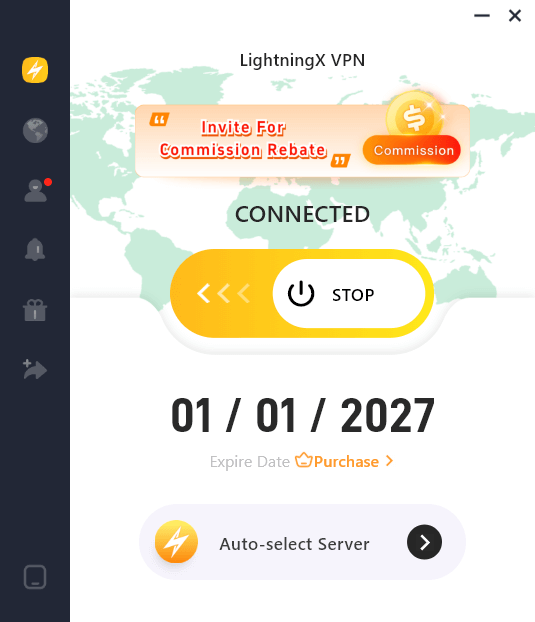
LightningX VPN can help you break through all the internet barriers. It has more than two thousand network nodes in more than 70 countries. Through it, you can connect to local networks all over the world and surf more freely in the online world.
5. Is the Kik API Down? (The 15-Minute Rule)
Kik’s servers are notoriously unstable. Instead of checking their outdated social media, use DownDetector.
Pro Tip: If you see a spike in reports in the last 15-30 minutes, stop troubleshooting. It’s a server-side crash. No amount of reinstalling will fix a dead server.
6. Resolve Verification & Captcha Loops
Sometimes, Kik won’t load because a “Human Verification” (Captcha) is stuck in the background.
The Fix: Try logging into your account via Kik Web or a secondary device. This often “pushes” the hidden Captcha through, clearing the block on your main phone.
Conclusion
It can be frustrating when Kik isn’t working, but most issues can be resolved with a few simple steps. Hopefully, these tips will help you get Kik back up and running so you can get back to chatting with friends.






