


Internet speed is often misunderstood. Most people focus entirely on “Mbps,” but that is only half the story. To truly optimize your online activities, you must understand the battle of latency vs bandwidth. Let’s break down both of them and determine which one actually impacts your digital life.
What Is the Real Difference Between Latency vs Bandwidth?
When you choose an internet plan, you typically see a large number, such as “500 Mbps.” You may wonder, is 500 Mbps fast? However, a fast transfer speed isn’t just about volume; it is about the speed of responsiveness.
To understand why your internet lags even with a “fast” plan, we need to define the two concepts of network performance.
Defining Bandwidth (The Capacity)
Bandwidth refers to the maximum amount of data that can be transmitted over your internet connection in a given amount of time. It is usually measured in Megabits per second (Mbps) or Gigabits per second (Gbps).
Think of bandwidth as throughput. It is not the speed at which data travels, but rather the volume of data that can be sent at once. A higher bandwidth allows you to download larger files quickly or stream 4K video on multiple devices simultaneously without lagging or buffering.
Defining Latency (The Delay)
Latency, often referred to as “ping” in game, is the time it takes for a data packet to transfer from your device to a server and back again. It is measured in milliseconds (ms).
It is just to say that lower latency means the connection is more responsive. High latency then results in lag. If bandwidth is how much data you can make it move, latency is how fast that data makes a round trip.
So, there’s a situation where you can have massive bandwidth but still experience terrible delays if your latency is high.
The Best Analogy for Latency vs Bandwidth
To better understand and visualize latency vs bandwidth, let’s consider the following approach. Just think about it on a highway:
- Bandwidth is the width of the highway (number of lanes). If you have a 10-lane superhighway (High Bandwidth), hundreds of cars can travel side-by-side. This is great for moving a lot of cargo (data) at once.
However, a 1-lane road (equal to low bandwidth) may easily create a traffic jam if too many cars try to enter at the same time.
- Latency is the speed limit and the distance to the destination. Though the highway has 20 lanes, the speed limit is 5 mph, or if the destination is 1,000 miles away, it will take a long time for a single car to arrive.
If you are downloading a huge file, you need a wide highway (Bandwidth). If you are playing a competitive shooter game, you care more about how quickly a single car can reach its destination and return (Latency).
Related: How to Check Bandwidth Usage: Monitor Data on Any Device
Latency vs Bandwidth: Which Matters More for You?
Not all internet activities are created equal. It depends much more on how you use it; you may prioritize one metric over the other.
1. Online Gaming
Winner: Latency
For gamers, latency is king. In games like Call of Duty or League of Legends, the data packets are small (player coordinates, button presses). You don’t need a wide pipe; you just need a fast round-trip time (low ping).
- Ideal Scenario: < 20ms ping.
- The Problem: High latency leads to delays and lags, regardless of whether you have 1 Gbps fiber internet.
2. Streaming Video (Netflix, HBO, YouTube, etc.)
Winner: Bandwidth
Streaming 4K or 8K content consumes a massive amount of data. Your network needs the capacity to download the next chunk of video before you finish watching the current one.
- Ideal Scenario: 25+ Mbps for 4K.
- The Problem: Low bandwidth causes buffering (the spinning wheel) or forces the quality to drop to 480p.
3. Video Conferencing (Zoom, Teams)
Winner: It’s a Tie
Video calls are unique. You need not only enough bandwidth to send high-quality video of yourself, but also low latency to ensure the conversation happens in real-time without awkward pauses or talking over each other.
How to Measure Latency vs Bandwidth Correctly
To diagnose your network health, you need to run a proper speed test. Here are some signs you can look for to see if the internet is working well.
- Download/Upload Speed: This represents your bandwidth.
- Ping (Idle): This is your baseline latency when the network is quiet. High ping refers to high latency.
- Network Jitter: This measures the consistency of your latency. High jitter means your ping spikes randomly, which is worse for gaming than a stable, slightly higher ping.
Note: If at all possible, use an Ethernet cable to test your speed. The results of a latency vs bandwidth test may be distorted by the interference introduced by Wi-Fi.
Common Causes of High Latency and Low Bandwidth
Why isn’t your internet performing as advertised? Here are some factors that may degrade your connection.
- Network Congestion: This is just like rush hour traffic. The ISP’s infrastructure will experience a bottleneck if everyone in your neighborhood streams movies simultaneously, reducing the amount of bandwidth that is available.
- Distance from the Server: Physical distance also matters. If you live in New York and connect to a server in Tokyo, the distance of physics may lead to a higher latency.
- Hardware Limitations: An outdated router or a damaged cable can also cap your throughput and result in processing delays.
- ISP Throttling: Some Internet Service Providers intentionally slow down specific types of traffic (like gaming or torrenting) to manage the network load.
5 Proven Ways to Optimize Both Latency and Bandwidth
Now that we have understood the difference between latency and bandwidth with some problems, how can we fix them? Here are some actionable steps to improve both of them.
1. Switch to Wired Connections
Wi-Fi signals will degrade through walls and suffer from interference. In that case, switching to a Cat6 Ethernet cable is the most effective way to lower latency and maximize the stability of your bandwidth.
2. Manage Background Applications
Cloud backups, Windows updates, and 4K streams running simultaneously in the background will consume your bandwidth. You can pause some less urgent downloads when you need low latency for gaming or video calls.
3. Upgrade Your Router
If you have a high-speed plan but slow Wi-Fi, your router might be the bottleneck. Look for Wi-Fi 6 or Wi-Fi 7 routers that handle multiple devices more efficiently.
4. Optimize Your Routing Path
Sometimes, the issue isn’t triggered by your home setup, but the path your ISP takes to send data to the game server or streaming host. If your data takes a “scenic route” through congested nodes, you may get lag.
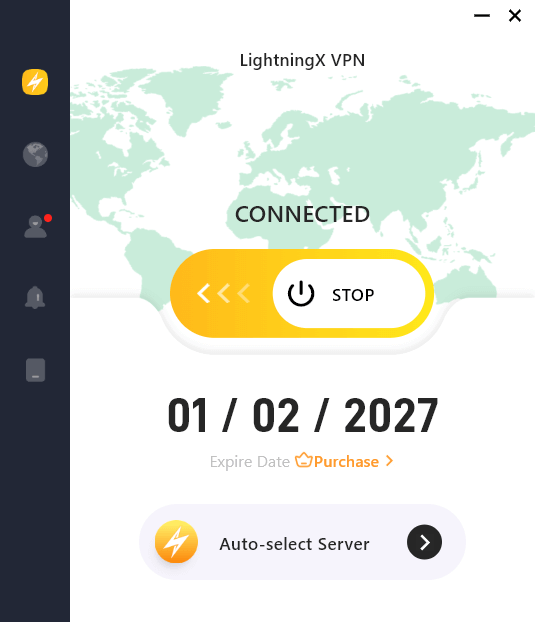
Tip: If you suffer from sudden lag spikes or suspect ISP throttling, your routing path might be the main cause. A specialized tool like LightningX VPN can optimize your connection route by reducing the number of hops to the high-speed 2000+ server and encrypting your traffic.
As one of the top no lag VPNs for gaming, it lowers ping and prevents ISPs from throttling your bandwidth, giving you the stable speed you actually need for high-performance activities.
5. Check for Packet Loss
Now you know high latency is bad, but packet loss is worse. This happens when data doesn’t make it to the destination at all. This is usually a hardware issue – just check your cables and modem health.
Bottom Line
Ultimately, a great internet experience requires a balance. Do not just chase high Mbps numbers; pay more attention to your ping. By mastering the truth from the battle of latency vs bandwidth, you can troubleshoot issues effectively and ensure a smoother gaming, streaming, and browsing experience from now on.






