


Telegram has become one of the most powerful platforms for news, entertainment, trading signals, education, and niche communities. With millions of public channels available, knowing how to perform an effective Telegram channel search is essential if you want to find high-quality, relevant content.
This post explains six methods to find Telegram channels efficiently. Each method includes a clear step-by-step instruction.
Method 1: Use Telegram’s Built-in Search Feature
The simplest way to start a Telegram channel search is by using Telegram’s built-in global search. This feature allows users to search public channels directly from the app using keywords, channel names, or usernames.
Although basic, it remains one of the fastest ways to discover Telegram channels when you already know what you’re looking for.
Step-by-Step Guide
- Download and open the Telegram app (mobile or desktop).
- Tap or click the search icon at the top.
- Enter relevant keywords (e.g., “global news”, “movie updates”).
- Scroll down to the Channels section.
- Tap a channel to preview content before joining.
Pro Tip: Use specific keywords instead of generic terms. This improves Telegram channels search accuracy and filters out irrelevant results.

Method 2: Search Telegram Channels via Google
Google is a powerful external tool for Telegram channel search, especially when Telegram’s internal search feels limited. Many public Telegram channels are indexed by Google, making this method highly effective. You may also find some pages that list the best Telegram channels with links.
This approach is ideal when you want more refined results or niche-specific channels.
Step-by-Step Guide
- Open Google Chrome and go to the search box.
- Use queries like:
- site:t.me Telegram channels for movies
- site:t.me best Telegram channels for trading
- Open results that link directly to t.me.
- Check channel descriptions and member counts.
- Join channels that meet your criteria.
Using Google helps you find Telegram channels that may not appear in Telegram’s own search due to algorithm limitations.

Also Read: How to Create a Telegram Channel for Free: Step-by-Step Guide
Method 3: Use Dedicated Telegram Channel Finder Websites
Telegram channel finder platforms are websites designed specifically for Telegram channels search. They categorize channels by topic, popularity, language, and activity level. These tools save time and offer better filtering than manual searching. They help you discover high-quality channels without trial and error.
Step-by-Step Guide
- Visit a trusted Telegram channel finder site in your browser. Some popular sites are introduced below.
- Choose a category (e.g., Tech, Movies, Finance, etc.).
- Sort by subscribers or activity.
- Read channel descriptions and reviews.
- Click the Telegram channel link to join.
List of Best Free Telegram Channel Finder Websites
1. TGStat (https://tgstat.com/)
TGStat is one of the most popular platforms for searching Telegram channels. It provides detailed analytics, including subscriber growth, engagement trends, and category rankings.
Best for:
- Finding popular and high-quality Telegram channels
- Data-driven Telegram channel search
- Professional or marketing use cases
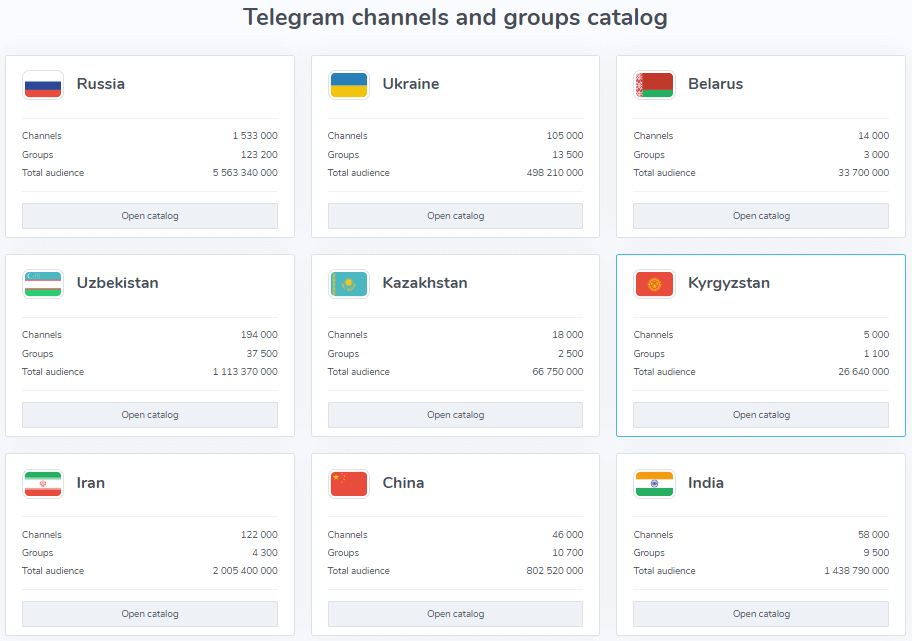
2. Telemetr (https://telemetr.io/)
Telemetr focuses on channel performance and activity metrics, making it a strong Telegram channel finder for users who want more than just basic listings.
Best for:
- Comparing channel growth and activity
- Searching Telegram channels by category
- Evaluating channel quality

3. TelegramChannels.me (https://telegramchannels.me/)
This site offers a simple directory layout with clearly defined categories, making it beginner-friendly for Telegram channel search.
Best for:
- Quick discovery of Telegram channels
- Topic-based browsing
- General users
4. TLGRM (https://tlgrm.eu/channels)
TLGRM is a long-running Telegram channel search directory that supports multiple languages and regions.
Best for:
- International or multilingual Telegram channels
- Language-specific searches
- Exploring niche topics
5. TGDirectory (https://tgdirectory.com/)
TGDirectory presents Telegram channels in a clean, directory-style format, which is helpful for structured Telegram channel search.
Best for:
- Browsing newly submitted channels
- Discovering smaller or niche channels
- Directory-style navigation
Disclaimer: Telegram channel finder sites only list public Telegram channels. We do not own, control, or verify these sites or the content of those channels. Always review a channel carefully before joining.
Method 4: Use Telegram Bots for Channel Search
Telegram bots can automate the process of searching and recommending channels. Some bots are specifically built to support Telegram channel search by keyword, category, or popularity. This method works well for users who prefer in-app solutions.
Step-by-Step Guide
- Open Telegram and search for a Telegram channel search bot.
- Start the bot by tapping Start.
- Enter a keyword or select a category.
- Review the list of suggested channels.
- Join channels directly from bot results.
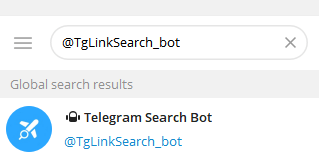
Bots streamline the process and help users find Telegram channels without leaving the app.
Also Read: Fix Telegram “This Channel Cannot Be Displayed” Error: 12 Ways
Method 5: Explore Telegram Groups and Community Recommendations
Telegram groups often share and recommend channels within specific niches. This community-driven method offers more trustworthy results for Telegram channel search, as recommendations usually come from real users. This approach is especially useful for niche topics.
Step-by-Step Guide
- Search Telegram groups related to your interests and join a Telegram group.
- Monitor pinned messages and discussions.
- Ask members for channel recommendations.
- Verify channel quality before joining.
- Bookmark high-value channels.
Community-based discovery helps you find Telegram channels that are active, relevant, and trusted.
Method 6: Use Social Media and Forums to Search Telegram Channels
Many Telegram channel owners promote their channels on platforms like Reddit, Twitter, and niche forums. These platforms are often overlooked but highly effective for Telegram channel search. This method is ideal for discovering emerging or exclusive channels.
Step-by-Step Guide
- Search Reddit/X with keywords like “Telegram channels list”.
- Explore Twitter/X hashtags related to Telegram.
- Visit niche forums or blogs.
- Check engagement and comments.
- Join channels through shared Telegram links.
Social platforms help uncover curated lists and user-reviewed channels, making the Telegram channels search more reliable.
Tips to Improve Telegram Channel Search Results
To maximize your success when performing a Telegram channel search, keep these tips in mind:
- Check subscriber count and engagement
- Review posting frequency and content quality
- Avoid channels overloaded with ads
- Prefer verified or long-standing channels
- Leave inactive, spam, or dangerous channels promptly
Is Telegram Channel Search Safe?
Yes, Telegram channel search is generally safe if you stick to public channels and avoid suspicious links. Always verify sources, especially for financial or technical topics. Avoid sharing personal information and enable Telegram privacy settings for extra security.
Conclusion
Mastering Telegram channel search is essential for anyone who wants to get real value from Telegram. This post introduces 6 ways for this. Whether you use built-in search, Google, bots, or a Telegram channel finder site, combining multiple methods delivers the best results.






