


WhatsApp is one of the world’s most widely used instant messaging apps, but it’s not accessible in all countries.
A VPN can not only help you bypass internet restrictions, but also protect your chat history, call content, and media files from snooping.
This guide introduces the 5 best free WhatsApp VPNs, allowing you to use WhatsApp securely, privately, and without interruption.
Proton VPN: Secure Free VPN for WhatsApp Call
Proton VPN is one of the best free VPNs for WhatsApp in terms of privacy and security. Its free plan offers unlimited data and access to servers located in the US, Netherlands, and Japan. You can use it to send messages, voicemails, and make WhatsApp calls.
The free plan has the same encryption and security as the paid version, protecting you from ISPs, public Wi-Fi snooping, and network restrictions.
Key Features of Proton VPN
- Free servers in the US, Netherlands, and Japan, with unlimited bandwidth.
- Uses WireGuard and OpenVPN protocols, supports AES-256 encryption.
- Strict zero-logs policy and independently audited.
- Effectively unlocks streaming websites, AI tools, and chat apps.
- Support Windows, macOS, Android, iOS, Linux, Chrome, and Firefox.
How to Unlock WhatsApp with Proton VPN?
- Visit the Proton VPN official website.
- Click “Get Proton VPN for Free” and create an account.
- Download and install the app for your device.
- Log in and connect to the free server.
- Open WhatsApp and chat, call, or send messages securely.
LightningX VPN: Free VPN for WhatsApp with Unlimited Bandwidth
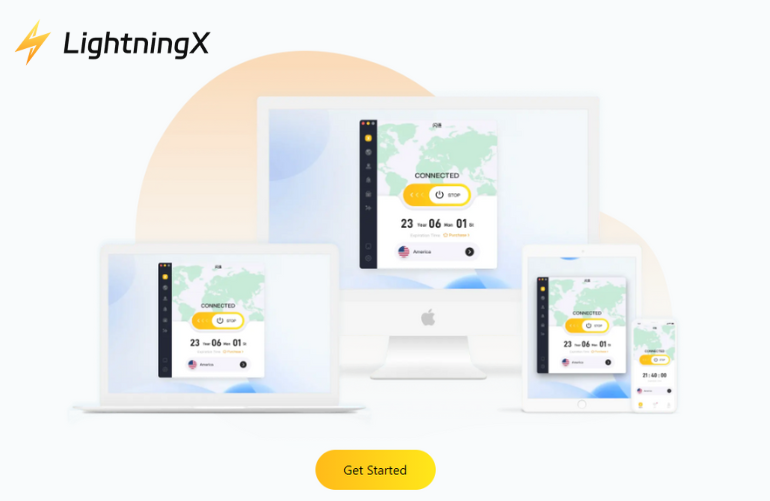
If you prioritize speed and connection stability when using WhatsApp, LightningX VPN is the ideal choice. Many free VPNs slow down your internet speed, causing message delays or degraded call quality.
LightningX VPN has over 2000 servers in more than 70 countries, allowing WhatsApp users to connect to nearby servers for smoother performance. This is especially helpful for WhatsApp voice calls, video calls, and sending media files. The free version offers servers in multiple countries and unlimited bandwidth, allowing you to stay up-to-date with the latest messages from WhatsApp groups.
Key Features of LightningX VPN
- Over 2000 servers across Asia, North America, Europe, and more
- Advanced encryption with AES-256-GCM and ChaCha20-Poly1305
- Strict zero-logs policy ensures the security of your WhatsApp messages and IP address
- One account can connect to up to three devices simultaneously
- Compatible with Windows, macOS, Android, iOS, Linux, smart TVs, and browsers (Chrome, Firefox, Edge)
- 24/7 customer support
How to download LightningX VPN:
- Visit the official website: lightningxvpn.com.
- Click “Free Download” and choose the version suitable for your device.
- Register and log in to your account.
- Connect to the fastest available servers.
- Open WhatsApp to start chatting, calling, or sending media files securely.
Hide.me VPN: Free VPN for WhatsApp Without Sign Up
Hide.me is a simple, private, and convenient free VPN for WhatsApp. If your area blocks streaming sites or similar messaging apps, it can help you.
Even better, you don’t need to enter an email address to use Hide.me. Simply install the app or browser extension, connect to a free server, and you can use WhatsApp Web normally.
Hide.me’s free plan includes a monthly data allowance sufficient for sending and receiving messages, making voice calls, and moderate media sharing.
Key Features of Hide.me VPN
- No email, no account, no personal information required.
- Free plan includes 10GB of data per month and 8 servers.
- Strong AES-256 encryption and a strict zero-logs policy protect your chats and calls from monitoring.
- Supports Windows, macOS, Android, iOS, Linux, Chrome, and Firefox browsers.
How to Download Hide.me VPN?
- Visit the official website: hide.me
- Select a free plan and click “Get Hide.me”.
- Install and launch the application on your device.
- Choose a free server and connect.
- Start enjoying WhatsApp!
PrivateVPN
PrivateVPN is a privacy-focused WhatsApp VPN. While it operates from just over 200 servers, its network covers more than 63 countries, including those where WhatsApp is accessible.
PrivateVPN doesn’t offer a permanent free plan, but it does offer a 7-day free trial and a 30-day money-back guarantee, allowing you to experience all the premium features risk-free.
Key Features of PrivateVPN:
- Relatively small network size with servers in 63 countries.
- Strong AES-256 encryption effectively prevents DNS, IPv6, and WebRTC data breaches.
- Strictly adheres to Swedish privacy laws and logs absolutely nothing.
- Unlimited bandwidth and speed ensure smooth WhatsApp calls and media sharing.
- Up to 10 devices can be connected simultaneously per account.
How to Download PrivateVPN?
- Visit the official PrivateVPN website.
- Sign up and start your 7-day free trial.
- Download and install the app on your device.
- Connect to a nearby server for optimal speed.
- Open WhatsApp to chat, call, or share media securely.
Windscribe: A Free VPN for WhatsApp with 10GB of Data
Windscribe is a great free VPN for WhatsApp. Its free version offers up to 10GB of data per month. You can use its multiple global servers to meet your daily needs for messaging and voice calls with WhatsApp friends.
Key Features of Windscribe VPN
- Up to 10GB of free traffic per month, with occasional additional data promotions.
- Free servers in 10 countries, including the US, Switzerland, Hong Kong, and Germany.
- Built-in ad blocker and firewall to ensure safe WhatsApp use.
- Unlimited devices can be connected to one account.
- Supports Windows, macOS, Linux, Android, iOS, smart TVs, and major browsers.
How to Download Windscribe VPN?
- Visit the official website: windscribe.com
- Click “Get Windscribe” and select your device.
- Install the app and log in to your account.
- Connect to a free server.
- Open WhatsApp and start chatting securely.
Quick Comparison of Free VPN for WhatsApp
| VPN Service | Speed | Free Servers | Data Limit | Requires Registration |
|---|---|---|---|---|
| LightningX VPN | Very Fast | Multiple servers across 70+ countries | Unlimited | Yes |
| Proton VPN | Fast | 3 countries (US, NL, JP) | Unlimited | Yes |
| Hide.me VPN | Fast | 8 locations (US, Canada, Germany, NL) | 10GB/month | No |
| PrivateVPN | Fast | 63 countries (200+ servers, trial) | 7-day free trial | Yes |
| Windscribe VPN | Moderate-Fast | 10 countries (US, CH, HK, DE, etc.) | 10GB/month | Yes |
Why You Need a VPN When Using WhatsApp?
WhatsApp is one of the world’s most popular instant messaging apps, but it can be blocked or restricted in some countries, schools, offices, or public networks. Without a VPN, you might experience issues such as failed message delivery, dropped voice or video calls, and limited media sharing.
Using a VPN encrypts your messages, calls, and media files, protecting your WhatsApp activity and preventing anyone from monitoring your activities. A VPN can also hide your real IP address, allowing you to securely bypass geo-restrictions and firewalls.
Besides unblocking WhatsApp, a VPN can improve call stability on slow network connections, reduce video call latency, and protect your chat security when using public Wi-Fi or shared networks.
FAQ about WhatsApp VPN
1. Is Using the Best VPN for WhatsApp Legal?
Yes, using the best VPNs for WhatsApp is legal in most countries.
VPNs are widely used to protect online privacy, ensure message security, and bypass network restrictions. However, some countries restrict or prohibit the use of VPNs, so be sure to check local laws before using one.
2. Can VPN prevent WhatsApp ban?
A VPN can help reduce the risk of your WhatsApp account being banned by hiding your IP address and using encrypted connections.
While it cannot completely guarantee against account bans for violating WhatsApp rules, using a reliable VPN can ensure more secure access to WhatsApp on a restricted network.






