


When you type “127.0.0.1” or “localhost” into your browser, your computer connects to itself, not the internet.
This address is called a loopback address, and it’s built into every operating system. It allows developers to run servers locally, test web applications, manage databases, and troubleshoot network problems.
In this guide, we’ll explain in detail what 127.0.0.1 localhost is and why it’s so important.
What is 127.0.0.1 IP Address?
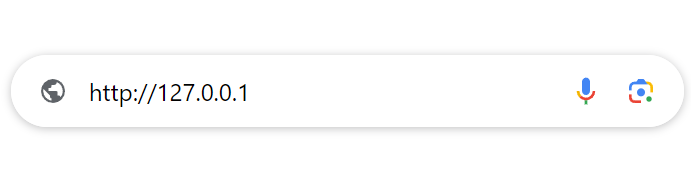
127.0.0.1 IP Address, an IPV4 address, meaning often called the localhost address or loopback address. This IP address is used for internal communication between the computer itself, not joining in the external network devices.
When you type “127.0.0.1” or “localhost” into the browser, you are telling your computer to communicate with itself. It’s like calling yourself at home. This address is reserved for this purpose, and all computers can use it to test and debug network applications.
How to Use 127.0.0.1 Localhost?
Now that you know about the IP address 127.0.0.1, what can it be used for? Here’s how people typically use it in real-world scenarios.
1. Local testing of web servers
Before launching a website to the public, developers test everything on their own machine. Instead of uploading files to a live server, they run a local server and access it through 127.0.0.1.
- Install a local web server like Apache, Nginx, XAMPP, or WAMP
- Start the server on your computer
- Open your browser and type: http://127.0.0.1 or http://localhost. This will load the web server running on your local machine.
- If your project folder is called mywebsite, you might access it like this: http://127.0.0.1/mywebsite
This URL will direct your browser to the mywebsite directory on your local web server.
2. Running and Debugging Web Applications
Another practical use of 127.0.0.1 is testing web applications in a controlled environment.
When you run an app locally, it often communicates with a local server using the loopback address. This allows you to:
- Debug issues safely
- Test features before going live
- Simulate network requests without external traffic
Because everything happens internally, you eliminate outside variables like slow internet or firewall restrictions. That’s why localhost is essential in development workflows.
3. Connecting to Local Databases
If you use MySQL, PostgreSQL, or another database system, chances are you’ve already interacted with 127.0.0.1.
When setting up a database locally, you typically configure your application to connect to: Host: 127.0.0.1
Example: mysql -u root -p -h 127.0.0.1
This command connects to the MySQL database server running on your local machine.
4. Mapping Custom Domains to Localhost
You can also map any domain name to 127.0.0.1 by editing your system’s hosts file.
This is especially helpful when you want to test how a website behaves under a real domain name before it’s publicly available. For example, adding this line to your hosts file: 127.0.0.1 mylocaltestsite.com
Now, when you visit: http://mylocaltestsite.com, your browser loads the site from your local server instead of the internet. It’s a simple trick, but extremely useful for staging and development.
5. Blocking Websites Using 127.0.0.1
You can also use 127.0.0.1 to block access to certain websites by redirecting their domain names to your local computer. Edit Hosts File: Add an entry to redirect unwanted domains to 127.0.0.1.
For example: 127.0.0.1 unwantedwebsite.com
Any attempt to access unwantedwebsite.com will loop back to your local computer, effectively blocking the website.
Type of Port Number on 127.0.0.1
Now that we know what the IP address 127.0.0.1 does, we must mention one more important point: the port number.
When dealing with the IP address 127.0.0.1, the port number directs traffic to a specific service or application running on the local machine. Let’s understand the types of port numbers for 127.0.0.1:
1. Well-known ports (0-1023)
These ports are reserved for common services and protocols. They are standardized and assigned by the Internet Assigned Numbers Authority (IANA).
- Port 80: HTTP (Hypertext Transfer Protocol)
- Port 443: HTTPS (HTTP Secure)
- Port 22: SSH (Secure Shell)
- Port 25: SMTP (Simple Mail Transfer Protocol)
- Port 53: DNS (Domain Name System)
If you are running a web server on your local computer, it may be listening for HTTP traffic on port 80: http://127.0.0.1:80
Read more: HTTP Port Explained: Usage, Numbers, and Troubleshooting
2. Registered Ports (1024-49151)
These ports are used by less standardized software applications. They are also assigned by IANA, but are more flexible for some applications.
- Port 3306: MySQL database
- Port 5432: PostgreSQL database
- Port 8080: Alternative HTTP (usually used for development)
A development server may run on port 8080: http://127.0.0.1:8080
3. Dynamic or private ports (49152-65535)
Ports 49152 to 65535 are temporary ports that are usually automatically assigned to client programs by the operating system. These ports are not assigned to any specific service and can be used dynamically by applications. They are usually used for temporary purposes, such as during the establishment of a connection.
Some of the more common ports are:
- 127.0.0.1:49342: It is used for a local web server or API service.
- 127.0.0.1:57573: It is used for a local database service or background service.
- 127.0.0.1:62893: It is used for a local debugging tool or logging service.
Is 127.0.0.1 Localhost Safe?
Is the 127.0.0.1 localhost secure? This is a good question for beginners.
As with any aspect of computing, its security can depend on various factors. Let’s first understand why 127.0.0.1 is generally secure:
- Local only: Traffic sent to 127.0.0.1 never leaves your computer. It is only used for internal communication within the same machine, so it is inherently protected from external attacks.
- Isolated environment: Developers use 127.0.0.1 to test applications in an isolated environment. This isolation helps in debugging and testing safely.
- Reserved address: The Internet Assigned Numbers Authority (IANA) reserves the address 127.0.0.1 for loopback to ensure consistent behavior between different systems.
Based on the above 3 reasons, we can answer: 127.0.0.1 localhost is safe for software testing and debugging.
So is it risky? Of course!
- Local attacks: If your machine is compromised by malware or malicious users, they may be running on 127.0.0.1.
- Exposing services: When you mistakenly configure a service to listen on all interfaces (0.0.0.0) instead of only listening on 127.0.0.1, it may be exposed to the external network, increasing the risk of attack.
- Insecure development practices: Using insecure practices (such as hard-coding sensitive information) can lead to vulnerabilities even in a local host environment.
127.0.0.1 localhost is inherently secure. However, if your computer is exposed to a risky environment, using a VPN is a good option.
LightningX VPN encrypts your internet traffic and hides your real IP address, making it harder for hackers to monitor or attack your activity. It uses strong encryption protocols and has servers in over 70 countries, which also helps protect your privacy when browsing or accessing online services.
How to Solve Common Errors in 127.0.0.1 IP Address?
When we use the 127.0.0.1 IP address, we may encounter various problems, such as misconfiguration, software conflicts, or network problems.
Here is a basic guide to troubleshooting some of the most common errors related to 127.0.0.1:
Common Errors 1: 127.0.0.1 refused to connect
This error usually means that no application is listening on the specified port.
Solution:
- Check service status: Make sure the service you are trying to connect to is running.
- Verify port configuration: Make sure the application is configured to listen on the correct port.
- Firewall settings: Make sure your firewall is not blocking the connection.
Common Errors 2: Connection timed out
This error occurs when the attempt to connect to 127.0.0.1 takes too long and eventually fails.
Solution:
- Check service availability: Make sure the service is running and not overloaded.
- Network configuration: Verify if there is a network configuration error.
- Restart network service: Sometimes, restarting the network service can solve the problem.
Common Errors 3: Cannot ping 127.0.0.1
If you cannot ping 127.0.0.1, it may indicate a deeper network or system problem.
Solution:
- Check the network interface: Make sure the loopback interface is up.
- Reset network settings: Resetting network settings can sometimes solve the problem.
Common Errors 4: Localhost is not accessible
This error may occur if the localhost entry in the host file is misconfigured.
Solution:
- Edit the Hosts file: Make sure the localhost entry in the hosts file is correct.
- DNS cache: Clear the DNS cache to ensure that the changes take effect.
Common Errors 5: Access is denied
This error may occur if there are insufficient permissions or incorrect security settings.
Solution:
- Check permissions: Make sure you have the necessary permissions to access the service.
- Temporarily disable security software: Sometimes, security software can block access. Temporarily disable antivirus software or firewall and test the connection.
Common Errors 6: Port already in use
This error means that another application is already using the specified port.
Solution:
- Identify conflicting applications: Find out which application is using the port.
- Change the port: Configure your application to use a different port.
127.0.0.1 vs. Other Special IP Addresses
There are other special IP addresses in the network besides 127.0.0.1. Knowing the difference between 127.0.0.1 and other special IP addresses helps technicians configure and troubleshoot network services effectively.
Here is a detailed comparison:
1. 127.0.0.1 (loopback address): used for local communication within the same machine.
- Purpose: testing and development, ensuring that network software works properly without external network access.
- Scope: Traffic sent to 127.0.0.1 never leaves the local machine.
2. 0.0.0.0 (wildcard address): represents all IPv4 addresses on the local machine.
- Purpose: bind network services to all available interfaces.
- Scope: used for server configuration to listen on all network interfaces.
3. 255.255.255.255 (broadcast address): used to send messages to all devices on the local network.
- Usage: network-wide announcements and broadcasts.
- Scope: limited to the local network segment.
4. 192.168.0.0/16 (Private Network Addresses): For private networks, not routable on the Internet.
- Usage: Home and office networks.
- Scope: Private network segments only.
5. 192.168.1.1 (Common Router IP): Automatically assigned when DHCP fails.
- Usage: Local communication when no DHCP server is available.
- Scope: Link-local only.
6. 10.0.0.0/8 (Private Network Addresses): Another range used for private networks.
- Usage: Large private networks, such as corporate intranets.
- Scope: Private network segments only.
Comparison Table: 127.0.0.1 vs. Other IP Addresses
| IP Address | Purpose | Scope | Example |
|---|---|---|---|
| 127.0.0.1 | Loopback address | Local machine only | http://127.0.0.1 |
| 0.0.0.0 | Wildcard address | All network interfaces | Listen 0.0.0.0:80 |
| 255.255.255.255 | Broadcast address | Local network segment | ping 255.255.255.255 |
| 192.168.0.0/16 | Private network address | Private network segments | 192.168.1.1 |
| 169.254.0.0/16 | Link-local address | Local link | 169.254.x.x |
| 10.0.0.0/8 | Private network address | Private network segments | 10.0.0.1 |
Localhost vs. IPv6 Loopback Addresses
What is the difference between localhost and IPv6 loopback addresses? Here is a detailed comparison between IPv4 localhost (127.0.0.1) and IPv6 loopback address (::1).
1. IPv4 localhost (127.0.0.1)
Purpose: For local communication within the same machine.
Address: 127.0.0.1 is the most commonly used IPv4 loopback address, but any address in the 127.0.0.0/8 range is reserved for loopback purposes.
2. IPv6 loopback address (::1)
Purpose: Similar to 127.0.0.1, for local communication within the same machine but in an IPv6 environment.
Purpose: Testing and development, ensuring network software works properly without external network access.
Read more: IPv4 vs IPv6 – Which one is Better and Faster?
Localhost vs. IPv6: Key Differences
| Feature | IPv4 Localhost (127.0.0.1) | IPv6 Loopback Address (::1) |
|---|---|---|
| Address Format | Dotted decimal (127.0.0.1) | Colon-separated hexadecimal (::1) |
| Address Range | 127.0.0.0/8 | ::1 only |
| Protocol Version | IPv4 | IPv6 |
| Address Length | 32 bits | 128 bits |
| Usage | Local communication | Local communication |
| Scope | Local machine only | Local machine only |
| Example Usage | http://127.0.0.1 | http://[::1] |
Conclusion
That’s it! The IP address 127.0.0.1 or localhost is a powerful tool for local testing, web development, database management, and even blocking unwanted websites. It’s generally safe to use, but like anything in computing, it comes with its own set of risks if not handled correctly.
Understanding how to effectively use and troubleshoot this loopback address can streamline your development workflow and ensure your applications run smoothly. Whether you’re an experienced developer or a novice, mastering 127.0.0.1 can benefit you.






