



Using a free VPN for Steam remains a priority for gamers who want to secure connections, bypass regional restrictions to access region-locked Steam deals, avoid ISP throttling while playing their favorite games, and shield their IP from DDoS attacks during online matches.
In this guide, you’ll discover three trustworthy free VPN solutions that offer all-around protection and flexible features suitable for Steam users.
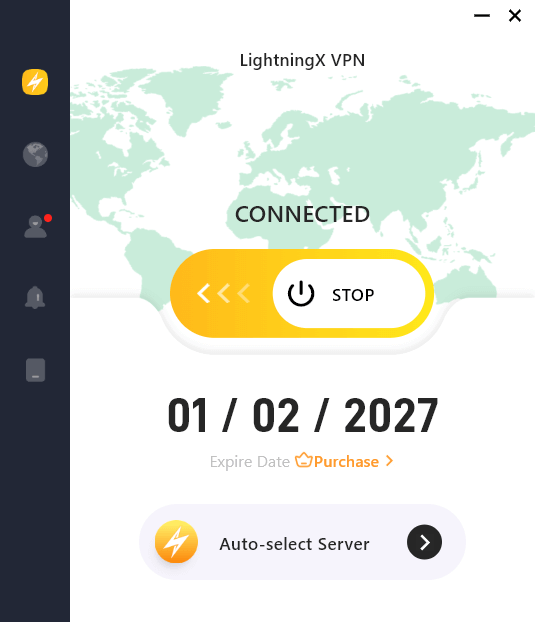
1. LightningX VPN: High-Speed VPN with Free Servers for Android/iOS
Overview
LightningX VPN is a performance-focused VPN designed for users who want fast, stable, and secure global connections. While it is primarily a paid service, it offers a free trial and provides several free servers for Android/iOS devices, making it suitable for Steam users who want to test performance before subscribing.
With a large international server network and modern encryption protocols, LightningX VPN is built for gaming, streaming, and bypassing geo-restrictions.
Key Features
- 2,000+ Servers in 70+ Countries (Several Free Servers for Android/iOS) – Extensive global coverage helps Steam users connect to different regions for better latency or store access.
- Unlimited Bandwidth & Speed – No data caps or artificial throttling once connected, suitable for long gaming sessions and downloads on Steam.
- Modern Security Protocols – Supports WireGuard, Shadowsocks, and VLESS with AES-256 encryption to secure gaming traffic and protect your IP address.
- Strict No-Logs Policy – Does not record browsing activity or connection logs, enhancing user privacy.
- Multi-Platform Support – Available on Windows, macOS, Android, iOS, Linux, TV, and offers browser extensions. Supports up to 3 simultaneous connections.
- One-Click Easy Setup – Simple interface designed for quick connection and fast server switching.
Best Use Cases
- Accessing region-restricted Steam content.
- Protecting against DDoS attacks during multiplayer gaming.
- Preventing ISP throttling.
- Securing public Wi-Fi connections.
Limitation
- Full features for desktop computers require a paid subscription.
2. Proton VPN Free: Best for Unlimited Data and Long-Time Steam Gaming
Overview
Proton VPN Free stands out as one of the rare free VPNs that truly offers unlimited data without ads, hidden restrictions, or forced trials. It’s designed for privacy first – a critical feature for Steam users who care about account protection and anonymity.
Key Features
- Unlimited Bandwidth – Unlike most free VPNs that impose data caps, Proton VPN Free lets you stay connected as long as you like – ideal for long gaming sessions on Steam.
- Strict No-Logs Policy – The service does not record your online activity, meaning your Steam usage stays private.
- Strong Encryption – Uses industry-standard protocols like WireGuard and OpenVPN to secure your connection.
- Cross-Platform Support – Available on Windows, macOS, Linux, Android, and iOS devices.
Best Use Cases
Proton VPN Free is perfect if you’re on a tight budget but still want a VPN that doesn’t limit your data usage. Because it doesn’t cap bandwidth, it’s usable for browsing the Steam store, downloading games from Steam, and launching/playing games – though speed might vary depending on server load.
Limitations
- Limited free server locations compared to paid tiers.
- You can only connect one device at a time.
3. Windscribe Free: Best Balanced Free VPN with Generous Features
Overview
Windscribe is another excellent free VPN for Steam, suitable for users looking for a powerful free VPN that balances features, speed, and flexibility. The free plan includes tools that feel more like what you’d expect from premium services – making it a strong contender for Steam gaming sessions.
Key Features
- 10 GB Monthly Data – Enough for casual gaming and frequent browsing on Steam; you can even earn more by verifying your email.
- No Logs, No Ads – Windscribe’s free version doesn’t track your activity or bombard you with ads.
- Unlimited Connections – Use the VPN on multiple devices simultaneously under the same free account.
- Strong Security – Includes features like split tunneling, ad blocking, and tracker protection.
- P2P Support on Some Servers – Good for peer-to-peer gaming and smaller downloads.
Best Use Cases
Windscribe works well if you’re a multi-device gamer who likes connecting on PC, laptop, or mobile without juggling multiple accounts. Its security tools also help filter trackers and ads during Steam shopping or community browsing.
Limitations
- Monthly data is capped (10 GB), which may not be enough for heavy gamers.
- Hot server locations can get crowded in peak times.
Related: How to Download Steam for PC, Mac, or Mobile [2026 Guide]
How to Use a VPN with Steam
- Download & install your chosen free VPN app on your desktop or mobile.
- Launch the VPN application.
- Browse the server list and connect to the country where you want to access Steam.
- Launch Steam normally and access another region’s content on Steam.
Tip: If the Steam download is slow, try connecting to a VPN server close to your real region for faster Steam downloads.
Benefits of Using a VPN for Steam
1. Access Region-Restricted Games or Content
Certain Steam games, demos, or downloadable content may be limited to specific countries. With a free VPN for Steam, you can connect to servers in different regions and access content that might not be available in your local store.
However, always make sure you comply with Steam’s terms of service when changing regions.
Related: How to Refund a Game on Steam | Steam Refund Policy/Rules
2. Protect Your IP Address from DDoS Attacks
Online multiplayer games can expose your IP address, making you vulnerable to targeted DDoS attacks. A free VPN for Steam masks your real IP and replaces it with the VPN server’s IP, adding a layer of protection during competitive matches.
This is especially useful for streamers, esports players, or anyone playing peer-to-peer multiplayer games.
3. Prevent ISP Throttling While Gaming
Some Internet Service Providers may throttle bandwidth when they detect heavy gaming traffic or large downloads. By encrypting your connection, a free VPN for Steam hides your activity from your ISP, making it harder for them to slow down your speeds intentionally.
This can result in more stable ping and smoother gameplay on Steam.
4. Enhance Privacy and Account Security
Steam accounts often store valuable game libraries, payment methods, and personal information. A free VPN encrypts your data, protecting login credentials and financial details, especially when using public Wi-Fi networks.
This is particularly important if you log into Steam from cafés, airports, or shared networks.
5. Reduce Network Congestion (In Some Cases)
If your local routing path to Steam servers is inefficient, connecting through a VPN server closer to the game server can sometimes improve routing efficiency. While this doesn’t always reduce ping, it can stabilize inconsistent connections in certain scenarios.
Conclusion
Using these free VPNs can enhance your Steam experience by protecting your account, helping you access region-restricted content, and reducing ISP interference. But remember, free VPNs may have some limitations like limited data, fewer locations, and variable speeds. Weigh what matters most to you. If you want more stable performance and full features, you may consider a paid VPN service.






