


Do you know how to cancel Hulu? This is quite easy. You can cancel it depending on how you bill for the subscription. For example, you might pay for a Hulu subscription via the Hulu website, app, the Google Play Store, iTunes, or other third-party services.
So, keep reading this post because it fully introduces the steps for canceling your Hulu subscription in different situations.
How to Cancel Hulu Via the Website
If you have activated a Hulu subscription via the website, use the web browser to cancel it. Here are the simple steps.
Step 1. Go to the Hulu website and log in to your account.
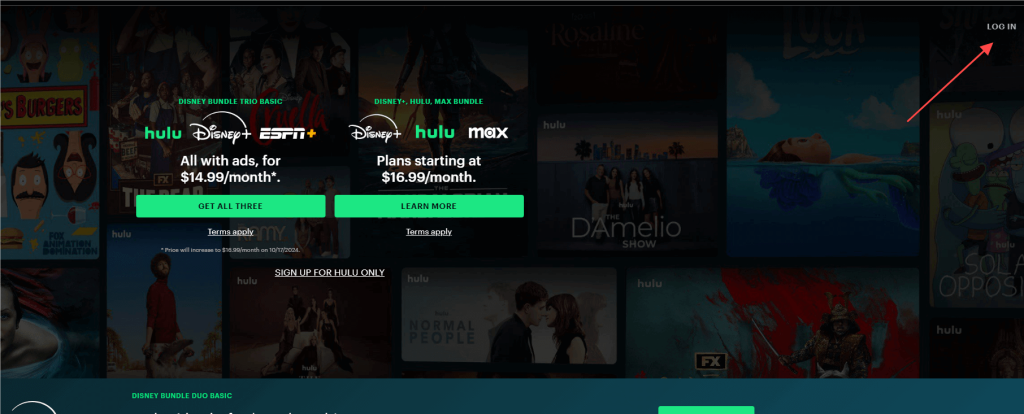
Step 2. Click your profile in the top right corner.
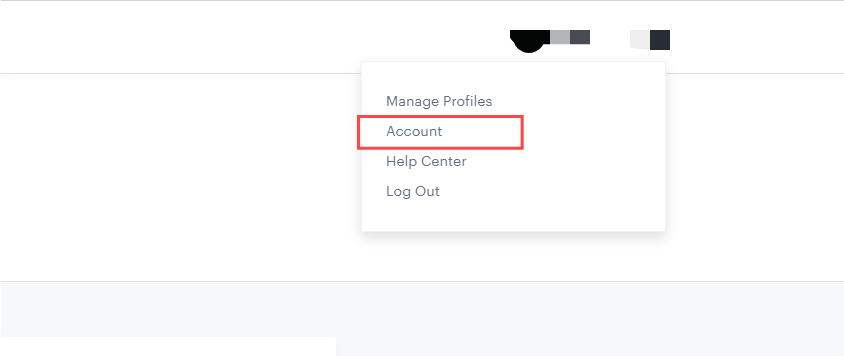
Step 3. Select Account.
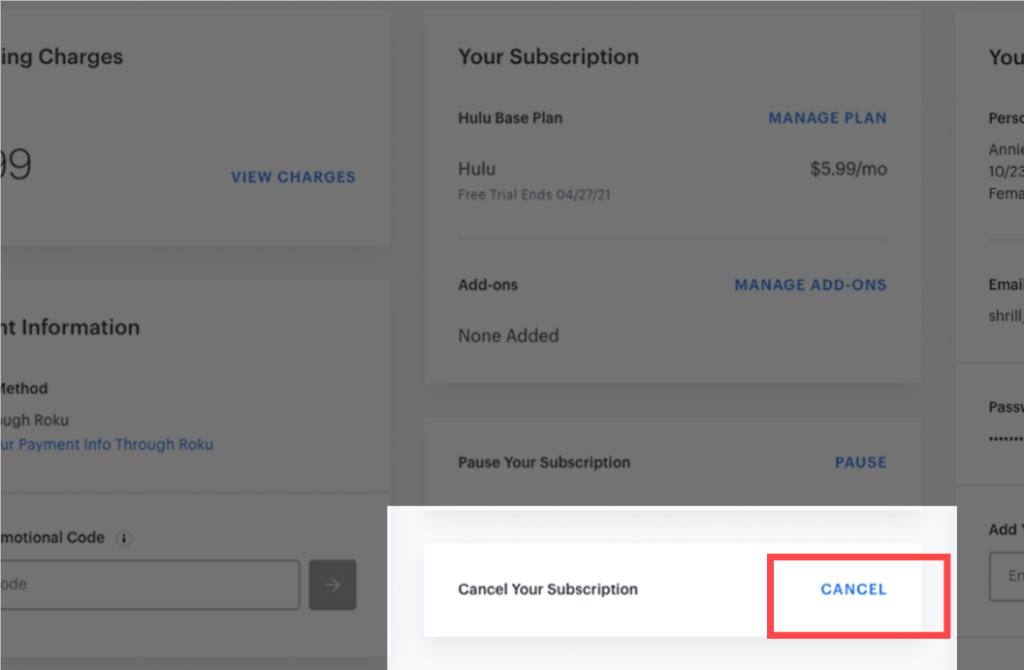
Step 4. Scroll to the bottom of the page and click CANCEL.
Step 5. Select Continue to Cancel. Then, select “No, Cancel Subscription” to confirm the action.
Note: If your membership hasn’t expired yet, it won’t end when you cancel your Hulu subscription.
Related: Hulu Student Discount – An Affordable Choice for Students
Tip: If you want to watch Hulu outside the US, use LightningX VPN to access the platform. The VPN works well with Hulu from anywhere you like. It provides 2,000+ servers in 70+ countries, ensuring a smooth and stable streaming on Hulu.
LightningX VPN is compatible with Windows/macOS/Android/iOS/Apple TV/Android TV/Linux/Chrome/Edge/Firefox. It now offers free servers on Android and iOS.
How to Cancel Hulu on iOS and Android
Here are the steps for canceling a Hulu subscription on your mobile device.
Cancel Hulu on iPhone/iPad (Via App Store)
If your Hulu subscription is billed through Apple, you can’t cancel it inside the Hulu app. You must cancel it through your iPhone or iPad settings.
- Open Settings on your iPhone or iPad.
- Tap your Apple ID name at the top.
- Tap Subscriptions.
- Select Hulu and tap Cancel Subscription, then confirm.
After canceling, you’ll still have access to Hulu until the end of the current billing or free trial period.
Cancel Hulu on Android (Via Google Play)
On Android, how you cancel Hulu depends on where you purchased your subscription. If your Hulu subscription is billed through Google Play:
1. Open the Google Play Store.
2. Tap your profile icon in the top-right corner.
3. Tap Payments & subscriptions > Subscriptions.
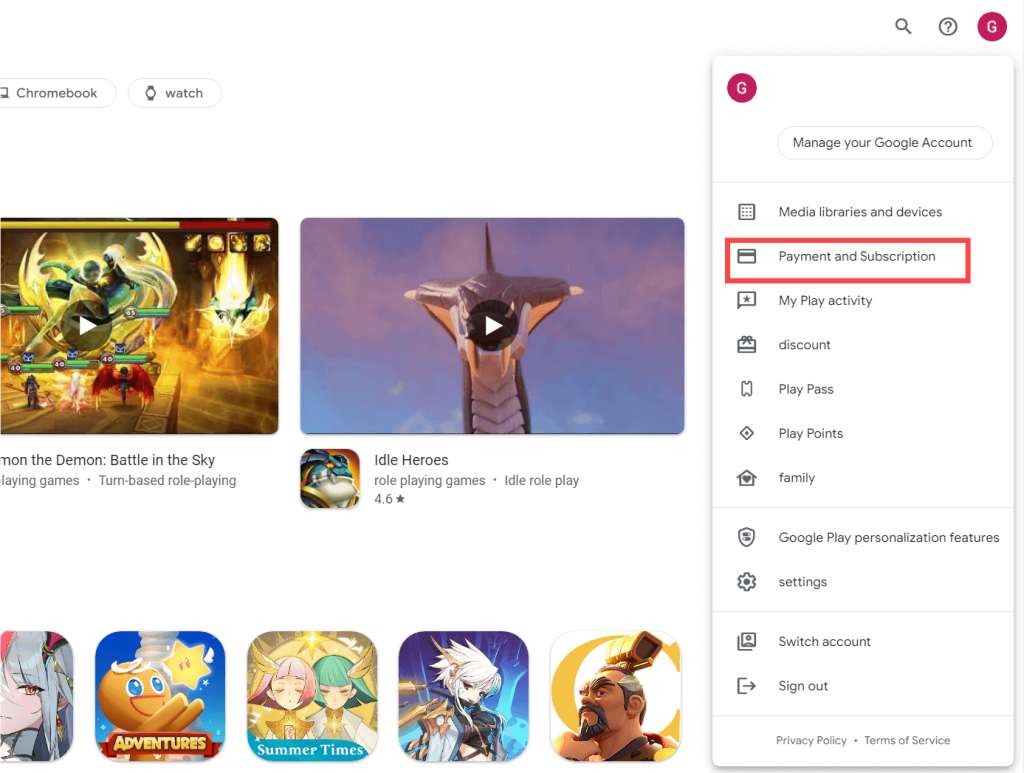
4. Select Hulu.
5. Tap Cancel subscription and follow the instructions.
You can also manage and cancel your Hulu subscription by signing in to the Google Play Store website.
How to Cancel Hulu Subscription on Mac (Via iTunes)
If you have used iTunes on your Mac to purchase the Hulu subscription, follow the steps below to cancel it.
Step 1. Open iTunes and select Account in the top bar.
Step 2. Click View My Account and log in to your account.
Step 3. Find the Settings section and click Manage.
Step 4. Next to Hulu, click Edit to enter a new page.
Step 5. Click Cancel to successfully cancel the Hulu subscription.
How to Cancel Hulu Via Roku and Amazon
If you have subscribed to the Hulu plan from Roku or Amazon, check the steps below to cancel your Hulu subscription.
Via Roku
- On your Roku TV, navigate to the home screen. To do this, you can press the home button on the remote, which looks like a house.
- Open the Hulu app on your Roku TV.
- Select Manage subscription > Cancel subscription.
- Follow the on-screen instructions to cancel the subscription.
Via Amazon
Here are the steps for canceling Hulu via Amazon Pay.
- Go to Amazon Pay and log in to your account.
- Select Check your Amazon Pay.
- Select Merchants Agreement > Manage Merchant Agreements.
- Choose Details for Hulu.
- Click on Cancel Agreement and confirm the action to cancel Hulu.
Things to Know About Canceling a Hulu Subscription or Free Trial
After you cancel a Hulu subscription or bundle, you’ll continue to have access to the service until the end of the current billing period.
Also, how you cancel a Hulu, Disney+, and ESPN+ Bundle depends on who bills your subscription. For example, if you purchase the bundle through Disney+, it must be canceled from your Disney+ account. If you purchase the Hulu & Disney+ bundle through Hulu, canceling the bundle via Hulu will also cancel Disney+.
Hulu offers a seven-day free trial for eligible new users. If you don’t cancel before the trial ends, your subscription will automatically convert to a paid plan.
After canceling a standard Hulu free trial, you can continue using the service until the trial period ends without being charged. However, Hulu + Live TV free trials usually end immediately after cancellation.
For more details, please refer to Hulu’s official free trial and cancellation policies.
Things to Check After Canceling Hulu
Account Access After Cancellation
Even after canceling, you will still have access to Hulu’s content until the end of your current billing cycle. This ensures you get the full value of what you’ve paid for.
Check the Possible Retention Offers
Sometimes, Hulu offers special promotions or discounts to former subscribers who choose to reactivate their accounts. Keep an eye out for these offers in your email or on the Hulu website.
Turn off the Automatic Payment for Hulu
Ensure that Hulu no longer has access to your payment methods to avoid accidental charges. This is particularly important if you canceled through a third-party service.
Customer Support and Troubleshooting
If you encounter any issues during or after cancellation, Hulu’s customer support can assist you. They can help resolve problems related to billing, account access, and more.
How to Cancel Hulu – FAQs
Q: Why are people canceling Hulu?
Here are several reasons why you might want to cancel your Hulu subscription or free trial:
- The Hulu library doesn’t have the content you’re interested in.
- You’re on the budget.
- You would like to choose a different Hulu subscription plan.
Q: Why is Hulu not letting me cancel my subscription?
Hulu may not let you cancel because your subscription is billed through a third party or included in a Disney+ bundle. In that case, you need to cancel it from the original billing provider, not Hulu.
Q: Why is Hulu still charging me after I cancelled?
It’s possible that you didn’t cancel Hulu successfully. You can check if the cancellation process is correct.
Q: How do I call to cancel Hulu?
You can call Hulu support at 888-755-7907 to help you cancel your subscription. Just give them your Hulu account credentials or other information about your Hulu.






