


Are you a brand entrepreneur, a video creator, or a normal TikToker looking for how to repost on TikTok? Then, you’ve come to the right place.
Today, we will fully explain the steps for reposting a video on TikTok. Also, we’ll mention the benefits of reposting a TikTok video to let you better understand how to leverage the “Repost” feature.
How to Repost on TikTok
No matter whether you’re using the TikTok web or app, the reposted videos follow the same process. Please follow these steps to complete the TikTok video repost.
Step 1. Go to the TikTok website or app and then log in to your TikTok account.
Step 2. Choose a TikTok video you want to share with friends or followers. Sharing which type of video is based on your needs or purposes.
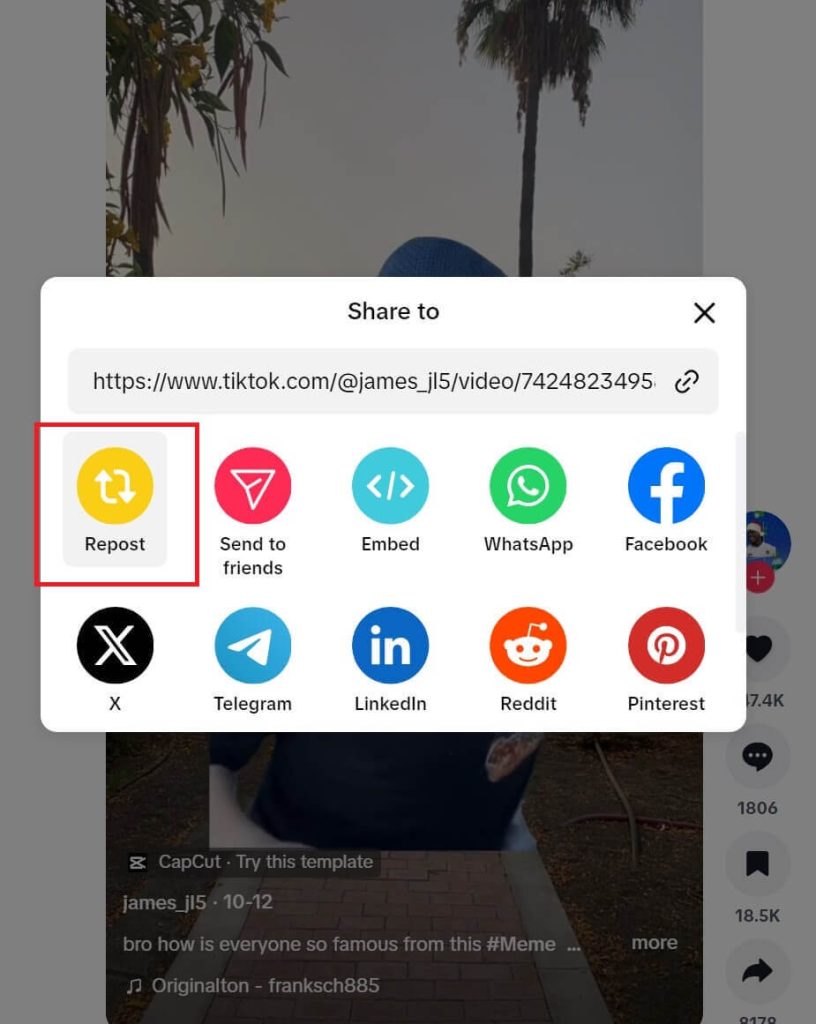
Step 3. Tap on the Share button (like an arrow) at the bottom right of the video page. Then, a sharing panel will open.
Step 4. Tap “Repost” on the top left of the sharing panel. Now the video is successfully reposted.
How to Delete a Repost on TikTok
If you accidentally hit the repost button, don’t worry, you can still delete or remove the TikTok repost. There are four ways to undo the TikTok repost action.
Way 1. On the reposted video page, tap the Share button again and then choose “Remove repost” on the top left of the sharing page. You’ll see a brief confirmation message.
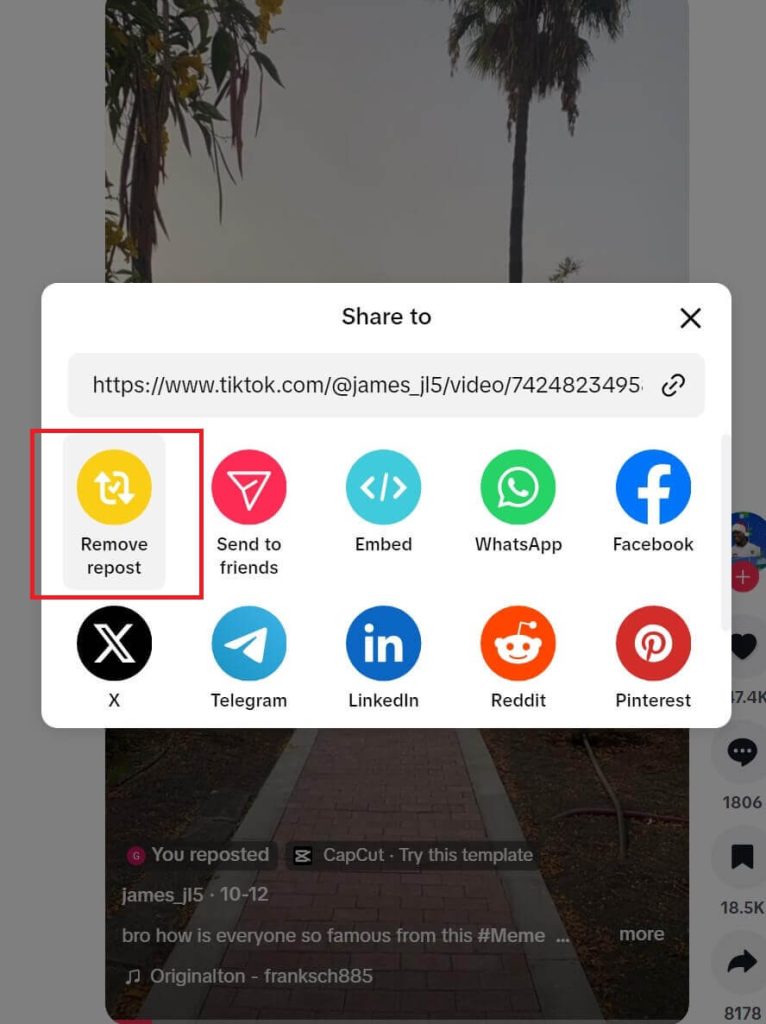
Way 2. Press the video page and choose “Remove repost”.
Way 3. Tap on the repost mark you left on the video. This mark is usually above the video creator’s name and appears as “You reposted”. Then, tap on “Reposted” and select “Remove repost”.
Way 4. If you refresh the page and can’t find the video, go to your profile to find the reposted video and undo the repost. The reposted videos are classified in the “Reposts” panel.
What Will Happen If You Repost a Video on TikTok?
After reposting a TikTok video, your followers and friends will be able to check the video from their feeds or “For You” pages.
Depending on the video’s algorithm, the repost action increases the visibility of the video and potentially exposes it to new audiences.
In a word, there are many benefits of the repost feature on TikTok. Keep reading the next part, you’ll know all of them.
Business Use of Repost on TikTok
For most ordinary people, TikTok is simply a tool for killing time and interacting with friends. However, for some businesses, brands, or major influencers, TikTok serves as an important platform for generating profits or expanding influence. The “Repost” feature is also fully utilized by these individuals to gain these potential benefits.
Increase Visibility and Followers
Whether you’re a content creator or a brand manager, recommended videos can boost your visibility, especially when you recommend videos from different niches.
For example, if you recommend a funny creator’s video, your followers are likely to comment on that reposted video, which acts as a free promotion and exposes you to more surfers, whether they’re fans of that funny creator or just random viewers.
Enhance Existing Fan Engagement
Another benefit of reposting TikTok videos is increasing fan engagement. This not only involves discussions with your followers about a video but also showcases your values, aesthetics, and interests.
For example, if you accidentally recommend an emotional family video, it could resonate with your followers and highlight your softer side.
Build Interactions or Partnerships Between Accounts
According to TikTok’s algorithm, videos that are recommended more frequently are seen by more people. When you interact with a creator and mutually recommend each other’s videos, both sets of followers will see each other’s content. This increases the chances of your videos being recommended, thus reaching more viewers.
Deepen Business Knowledge
When you recommend a video related to your account’s business, followers may provide valuable feedback and inspire you to continue exploring related knowledge.
How to Unlock and Safely Watch TikTok
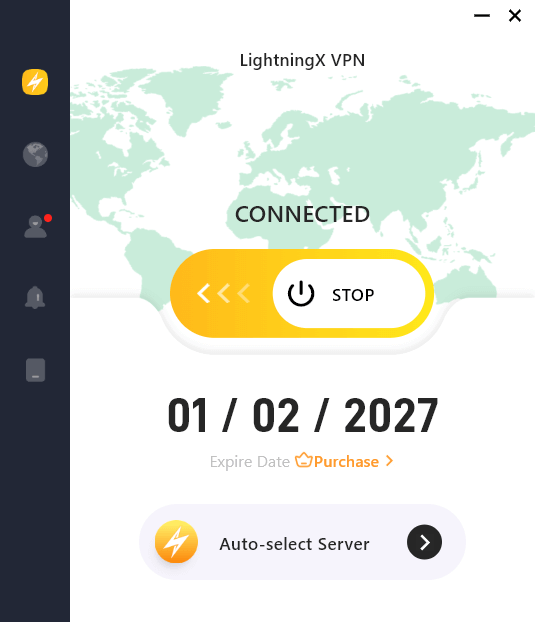
If you’re in a geo-blocked region that can access TikTok, try a VPN to unblock TikTok. You can change your IP address to the United States to enjoy the best TikTok streaming. However, we recommend that you choose the best VPN for TikTok for your online security and privacy. For most TikTokers, LightningX VPN is the best choice. Here’s why.
- It offers 2,000+ servers in 70+ countries, covering all TikTok-available region.
- It is super-fast thanks to its lightweight protocols and massive server network.
- It offers unlimited data.
- It has flexible subscription plans.
How to Repost on TikTok – FAQs
Q1: Why can’t I repost anything on TikTok?
Here are several possible reasons why you may be unable to repost content on TikTok:
- The video or creator has disabled reposts: Creators can restrict reposting for their videos, which prevents others from using the Repost feature.
- Your account has restrictions: If your account has been flagged, temporarily restricted, or banned for violating TikTok’s community guidelines, reposting may be unavailable.
- Outdated app or app bugs: Using an outdated version of TikTok or experiencing app glitches may cause the Repost feature to disappear or not work properly.
- Internet or loading issues: Poor or unstable internet connections can prevent TikTok features from loading correctly.
- Privacy or account settings: Certain privacy settings, such as a private account or regional limitations, may affect the availability of reposting.
Q2: How do I turn on Repost on TikTok?
To allow others to repost your TikTok videos, you’ll need to set your account to Public first. Then, go to Settings > Settings and Privacy > Privacy > Repost, and choose your preferred audience.






