


If you’ve ever searched “what is my IP address” in the browser and noticed that your IP location shows a different state, you are not alone.
IP-based location is not always precise. In this post, we will explore “why is my IP address in a different state”, how IP geolocation works, whether you should worry about it, and what you can do to fix the wrong IP address location.
How IP Addresses and Location Detection Work
To understand “why is my IP address in a different state”, you first need to understand how IP addresses function. An IP address is a numerical label assigned to your device by your internet service provider (ISP). It helps route internet traffic, but it was never designed to pinpoint your exact physical location.
IP location databases estimate location based on ISP registration data, network infrastructure, and routing information. These databases usually associate IP addresses with a city or state where the ISP’s servers or network hubs are located – not necessarily where the end user is.
That’s why your IP address location can appear inaccurate, outdated, or simply wrong.
Why Is My IP Address in a Different State? Common Causes
1. You’re Using a VPN or Proxy Service
If you’re actively using a VPN, the answer to “why is my IP address in a different state?” becomes very straightforward. A VPN routes your internet traffic through a server in another location, often a different state or even a different country. Your IP address will reflect the VPN server’s location, not your real location.
Tip:
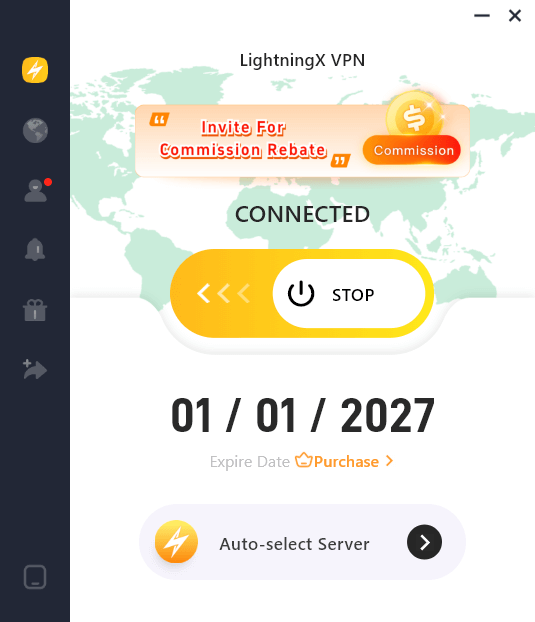
If you want to download a free VPN on your Android phone, iPhone/iPad, PC, Mac, Linux, TV, or add a VPN extension for your Chrome, Firefox, or Edge browser, you can try LightningX VPN.
This VPN offers numerous servers in 70+ countries (incl. several free servers). You can connect to a VPN server to easily change your IP to another country/state and hide your real IP address. It also gives you a fast, stable, secure, private network connection and lets you access region-locked content worldwide.
2. Your ISP Is Registered in Another State
Another common answer to “why is my IP address in a different state?” is your ISP’s infrastructure. Many ISPs assign IP addresses from centralized pools that are registered in a different state.
For example, you might live in Nevada, but your ISP routes your traffic through a data center in California or Texas. IP databases then assume you are physically located there.
This is extremely common with:
- National internet providers
- Mobile carriers
- Rural or regional ISPs
In these cases, nothing is “wrong” with your connection – your IP address just reflects your ISP’s network layout.
3. IP Geolocation Databases Are Not Always Accurate
Another major reason your IP address shows another state is outdated or inconsistent geolocation databases. Websites rely on third-party IP databases, and each one can display a different location for the same IP address.
Some databases update frequently, while others may lag behind for months or even years. If your ISP recently reassigned IP ranges, older databases may still associate your IP address with a previous state.
This explains why:
- Google shows one state
- A streaming service shows another
- An IP checker site shows something completely different
This inconsistency is a key reason why IP address location can be wrong.
4. Mobile Networks and Dynamic IP Assignment
If you’re on a mobile network, why your IP address is in a different state often comes down to how cellular networks operate. Mobile carriers assign IP addresses dynamically and route traffic through large regional gateways.
You could be physically in Florida, but your mobile traffic might be exiting the network in Georgia or even New York. This is normal behavior and helps carriers manage traffic efficiently.
Because of this, IP addresses on mobile devices are often far less accurate than those on home broadband connections.
5. Corporate, School, or Public Networks
If you’re connected to:
- A company network
- A university Wi-Fi
- A hotel or cafe Wi-Fi
Your traffic may be routed through a centralized network location. Many organizations use VPNs or private routing systems that make all users appear to be in a single state.
This is another overlooked explanation for “why is my IP address in a different state”, especially for remote workers and students.
Does Having an IP Address in Another State Matter?
In most cases, no. An IP address showing a different state is usually harmless. However, it can cause practical issues such as:
- Incorrect local search results
- Problems accessing region-locked content
- Streaming services showing the wrong catalog
- Ads and websites displaying irrelevant locations
From a privacy perspective, this situation can actually be beneficial, since it makes your real location less precise.
Can a Different-State IP Address Be a Security Risk?
Many users worry that the IP address shown in a different state could mean hacking or identity theft. This is rarely the case.
A mismatched IP location alone does not mean:
- Someone is spying on you
- Your account is compromised
- Your device has malware
However, if combined with other red flags – such as unknown logins, account alerts, or suspicious activity – it’s worth investigating further.
Also read: What Can Someone Do with Your IP Address? Risks Explained
How to Fix Wrong IP Address Location
If your IP address location shows the wrong state or city, don’t panic. In most cases, this issue is easy to fix or at least improve. Here are a few tips:
1. Restart Your Modem or Router
The simplest way to fix a wrong IP address location is to restart your modem or router. Many ISPs assign dynamic IP addresses, which can change when you reconnect to the network. A new IP address may be mapped to a more accurate location in IP databases.
Unplug your modem and router for 5–10 minutes, then reconnect and check your IP location again.
2. Disable VPNs, Proxies, or Browser VPN Extensions
If you’re using a VPN, proxy server, or VPN extension, your IP address will show the location of the server – not your real one. Even if you’re not actively using a VPN, it may be running in the background.
To fix the issue:
- Turn off your VPN app
- Disable VPN browser extensions
- Check antivirus software with built-in VPN features
Once disabled, refresh your connection and recheck your IP address location.
3. Switch Networks or Use a Different Connection
If restarting doesn’t work, try connecting to a different network:
- Switch from Wi-Fi to mobile data
- Use another Wi-Fi network
This helps determine whether the issue is tied to a specific ISP or network routing setup.
4. Contact Your Internet Service Provider (ISP)
If your IP address consistently shows the wrong state, your ISP may have outdated registration data. Contacting your ISP is one of the most reliable ways to fix a wrong IP address location.
Ask them:
- Where your IP range is registered
- Whether they can update geolocation records
- If they can assign a different IP block
Some ISPs are willing to help, especially if location errors affect services like banking or streaming.
5. Use a Trusted VPN to Control Your Location (Optional)
If accuracy isn’t critical or you want more control, a reputable VPN allows you to choose a specific city or state. While this doesn’t fix your real IP location, it ensures websites see a consistent and intentional location.
This option is useful if your IP address location is permanently incorrect due to ISP routing.
Conclusion
So, why is my IP address in a different state? The answer usually comes down to ISP routing, outdated geolocation data, VPN usage, or mobile network architecture.
While IP addresses can provide a rough idea of location, they are far from perfect. Understanding their limitations can save you unnecessary worry and help you make smarter decisions about privacy, security, and internet usage.
If accurate location truly matters to you, tools like GPS-based services or verified location settings are far more reliable than IP-based detection.






