


In this post, you can learn how to use Telegram in China, what tools you need, and the safest way to stay connected.
Is Telegram Blocked in China?
The short answer: Yes.
Telegram has been restricted in mainland China since 2015. In China, Telegram is not officially “illegal” for personal use, but it is technically inaccessible without network tools. If you try to access it without any additional tools, the app will not connect to its servers.
Why People Want to Use Telegram in China
Telegram is popular for:
- End-to-end encrypted messaging
- Large group chats (up to 200,000 members)
- Public channels (Related: Best Telegram Channels)
- File sharing up to 2GB+
- Cross-platform synchronization
For business owners, marketers, developers, and international students, knowing how to use Telegram in China is often essential for work and communication.
How to Use Telegram in China
Step 1. Use a Reliable VPN (Most Important)
To use Telegram in China, the first and most critical step is using a reliable VPN (Virtual Private Network).
A VPN works by:
- Encrypting your internet traffic.
- Routing your connection through servers in other countries.
- Allowing access to blocked apps/websites.
What to Look for in a VPN:
Not all VPNs work in China. You need one with:
- Safe and reliable servers (to avoid detection)
- Strong encryption (AES-256)
- Stable connection speeds
- Multiple server locations
- No-logs policy
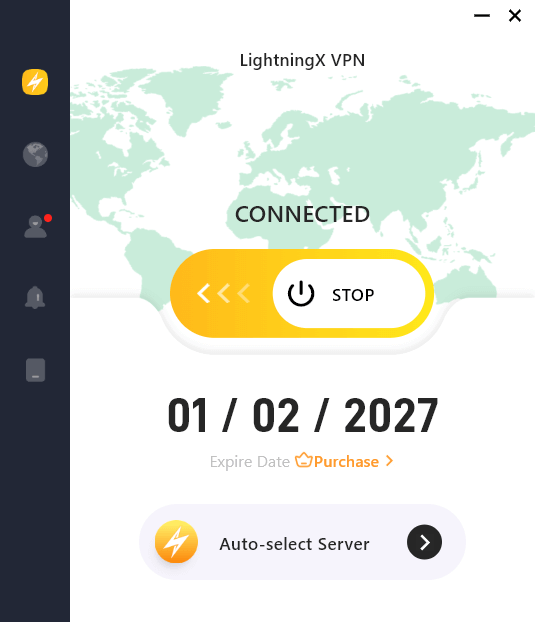
You can try LightningX VPN. This VPN offers numerous fast servers in 70+ countries. For Android and iOS, it provides several free servers, and you can use this VPN for free.
It helps you successfully unblock Telegram and many other global apps and websites. It uses the most high-end encryption technologies to encrypt all your internet traffic and follows a strict no-logs policy.
LightningX VPN supports Android, iOS, Windows, Mac, Linux, TV, Chrome, Firefox, and Edge. It is fast, stable, and easy to use.
Important Tip:
Download and install a VPN before arriving in China, because most VPN websites are also blocked inside mainland China. Without a working VPN, you cannot complete the steps required to use Telegram in China.
Step 2. Download Telegram
Once your VPN is connected:
- Go to the App Store (iOS) or Google Play (Android).
- Search for Telegram.
- Download and install the official Telegram app.
If Google Play services are unavailable on your Android device, you can download the APK directly from Telegram’s official website after connecting your VPN. You can also install the Telegram Desktop version from its official website.
Related: Fix “Google Play Services Keeps Stopping” Issue: 10 Solutions
Step 3. How to Register Telegram in China
Many users struggle with how to sign up for Telegram in China, especially when SMS verification fails.
Here’s the correct process:
1. Open Telegram (with VPN On)
Make sure your VPN is active before opening the Telegram app.
2. Enter Your Phone Number
You can try:
- Chinese mainland number (+86)
- Hong Kong number (+852)
- Overseas number
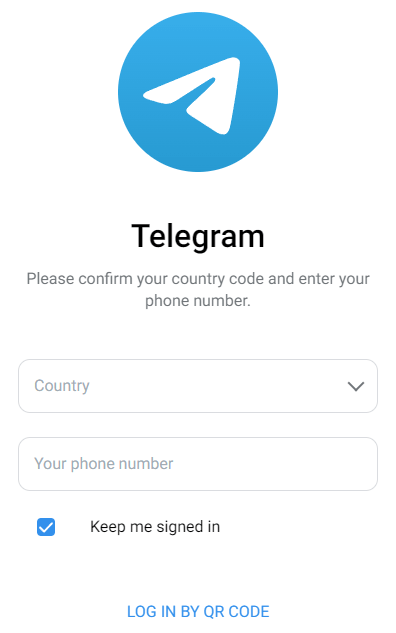
3. Receive Verification Code
If using a Chinese number:
- Sometimes SMS codes are delayed.
- Occasionally, SMS verification may fail.
Solutions:
Switch VPN servers and try again.
If Telegram does not send the SMS code:
- Try registering with an international SIM.
- Use a temporary number in another country, like the US.
Step 4. Adjust Privacy Settings
After successful registration, secure your Telegram account:
- Enable Two-Step Verification
- Set a strong cloud password
- Hide phone number visibility
- Turn on Passcode Lock
This is especially important as privacy risks increase when using public Wi-Fi.
Common Telegram Problems and Solutions
Problem 1: Telegram Keeps Connecting
Cause: VPN server is unstable
Fix: Switch to another server location (Japan, Singapore, US West Coast often work well)
Related: VPN Keeps Disconnecting on Windows 11, Android, iPhone: 8 Fixes
Problem 2: SMS Code Not Arriving
Cause: Carrier filtering
Fix:
- Restart device
- Change VPN server
- Use a phone number in another country
This is one of the biggest issues when registering for Telegram in China.
Problem 3: Telegram Suddenly Stops Working
Cause: VPN blocked temporarily
Fix:
- Update VPN app
- Switch server region
- Change protocol (OpenVPN / WireGuard)
Best VPN Server Locations for Telegram in China
For optimal performance:
- Japan
- Singapore
- Hong Kong
- US West Coast
These regions generally provide:
- Lower latency
- Stable routing
- Better reliability
Choosing the right VPN server dramatically improves accessibility and stability when using Telegram in China.
Can You Use Telegram Without a VPN in China?
No. A VPN is mandatory to access and use Telegram in mainland China.
Is It Safe to Use Telegram in China?
Safety depends on:
- VPN quality
- Your privacy settings
- Content you engage with
Telegram itself offers strong encryption (especially Secret Chats), but network security is your responsibility.
To safely use Telegram in China, always:
- Turn on your VPN when on public Wi-Fi
- Enable 2FA
- Keep the Telegram app updated
Conclusion
This post mainly introduces how to use Telegram in China. It is straightforward if you follow the correct technical steps. Most failures happen due to unstable VPN connections or SMS verification issues.
With the right setup, Telegram works smoothly in mainland China and allows uninterrupted global communication.






