


Internet access in Mexico isn’t always smooth sailing. Some news websites and streaming libraries are restricted, and many users complain about speed throttling during peak hours. A VPN is often the only reliable option.
To help you choose the best VPN for Windows, iPhone, and Android in Mexico, I tested dozens of VPNs. In this guide, I’ve rounded up the 6 best VPNs in Mexico (free and paid). Read on to find the best options and enjoy secure browsing.
4 Best Free Mexico VPNs
LightningX VPN: the Fastest Free VPN in Mexico
- Website: lightningxvpn.com
- Free Servers: some servers with unlimited access
- Devices (Free Plan): Supports Android, iOS, Windows, macOS, Linux, Smart TVs, and browser extensions
- Security: Kill Switch, AES-256-GCM encryption, DNS leak protection
- Unblock YouTube, TikTok, Instagram, Twitter, Telegram, and unblock Netflix, Disney+, BBC iPlayer
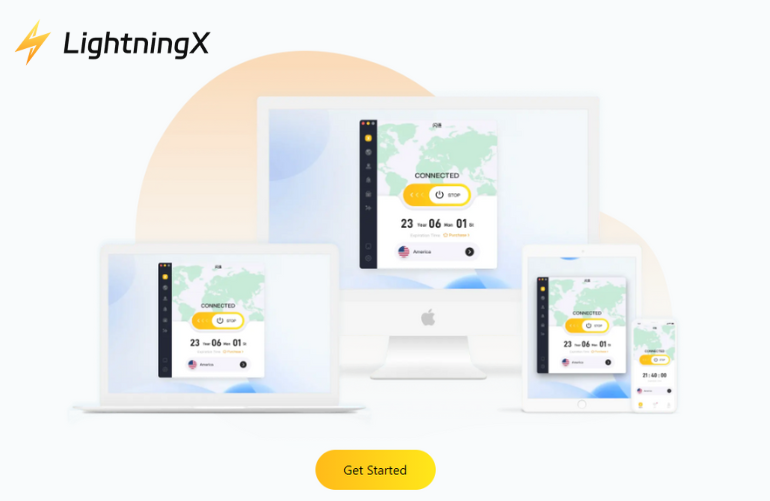
LightningX VPN is one of the best VPN in Mexico due to its performance, privacy, and device compatibility.
During my testing in Mexico City using a Telmex fiber network, LightningX VPN consistently delivered a stable 600-750 Mbps speed. This performance is rare among free VPNs, sufficient for smooth 4K video playback, gaming, and web browsing. On Windows systems, the app runs lightweight and doesn’t impact system performance.
LightningX VPN handles regional restrictions well. It successfully unblocks streaming sites frequently encountered in Mexico, such as Netflix, Disney+, YouTube, Instagram, and Telegram.
In terms of security, LightningX VPN uses AES-256-GCM and ChaCha20-Poly1305 encryption and features DNS leak protection and a kill switch. These features ensure your data is always protected under your ISP’s monitoring.
While LightningX VPN hasn’t released third-party audit reports and doesn’t have the global brand recognition of top brands, it remains a great free Mexico VPN download for Windows, iPhone, and Android.
Hide.me: Free Mexico VPN with Strong Security
- Website: hide.me
- Free Servers: 8 server locations with 10GB/month data
- Support Devices: Windows, macOS, Android, iOS, Linux, routers, and smart TVs
- Security: Kill Switch, DNS leak protection, AES-256 encryption
Hide.me is a free Mexican VPN that prioritizes privacy. Its free plan includes 8 server locations and 10GB of monthly data per month, and supports most major platforms.
In tests on a home fiber optic network in Monterrey, Hide.me performed stably. Even during peak hours, social media platforms like YouTube, TikTok, Instagram, and X loaded smoothly.
Hide.me places great emphasis on user security. The service uses AES-256 encryption, DNS leak protection, and a quick-responding kill switch when the connection is lost. Its zero-logs policy is backed by an independent audit, providing peace of mind for Mexican users concerned about ISP data collection and the insecurity of public Wi-Fi.
The only drawback is the free plan’s data and device limitations. If you need more, consider the paid version.
Windscribe: Best Free VPN for Streaming in Mexico
- Website: windscribe.com
- Free plan: 10 GB/month
- Support Devices: Windows, macOS, Linux, Android, iOS + browser extensions (Chrome, Firefox, Edge)
- Security: AES-256 encryption; protocols include WireGuard, OpenVPN, IKEv2
Windscribe is a free and powerful VPN for Mexico. Its free plan offers 10GB of traffic per month and access to multiple global servers.
During my testing in Guadalajara using the Telcel 5G network, Windscribe consistently maintained stable speeds. It not only unlocks social media apps like X, TikTok, and Facebook, but also provides access to streaming platforms such as Netflix, Disney+, and Hulu.
The Windscribe VPN for Windows offers robust controls. You can adjust the protocol, block ads and trackers, or enable the “double-hop” feature for greater anonymity.
If you need to unlock regionally restricted websites, the Mexico VPN Chrome extension offers quick switching, ad blocking, and powerful privacy filtering without affecting your device’s overall network connectivity.
PrivadoVPN
- Website: privadovpn.com
- Free plan: 10GB/month data + 12 free server locations
- Support Devices: Windows, macOS, iOS, Android, Android TV, Fire TV
- Security: AES-256 encryption, Kill Switch, DNS leak protection, strict no-logs policy
As the best free VPN for Mexico, PrivadoVPN’s free plan offers 10GB/per month and access to servers worldwide.
When tested in Mexico City using a Megacable fiber optic connection, PrivadoVPN successfully unblocked social media sites such as YouTube, TikTok, Instagram, and X.
PrivadoVPN uses AES-256 encryption, DNS leak protection, and strictly adheres to the zero-logs policy mandated by Swiss privacy law. Therefore, you don’t need to worry about online security.
However, PrivadoVPN currently does not support the VPN Chrome extension, so you cannot use it directly in your browser.
2 Best Paid Mexico VPNs
If you prefer a paid VPN for faster speeds, more servers, or other features, here are 2 paid Mexican VPNs you can choose:
ExpressVPN
If your primary goal in Mexico is smooth streaming and a secure browsing experience, ExpressVPN is a great option. With servers located throughout Mexico and globally, ExpressVPN can quickly unblock Netflix, Disney+, YouTube, and social media platforms.
- Servers: Over 3,300 servers in 105 countries, including multiple dedicated servers in Mexico.
- Device: Supports up to 8 devices; compatible with Android, iOS, Windows, macOS, routers, smart TVs, and browser extensions.
- Security: TrustedServer technology, AES-256 encryption, Kill Switch, and a strict zero-logs policy.
CyberGhost
CyberGhost boasts a simple VPN interface, and its servers are optimized for streaming and privacy. Its vast server network ensures stable speeds for Netflix, Amazon Prime Video, and YouTube, even during peak hours.
- Servers: Over 11000 servers in 100+ countries
- Device: Supports up to 7 devices; supports Android, iOS, Windows, macOS, Linux, and browser extensions
- Security: AES-256 encryption, kill switch, DNS leak protection, zero-logs policy
Why Do You Need a VPN in Mexico?
Using a VPN in Mexico can help protect your privacy, bypass restrictions, and securely enjoy online content. Here are some reasons to use a VPN in Mexico:
- Allow you to access Netflix, Disney+, YouTube, and social media.
- Encrypt your connection and protect your data.
- Help you bypass restrictions from schools, companies, or ISPs.
- Prevent ISPs or government agencies from tracking your browsing activity.
- It improves the security of online banking, shopping, or sending sensitive information on Windows, iPhone, or Android devices.
How to Use a VPN in Mexico?
If you are in Mexico, some websites may be blocked. A VPN allows you to securely access social media, watch your favorite shows, and protect your data. The following steps show you how to use a VPN in Mexico:
Step 1: Choose and Download a VPN
Choose a VPN that suits your needs. If you are on a budget, choose a Mexican VPN that offers a free trial. Download it to Windows, iPhone, Android devices, or a Chrome extension.
Step 2: Install and Set Up
Follow the instructions in the app to install. Sign in or create an account to activate the service.
Step 3: Choose a Server Location
To access Mexican content, choose a server located in Mexico. To watch Netflix, Disney+, or other international streaming services, connect to a server in the United States, the United Kingdom, or another region.
Step 4: Connect and Start Browsing
Activate the VPN. Your network traffic is now encrypted. You can securely browse social media, watch videos, and access blocked websites from anywhere in Mexico.
FAQ about Mexico VPN
1. Does Mexico block VPNs?
Mexico does not block VPNs. You can use VPNs for various legal purposes. So, you don’t need to worry about using a VPN hurting you.
2. Is VPN Safe or Legal in Mexico?
Using a VPN in Mexico is legal and safe, so it’s a good idea if you plan to increase your online security or unblock streaming. We recommend choosing a reputable paid VPN service to ensure your information isn’t compromised.
Read more: Are VPNs Legal? Everything You Need to Know!






