


A good laptop VPN can protect your privacy, improve connection stability, and unlock more online content.
In this guide, we’ll introduce the best free VPNs for laptops and how to install and use them for optimal results.
LightningX VPN: Best Free VPN for Laptop
If you are looking for the best VPN for laptop, LightningX VPN is your best choice. It runs smoothly on both PCs and MacBooks with minimal speed loss and stable connections.
Unlike many free VPNs that slow down your internet, LightningX VPN keeps your laptop running at high speed. You can browse the web, watch videos, work, or play games smoothly without lag or buffering. Its free plan offers access to selected high-speed servers with no bandwidth limits.
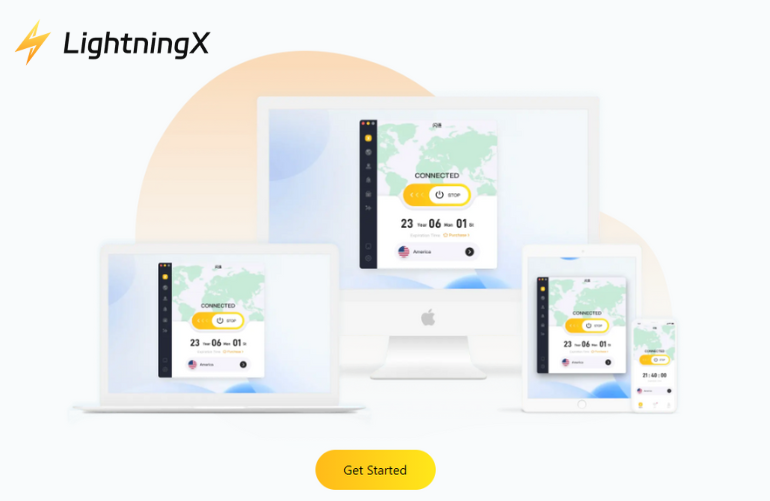
Key Features of LightningX VPN
- Over 2000 servers across the US, Europe, Asia, and more.
- Strong security with AES-256-GCM and ChaCha20-Poly1305 encryption.
- Strict no-logs policy to protect your privacy on PC and laptop.
- One account supports up to 3 devices at the same time.
- Works perfectly on Windows laptops, macOS, Linux, Android, iOS, smart TVs, and browsers.
- 24/7 customer support for quick help.
How to Set up a VPN on a Laptop?
Step 1: Visit the official download page of LightningX VPN and click the “Windows,” “macOS,” and “Linux” buttons to get a free download.
Step 2: After downloading and installing, select the plan.
Step 3: Set up and connect
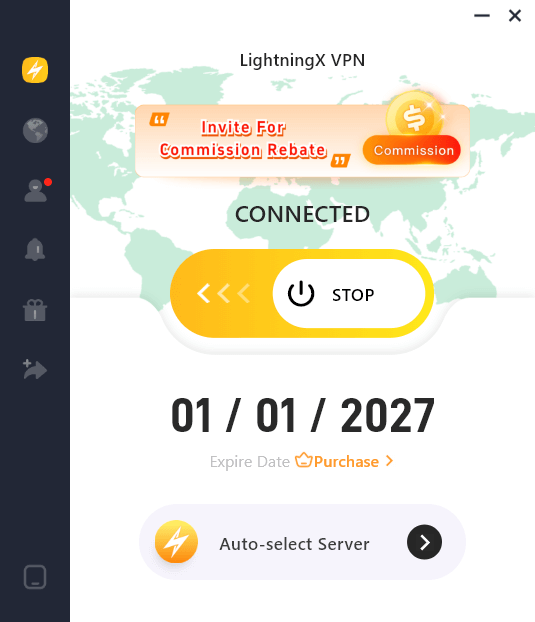
- Open the LightningX VPN app on your laptop. Log in to your account or create a new one.
- Choose the location you need from the list of more than 2000 servers.
- Click the Connect button, and your VPN connection will be established.
Best VPN Function on Laptop
LightningX VPN does more than change your IP address. It also provides a powerful, flexible, and secure VPN experience. Here are its key features:
Smart Mode and Global Mode
- Smart Mode: Allows selective routing, meaning only international traffic goes through the VPN, while local traffic remains straight through.
- Global Mode: Routes all internet traffic through the VPN, ensuring maximum security and anonymity for users who need full protection.
Local and Remote DNS Settings
- Local DNS: Use your original ISP’s DNS, which can improve compatibility with certain websites.
- Remote DNS: Route DNS requests through the VPN to prevent leaks and bypass local censorship.
Read more: How to Change DNS Server on Windows 10/11? So Easy!
Disconnect All When Switching Proxies
This feature ensures no data is accidentally leaked when changing VPN servers or switching between proxy settings. It automatically disconnects all active connections before re-establishing a secure VPN connection.
IPV6 Support
While many VPNs only support IPv4, LightningX VPN also supports IPv6, providing a more future-proof and secure browsing experience.
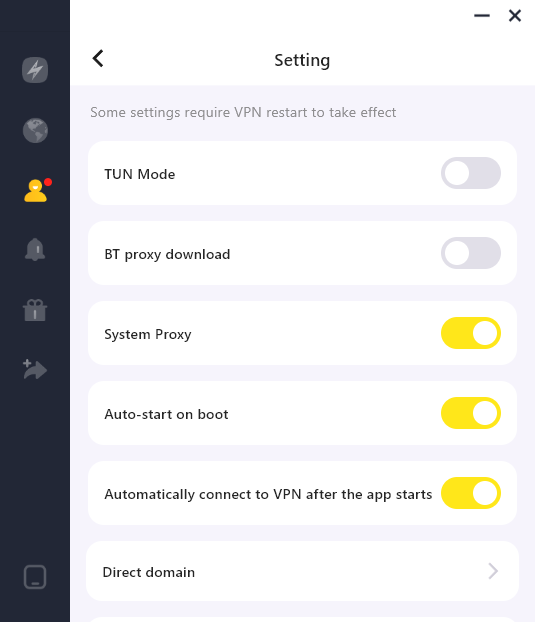
TUN Mode
Use the TUN (Tunnel Network) adapter to create a virtual network interface, resulting in a smoother and more stable VPN connection, especially for advanced users who need a custom network configuration.
BT Proxy Download
Many VPNs block BitTorrent (BT) traffic, but LightningX VPN supports BT proxy download, allowing users to download torrents safely and anonymously without speed limits.
Proxy Routing for Each App
Instead of routing all traffic through the VPN, you can choose specific apps to use the VPN while other apps remain on the direct network. This feature is suitable for:
- Streaming apps that work better without a VPN
- Banking apps that require a local IP
- Gaming apps that need optimized routing
DNS Leak Protection
Prevent DNS requests from leaking to your ISP, ensuring your online activities remain private and fully protected when using a VPN.
Read more: DNS Leak Test: How to Diagnose and Secure Your Connection
Advanced encryption protocols
LightningX VPN supports some of the most secure and advanced VPN protocols, including:
- Vless: A lightweight, high-performance VPN protocol known for its stability and speed.
- WireGuard: A next-generation VPN protocol that provides fast speeds and strong security with minimal overhead.
- TLS-in-TLS: Double encryption via TLS encapsulation, adding an extra layer of security to resist deep packet inspection (DPI).
Other Best Free VPNs for Laptop
1. Proton VPN
If privacy is your top priority, then Proton VPN is a reliable choice for laptop users.
Its free plan offers unlimited data, which is quite rare for a free VPN for laptops. You can connect to free servers located in the US, the Netherlands, and Japan. This is sufficient for smoothly streaming Spotify music and basic web browsing on your laptop.
Proton VPN is based in Switzerland, a country known for its strict privacy laws. It can help protect your laptop’s internet traffic from online restrictions.
Key Features of Proton VPN
- Unlimited free data for laptop users
- Strong AES-256 encryption with WireGuard and OpenVPN
- Strict no-logs policy, independently audited
- Works on Windows laptops, macOS, Linux, Android, and iOS
- Browser support for Chrome and Firefox
- Free plan does not support torrenting or premium video streaming
2. Hide.me VPN
Hide.me VPN is a lightweight, free VPN with strong privacy protection and a strict no-logs policy.
The free plan offers 10GB of data per month and access to 8 server locations, including the US, Canada, Germany, and the Netherlands. This is sufficient for web browsing, social media, and light streaming needs for laptop users.
Hide.me offers native support for Windows, macOS, and Linux, making it a suitable choice for laptop users across various operating systems.
Key Features of Hide.me VPN
- Free plan with 10GB monthly data
- AES-256 encryption and DNS leak protection
- Supports Windows, macOS, Linux, Android, and iOS
- No logs, verified by independent audits
- No account required to start using the free version
Why Should You Use VPN for Laptop?
Using a VPN on your laptop is more than just an extra layer of security. It’s also a smart way to access global content. A VPN is essential if you need to work remotely, stream, or browse restricted websites.
- Keep your online private: When you browse the web, your personal data is exposed to websites, advertisers, and internet providers. A VPN encrypts your laptop’s internet traffic, ensuring no one can track your online activities.
- Protect your laptop on unfamiliar Wi-Fi: Public Wi-Fi networks can be hacked. Your sensitive information, such as passwords and banking details, can be intercepted without a VPN. A VPN creates a secure tunnel for your data, keeping it safe from cyber threats.
- Access global content without restrictions: VPNs allow you to change your virtual location by connecting to servers worldwide, letting you bypass geo-blocking and access your favorite streaming platforms, websites, and apps.
- Enjoy faster browsing: Internet providers can throttle your speeds. VPNs prevent this by masking your internet usage.
- Protect multiple devices with one account: LightningX VPN supports various devices, which means you can protect not only your laptop but also your smartphone, tablet, and TV with a single subscription.
VPN can give your laptop the freedom, security, and privacy it deserves. Don’t leave your data unprotected – get a VPN for your laptop and experience unrestricted internet!
FAQ about VPN for Laptop
1. What is the best free VPN for a laptop?
We don’t advise a free VPN for laptops because it has many risks. If you want to try a VPN but don’t have the budget, you can get LightningX VPN for a free trial.
Read more: Are Free VPN Safe? 5 Risks You Need to Know!
2. Does the Laptop have a built-in VPN?
A lot of laptops have built-in clients, but they don’t provide a built-in VPN. If you want to protect the laptop using a VPN, buy a paid VPN like LightningX VPN. Just click the Free Download button, and you will use it on your laptop.






