


Want to enjoy the full Spotify music library at school or on a restricted network? A reliable Spotify VPN can help you bypass regional restrictions, protect your privacy, and ensure a smooth listening experience.
In this article, we’ll introduce the 5 best free Spotify VPNs and show you how to use them safely, so you can enjoy all of Spotify’s content anytime, anywhere.
LightningX VPN: Best Free VPN for Spotify with Unlimited Access
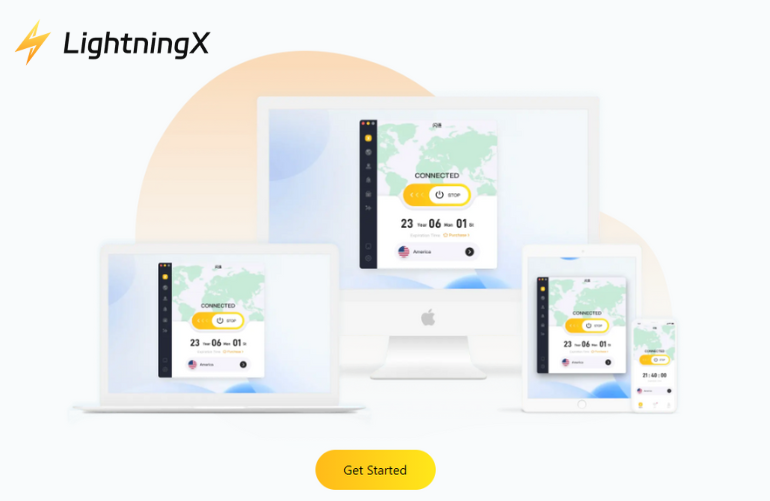
LightningX VPN is one of the best free Spotify VPNs, as it unlocks most of Spotify’s music library and provides a buffer-free streaming experience.
With over 2000 servers in more than 70 countries, LightningX VPN enables you to easily switch regions and access Spotify music libraries from the US, Europe, Asia, and beyond. It also prevents ISP throttling by changing your IP address.
It provides some free servers in the US, HK, and UK with unlimited data, so you can listen to Spotify all day long.
Key Features of LightningX VPN:
- 2000+ servers across the US, Europe, Asia, and other regions.
- High-speed connections optimized for streaming Spotify.
- Advanced encryption with AES-256-GCM and ChaCha20-Poly1305 to protect your privacy.
- Strict no-logs policy, keeping your Spotify activity and IP address private.
- One account supports up to 3 devices simultaneously.
- Support Windows, macOS, Android, iOS, Linux, smart TVs, and browsers (Chrome, Firefox, Edge).
- 24/7 customer support for quick assistance anytime.
How to Download LightningX VPN for Spotify:
- Click the above button to visit the official website: lightningxvpn.com
- Click “Free Download” and choose the version for your device.
- Register and log in to your account.
- Connect to the fastest server and start streaming Spotify freely.
Proton VPN: the Safest VPN to Unblock Spotify
If privacy is your top priority, Proton VPN is the best free VPN option for unlocking Spotify’s music library. Its free plan offers unlimited data with servers in the US, the Netherlands, and Japan, perfect for uninterrupted listening to Spotify music, podcasts, and more.
Based in Switzerland, the free version of Proton also protects your listening activity from internet service providers, public Wi-Fi monitoring, and network restrictions at school or work.
Key Features of Proton VPN:
- Unlimited free data, perfect for continuous Spotify streaming.
- AES-256 encryption with WireGuard and OpenVPN support.
- Strict no-logs policy, verified by independent security audits.
- Works on Windows, macOS, Android, iOS, Linux, and browsers like Chrome and Firefox.
- The free version does not support torrenting or premium video streaming services.
How to Download Proton VPN:
- Visit the official Proton VPN website.
- Click “Get Proton VPN Free” and create a free account.
- Download the app for your device and log in.
- Connect to a free server and open Spotify to listen with a secure connection.
PrivadoVPN: Best Free VPN for Spotify Streaming
PrivadoVPN is a free Spotify VPN that offers smooth streaming and a stable connection. The free plan provides 10GB of high-speed data per month, which is more than enough for hours of Spotify listening.
With its optimized server network, PrivadoVPN reduces common Spotify not working issues such as slow loading, sudden buffering, or playback errors. Whether you’re listening to daily recommended playlists, downloading playlists, or exploring regional content, PrivadoVPN is always reliable.
Key Features of PrivadoVPN:
- 10GB free high-speed data per month, ideal for regular Spotify streaming.
- 13 free server locations, helping maintain stable playback.
- Full security protection with encryption, Kill Switch, and IP leak prevention.
- Built-in ad blocking and malware protection for safer browsing.
- Supports Windows, macOS, iOS, Android, Fire TV, Android TV, tvOS, and major browsers.
- Unlimited device connections, even on the free plan.
How to Download PrivadoVPN for Spotify:
- Visit the official PrivadoVPN website.
- Click the “Get PrivadoVPN” button and select the “Free plan.”
- Enter your email address to register for a free account.
- Download and install the app on your device.
- Connect to a free server and start using Spotify.
Hide.me VPN: Best Free Spotify VPN with No Sign-Up Required
Hide.me, one of the best free VPNs for Spotify, prioritizes privacy, ease of use, and instant access. You can start using Hide.me without registering or providing any personal information.
When using Hide.me to stream Spotify, you can play playlists smoothly, switch songs, and explore new albums without frequent buffering.
The free plan offers 10GB of data per month, which is sufficient for everyday Spotify use. Whether you’re commuting, working, or partying, Hide.me provides the most convenient way to unblock Spotify.
Key Features of Hide.me:
- No sign-up required, no email, no account, no personal data needed.
- 8 free server locations, including the US, Canada, Germany, and the Netherlands.
- Strong AES-256 encryption to protect your connection.
- Supports Windows, macOS, iOS, Android, Linux, and browsers (Chrome, Firefox)
How to Download Hide.me VPN for Spotify:
- Visit the official Hide.me website and navigate to the free plan section.
- Click “Get hide.me” and select “Download Now.”
- Install the app by following the on-screen instructions.
- Open the app, choose a free server, and connect.
- Launch Spotify and start streaming securely.
Hotspot Shield: Best Free VPN for Daily Use on Spotify
Hotspot Shield is a good free VPN for users who want to unlock Spotify libraries from different regions. It uses AnchorFree’s proprietary Hydra protocol, providing fast connections and effectively reducing common problems during Spotify playback.
Hotspot Shield’s free plan offers 500MB of free data per day via US servers, which is sufficient for short periods of music streaming. Its strong encryption technology and good security reputation make it a safe choice for users.
Key Features of Hotspot Shield:
- Proprietary Hydra protocol for faster and more reliable connections.
- AES-256 encryption to protect your data and IP address.
- Global nodes covering 80+ countries and 115+ virtual locations.
- Supports Windows, macOS, Android, iOS, and browser extensions.
How to Download Hotspot Shield for Spotify:
- Visit the official website and click “Start Free”.
- Create an account and download it on your device.
- Launch the app and tap “Connect.”
- Open Spotify and enjoy secure, high-speed streaming.
Quick Comparison of Best Free Spotify VPNs
| VPN Service | Speed (Spotify Streaming) | Free Servers | Data Limit | Requires Registration |
|---|---|---|---|---|
| LightningX VPN | Very Fast | 3+ high-speed nodes | Unlimited | Yes |
| Proton VPN | Fast | 3 countries (US, NL, JP) | Unlimited | Yes |
| PrivadoVPN | Moderate-Fast | 13 locations | 10GB/month | Yes |
| Hide.me VPN | Fast | 8 locations | 10GB/month | No |
| Hotspot Shield Basic | Average | 1 US server | 500MB/day | Yes |
Why You Need a VPN to Use Spotify?
A VPN for Spotify can make your music experience smoother and more flexible. Sometimes, songs or albums are restricted in certain countries, and using a VPN lets you access Spotify libraries from anywhere.
Even on public Wi-Fi or restricted networks, a VPN helps maintain a stable connection, reducing buffering or slow loading while streaming. It also protects your privacy by hiding your IP and keeping your listening habits safe from ISPs or network monitors.
For users who want to enjoy uninterrupted music and explore content beyond regional limits, a Spotify VPN is a simple, effective way to get the most out of Spotify.
Read more: How to Use Spotify: Guide and Secret Tips for Beginners
FAQ about Spotify VPN
1. Can you use VPN on Spotify?
Yes, you can use a VPN on Spotify. It allows you to stream music securely, access region-restricted content, and maintain a stable connection even on public or restricted networks.
2. Does VPN change Spotify location?
Yes, using a VPN can change your virtual location on Spotify, letting you access Spotify libraries from different countries and discover music that might not be available in your region.






