


If you’ve ever wondered, “Does your IP address change?”, you’re not alone. This post helps you understand whether your IP address changes, when it happens, and what affects those changes.
Types of IP Addresses and Whether They Change
The best way to understand “Does your IP address change?” is by examining the two categories of public IP addresses: dynamic and static IP addresses.
Most home users receive a dynamic IP address. As the name suggests, dynamic IP addresses are designed to change periodically. Internet providers use them because they are easy to manage and allow more efficient use of IP resources.
A dynamic IP address may change when:
- The network temporarily disconnects and reconnects.
- You restart your router.
- Your ISP refreshes the DHCP lease.
- Your internet provider has restructured its network.
So, if you’re wondering “Does your IP address change?” when you reboot the router, the answer is often YES, though not always. Some ISPs give you the same IP address again if the reconnect happens quickly.
A static IP address stays the same unless you or your ISP manually change it. Businesses often use static IPs for servers, hosted websites, security systems, or remote-access tools. Home users typically don’t need static IPs unless they’re running a server or advanced network configuration. If you want to use a static IP, typically you need to request and pay for it from your ISP.
In this case, the answer to “Does your IP address change?” is NO – static IPs remain constant.
Does Your IP Address Change with Different WiFi?
Yes, in this situation, your IP address changes every time you change networks.
If you switch between networks – home Wi-Fi, office Wi-Fi, mobile data, or public hotspots – your public IP address will change automatically because each network has its own unique IP address.
Does Your IP Address Change on Mobile Data?
Another common question is whether IP addresses change on mobile networks. Mobile providers often use dynamic shared IP addresses. In most cases, mobile IPs change even more frequently than home Wi-Fi IPs. That means your IP:
- May change each time you toggle airplane mode.
- May rotate regularly to manage network load.
- It is often shared with many other devices via carrier-grade NAT.
Also Read: Why Is My IP Address in a Different State? [Causes & Fixes]
Does Your IP Address Change with Location on Phone (Android/iPhone)?
Whether your IP address changes depends on how you are connecting to the internet. Phones can switch between mobile data and Wi-Fi or change Wi-Fi networks, and each network assigns its own IP address. That means your phone’s IP can change even without physically moving, but changing locations often increases the chances of getting a new IP.
Does My IP Address Change When I Restart My Computer?
Usually NO — restarting your computer does not change your public IP address. Your public IP is assigned by your router or Internet Service Provider (ISP), not your computer. Since your computer isn’t the device receiving the IP lease directly, rebooting the computer normally keeps the same IP.
Does IP Address Change with VPN?
Yes – your IP address always changes when you use a VPN. A Virtual Private Network replaces your real IP address with the IP of the VPN server you connect to. This is one of the core functions of any VPN. Besides, when you switch VPN servers, your IP will also change.
Does Your IP Address Change When You Reset Your Router or Get a New Router?
The short answer is: Yes, your IP address can change when you reset your router or get a new router, but it depends on your ISP’s settings.
Does My IP Address Change When I Change Internet Providers?
Yes – your IP address will always change when you switch internet providers.
Your public IP address is assigned directly by your ISP (Internet Service Provider), so changing providers means you connect to an entirely different network. That network has its own IP pools, routing systems, and infrastructure, so you’ll automatically receive a new public IP.
Does Your IP Address Change When You Get a New Phone?
The IP change is due to the network, not the phone. The short answer is as follows:
- Public IP on Wi-Fi: Usually no, stay the same.
- Private IP: Yes
- Mobile data IP: Often yes
- VPN IP: Depends on the server
Does Your IP Address Change Based on Location?
Yes — your IP address can change based on your location, but not because of GPS or your physical coordinates.
Your IP changes when your network changes. Changing location often means connecting to a different network, which results in a new IP address.
Can You Change Your IP Address Manually?
While your IP address changes automatically under many conditions, you also have ways to change it manually. Users often do this for privacy, security, or troubleshooting.
Here are the most effective methods:
1. Restart Your Router
This may assign a new dynamic IP, depending on your ISP settings.
2. Contact Your ISP
Most ISPs can assign you a new IP address upon request. Some may charge for static IP or premium network features.
3. Use a VPN (Virtual Private Network)
A VPN replaces your real IP address with the IP of a remote server. This means:
- Websites cannot see your actual location.
- You get a different IP each time you connect to a different VPN server.
- You can bypass geo-blocks or restrictions to access global content.
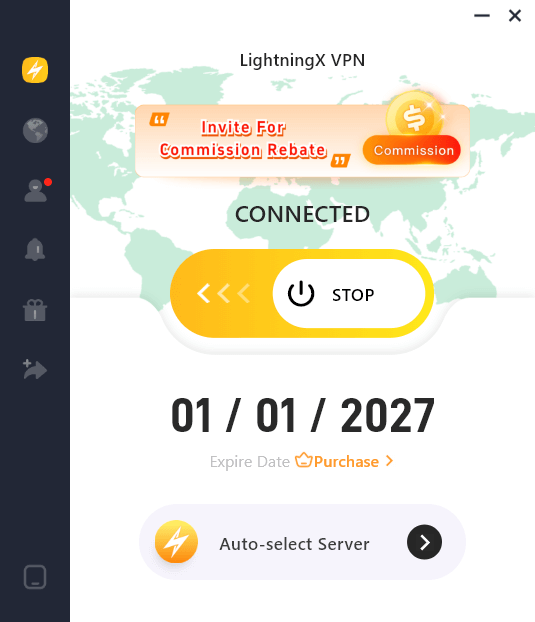
LightningX VPN is an easy-to-use VPN for PC, Mac, Android, iOS, Linux, TV, Chrome, Firefox, and Edge. It provides 2000+ servers in 70+ countries, including several free servers. It helps you change your IP address with one click and hide your real IP address to let you stay anonymous online. It encrypts all your online traffic and features a strict no-logs policy. You can get a fast, stable, and private internet connection with this VPN.
4. Use a Proxy Server
Like a VPN, a proxy hides your original IP, but it may offer slower speeds and weaker protection than a VPN.
5. Switch Networks
Moving from Wi-Fi to mobile data or using a different hotspot also changes your IP instantly.
Conclusion: Does Your IP Address Change?
To summarize everything:
- Dynamic IP addresses change regularly, often without you noticing.
- Static IP addresses stay the same until manually changed.
- Your IP changes every time you switch networks.
- Mobile networks often rotate IPs more frequently.
- A VPN gives you a completely different IP address.
Understanding how and why IP changes help you improve your privacy, troubleshoot network problems, and take control of your online experience.






