


You’re looking for the best free VPN for Mac, right? We tested and compared the top options and picked the 5 best free VPNs for macOS.
In this guide, you’ll find detailed reviews of LightningX VPN, ProtonVPN, PrivadoVPN, Hide.me VPN, and Windscribe VPN.
We evaluated each service based on user experience, speed, security, pricing, and Mac compatibility.
5 Best Free VPNs for Mac
1. LightningX VPN
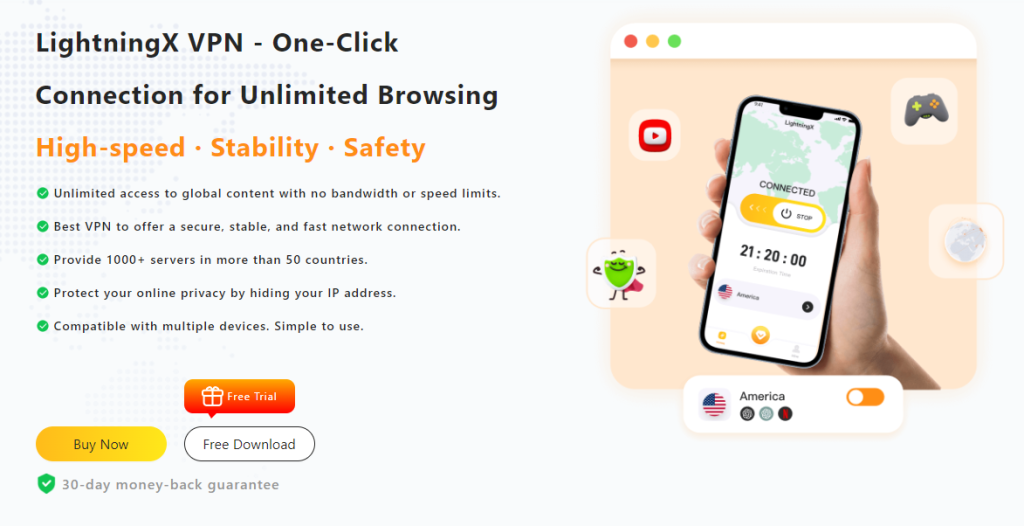
LightningX VPN is a VPN specifically designed for Mac users. With over 2000 servers worldwide, covering 70+ countries, it offers fast and stable connections, making it ideal for everyday use.
Overall Rating: 9.4/10
LightningX VPN excels in user experience, speed, security, price, and Mac compatibility. Whether you need a free version, a lightweight extension, or a stable, high-speed paid service, it’s one of the best free VPNs for Mac.
User Experience: Rated 9/10
LightningX VPN has a clear interface and simple, intuitive buttons. It also offers a free trial and money-back guarantee, allowing you to install and start using it in minutes without any complicated setup, making it a popular free VPN choice for Mac.
Speed Performance: 9/10
LightningX VPN offers connection speeds of up to 800+ Mbps, perfect for streaming, gaming, and downloading large files. Over 2000 servers ensure you can always find the fastest line.
Security: Rated 10/10
LightningX VPN uses advanced protocols such as Shadowsocks, Vless, and WireGuard, providing strong encryption and effectively hiding your IP address to protect your privacy.
Price: Rated 10/10
LightningX VPN offers several free servers. If you want to subscribe, the price is very affordable. This makes it one of the cheapest VPNs on the market, making it very attractive for users with limited budgets, especially students.
Read more: 5 Best VPNs For School (2025)
Mac Compatibility: 9/10
It runs smoothly on both the latest macOS and older Mac devices. Installation and connection are very simple, even for beginners.
2. Proton VPN
Proton VPN is another very popular free VPN for Mac. With over 11,000 servers covering more than 110 countries, its network scale ranks among the top free VPNs.
Overall Rating: 9.1/10
ProtonVPN performs well in user experience, speed, security, and Mac system compatibility. The free version is very generous.
User Experience: Rated 8.8/10
Proton VPN’s Mac version has a clean design, a clear interface, and is easy to use. The overall experience is good, but the free version has limited functionality and does not support some advanced features.
Speed Performance: 8.7/10
ProtonVPN offers speeds of up to 700+ Mbps, which is excellent. Users can watch HD and 4K content smoothly and enjoy a lag-free gaming experience. However, the free version is limited in high-bandwidth activities and unsuitable for streaming and P2P traffic.
Security: Rated 10/10
ProtonVPN uses top-notch VPN protocols, including AES-256 and Shadowsocks, to ensure the security and privacy of your data. Built-in IP, DNS, and WebRTC leak protection further enhances user privacy.
Price: Rated 7.0/10
The free plan offers 10 servers in the US, the Netherlands, and Japan with unlimited bandwidth. If you’re looking for a free VPN for Mac (no subscription) or a VPN for Mac (free trial), its free version is a good alternative.
Mac system and Mac App compatibility: Rated 9.2/10
Proton VPN is highly compatible with the latest macOS and runs stably. While enabling WireGuard requires system extensions, the overall installation and setup process is smooth. Even if you’re using an older macOS, it runs stably.
3. Privado VPN
PrivadoVPN is a decent free VPN for Mac, particularly good at unblocking streaming media. It’s suitable for users who want to access streaming sites like Netflix, Disney+, and Amazon Prime Video.
Overall Rating: 8.1/10
PrivadoVPN is ideal for Mac users who need a free VPN that can unblock streaming media.
User Experience: Rated 8/10
PrivadoVPN’s Mac app is intuitively designed with a clear interface that displays remaining bandwidth, making it user-friendly. The only limitation is that the free plan only supports one device connection.
Speed: Rated 8.9/10
In speed tests, PrivadoVPN is faster than many free VPNs. Full-speed bandwidth is very fast, suitable for watching videos or downloading files. After bandwidth is exhausted, the speed drops to 1 Mbps, just enough for everyday browsing.
Security: Rated 7.1/10
PrivadoVPN offers basic but reliable security features, including a kill switch to protect user identity information in case of disconnection. However, it hasn’t yet passed an independent no-logs audit.
Price: Rated 7.6/10
The free version offers 10GB of full-speed traffic, resets monthly, and provides unlimited low-speed connections (1 Mbps) after that. It currently has 13 server locations in 10 countries.
Mac Compatibility: 8.6/10
PrivadoVPN is compatible with the latest macOS, easy to install, and simple to use. If you need a more complete graphical interface or more settings options, you may need to consider other VPNs.
4. Hide.me VPN
If you want a free VPN for macOS with more server options, Hide.me is one of the best choices. It can easily unblock apps like X (Twitter), TikTok, and YouTube on macOS.
Overall Rating: 8.4/10
Hide.me VPN delivers solid performance across user experience, security, and Mac compatibility. It’s a reliable option if you need basic privacy protection and occasional access to streaming or social media platforms.
User Experience: Rated 7.9/10
Hide.me offers simple, easy-to-use apps for macOS, Windows, Android, and iOS. The free plan only allows one device at a time and isn’t as fast as the paid version.
Speed: Rated 7.5/10
Hide.me provides unlimited bandwidth, which is rare for a free VPN. Although it claims to have no speed limits, many users say the free version can feel slow during busy hours.
Security: Rated 9.5/10
Hide.me VPN uses AES-256 and ChaCha20 encryption to ensure the security of user data. A third party audited its no-logging policy, adding an extra layer of trust.
Price: Rated 8/10
The free version of Hide.me VPN offers 8 server locations with 10GB/month data. You can use it on 1 device.
Mac system and Mac App compatibility: Rated 8.5/10
Hide.me VPN has a good application performance on the Mac system and supports macOS 10.15 and above.
5. Windscribe
Windscribe VPN has servers in 110 cities worldwide, covering 66 countries, ensuring users can find a fast and reliable connection wherever they are.
Overall Rating: 8.7/10
Although the speed performance is mediocre, its security features and flexible pricing make it a VPN option worth considering. For Mac users, Windscribe VPN provides an easy-to-use and secure VPN solution.
User Experience: Rated 8.7/10
Windscribe VPN supports Windows, Mac, Android, iOS, and Linux, and also provides browser extensions for Chrome, Firefox, and Edge. The application design is simple and powerful, suitable for beginners and advanced users.
Speed: Rated 7.5/10
Windscribe VPN provides stable speeds, but performs mediocrely in some tests. The free version provides 10GB of data per month, and although the speed is not limited, the speed may be reduced compared to the paid version.
Security: Rated 9.5/10
Windscribe VPN provides security features, including AES-256 encryption, DNS leak protection, and multiple VPN protocol options. The ROBERT tool can effectively block ads, malware, and trackers.
Price: Rated 8.5/10
Windscribe VPN is relatively expensive, with a monthly fee of $9. Its free version provides 10GB of data per month and server selections in 11 countries. Users can customize their own plans through the “Build a Plan” program, starting at $1 per location and starting at $2/month.
Mac system and Mac App compatibility: Rating 9/10
Windscribe VPN performs very well on Mac systems and supports the latest versions of macOS. Advanced features such as Decoy Mode are also available in the Mac app, further improving the user experience.
Free VPN for Mac Comparison Table
| VPN | User Experience | Speed | Security | Price | Compatibility | Overall Rating |
|---|---|---|---|---|---|---|
| LightningX VPN | 9/10 | 9/10 | 10/10 | 10/10 | 9/10 | 9.4/10 |
| Proton VPN | 8.8/10 | 8.7/10 | 10/10 | 7/10 | 9.2/10 | 9.1/10 |
| Privado VPN | 8/10 | 8.9/10 | 7.1/10 | 7.6/10 | 8.6/10 | 8.1/10 |
| Hide.me VPN | 7.9/10 | 7.5/10 | 9.5/10 | 8/10 | 8.5/10 | 8.4/10 |
| Windscribe VPN | 8.7/10 | 7.5/10 | 9.5/10 | 8.5/10 | 9/10 | 8.7/10 |
How to Use a VPN on Mac?
Now that you know the best Mac VPNs, how do you set up and use a VPN on Mac?
Next, let’s take LightningX VPN as an example to teach you how to easily set up and use a VPN on MAC.
Step 1: Download and Install VPN
First, you need to download and install the LightningX VPN app on your Mac.
- Visit the official website: Go to the LightningX VPN website and click the “Get LightningX VPN” button.
- Install the app: open the installer and follow the on-screen instructions to install the app on your Mac. LightningX VPN supports macOS 11 and later, including macOS Sonoma.
Step 2: Subscribe and Sign Up
- Choose a plan: Open the LightningX VPN app and choose a subscription plan that suits your needs. They offer a variety of plans, including daily, monthly, and yearly options.
- Sign Up: Create an account by entering your email and setting a password. For added security, you will receive a random number.
Step 3: Login and Connect
- Login: Open the LightningX VPN app and log in with your newly created account credentials.
- Choose a server: Select a server from over 2,000 servers in 70+ countries. If you need the fastest network, connect to the nearest location.
- Connect: Click the Connect button!
FAQ about Free VPNs for Mac
1. Does Mac Have a Built-in VPN?
Yes. macOS supports IKEv2 VPN, and you can set it up in System Settings.
But it is not a full VPN service. You still need a VPN provider’s configuration file, and it does not offer the advanced features that VPN apps provide.
2. Which is the Safest VPN for Mac?
LightningX VPN is one of the safest options for Mac. It uses strong protocols like Shadowsocks, Vless, and WireGuard, along with AES-256-GCM encryption.
It also changes your real IP address and includes DNS leak protection.
With these security tools, LightningX VPN keeps your Mac data private and secure.
3. Is a Free VPN for Mac Safe?
A free VPN can be safe if it has proper security features. However, many completely free VPNs lack strong encryption or leak protection.
A safer choice is to use the free trial or free plan from a trusted paid provider.






